
Equine
Record semen collections
On this page
Record each semen collection from a stallion with its quality figures, then any shipments sent out from it and when they arrived. Coverings bred from a collection link back to it, so you can see the figures each mare was bred on.
Recording needs the clinical-authorship permission, which vets have by default. Everyone else can read the screen. Collections can only be recorded on a stallion; a horse recorded as female can't have one.
Open a stallion's collections
- On the stallion's record, select Semen collection (see Work with a horse's record).
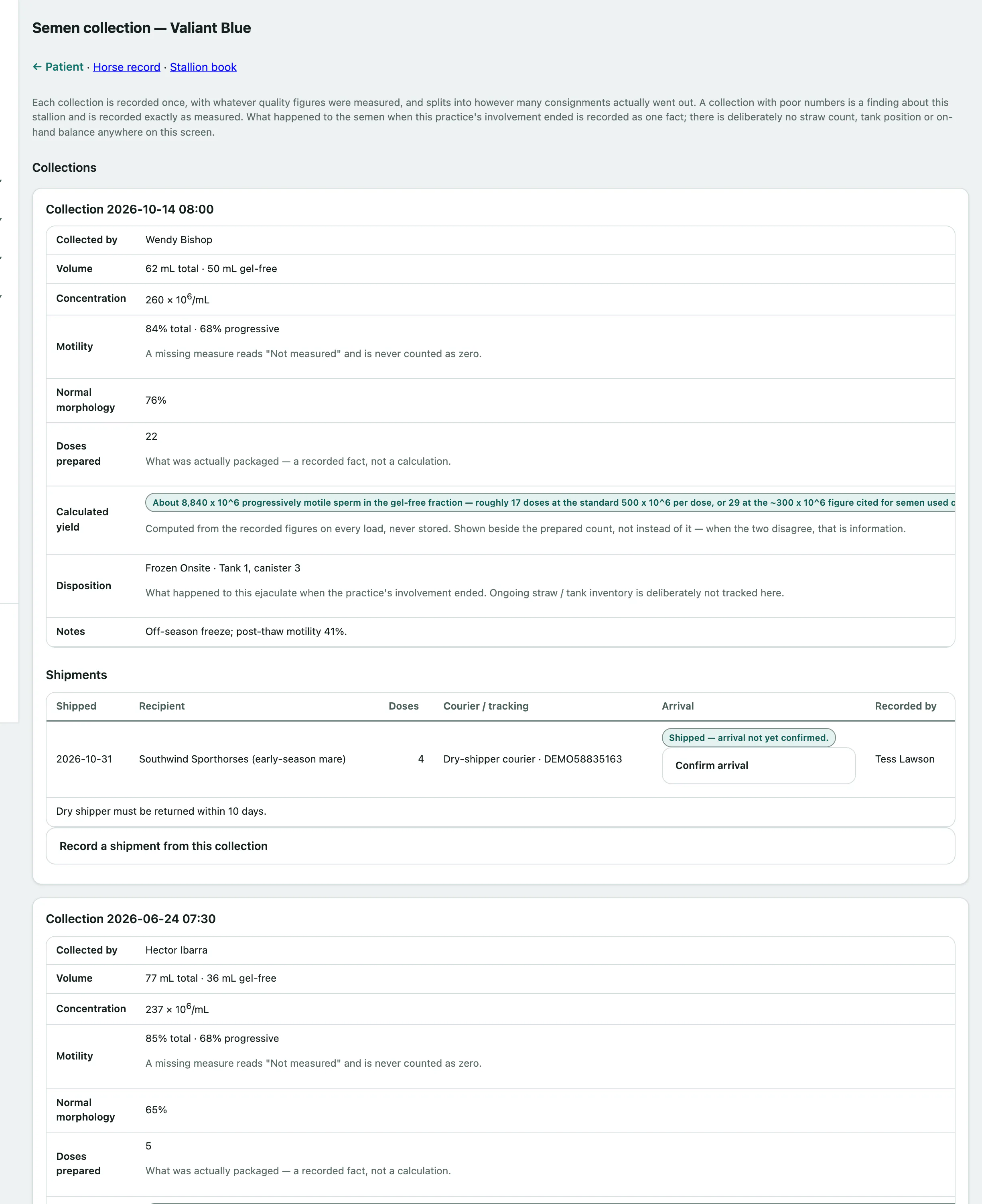
Collections lists each collection with its quality figures, the Doses prepared, a Calculated yield worked out from the figures, the Disposition, its shipments and the Coverings bred from this collection. A figure that wasn't measured shows as Not measured, never as zero.
Record a collection
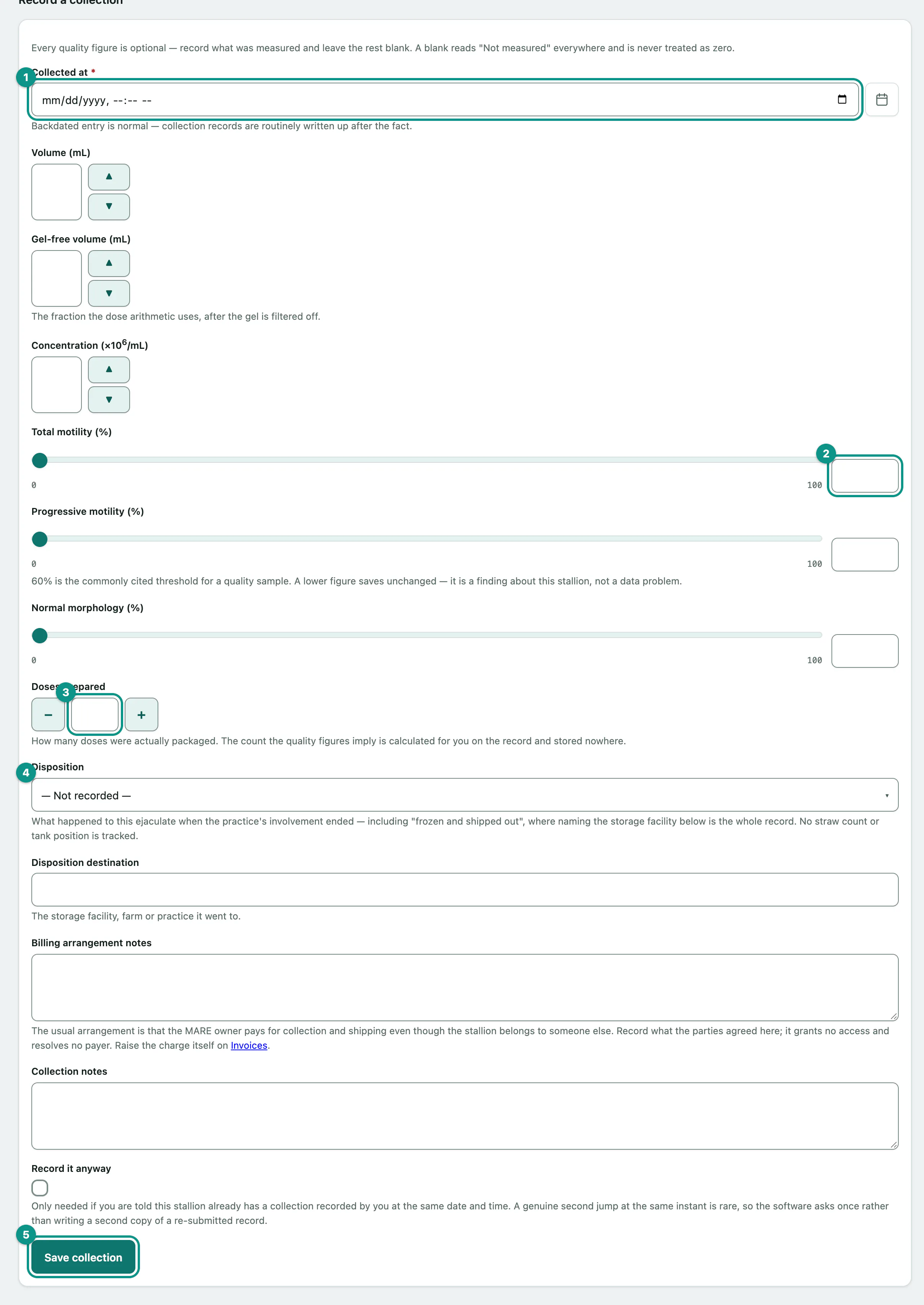
Every quality figure is optional. Record what you measured and leave the rest blank.
- Under Record a collection, enter Collected at.
- Enter the figures you measured, such as Volume (mL), Gel-free volume (mL), concentration, Total motility (%), Progressive motility (%) and Normal morphology (%).
- Enter the Doses prepared: what was actually packaged.
- Choose the Disposition, such as Used Fresh Onsite, Shipped Cooled or Frozen Onsite, and where it went in Disposition destination.
- Select Save collection.
Billing for collections isn't worked out here. Use Billing arrangement notes to record what the parties agreed.
Record a shipment
- On the collection, open Record a shipment from this collection.
- Enter Shipped on, and the Recipient mare (on file) or the Receiving farm or practice.
- Enter the Doses in this shipment, the Courier and the Tracking number.
- Select Save shipment.
Vivetra doesn't keep a stock count of straws or doses; it records what was shipped.
Confirm a shipment arrived
- On the shipment, open Confirm arrival.
- Enter Arrived at and select Confirm arrival.
Shipments with no arrival confirmed are listed on the breeding overview until you confirm them (see See the breeding season at a glance).