
Vet Practice
Track pet insurance claims
Keep a record of a pet's insurance policies, the claims made on them, and which documents each claim still needs. Vivetra tracks status only: you submit the claim to the insurer yourself, then mark it here.
Open the patient's chart and select Insurance claims under Related records.
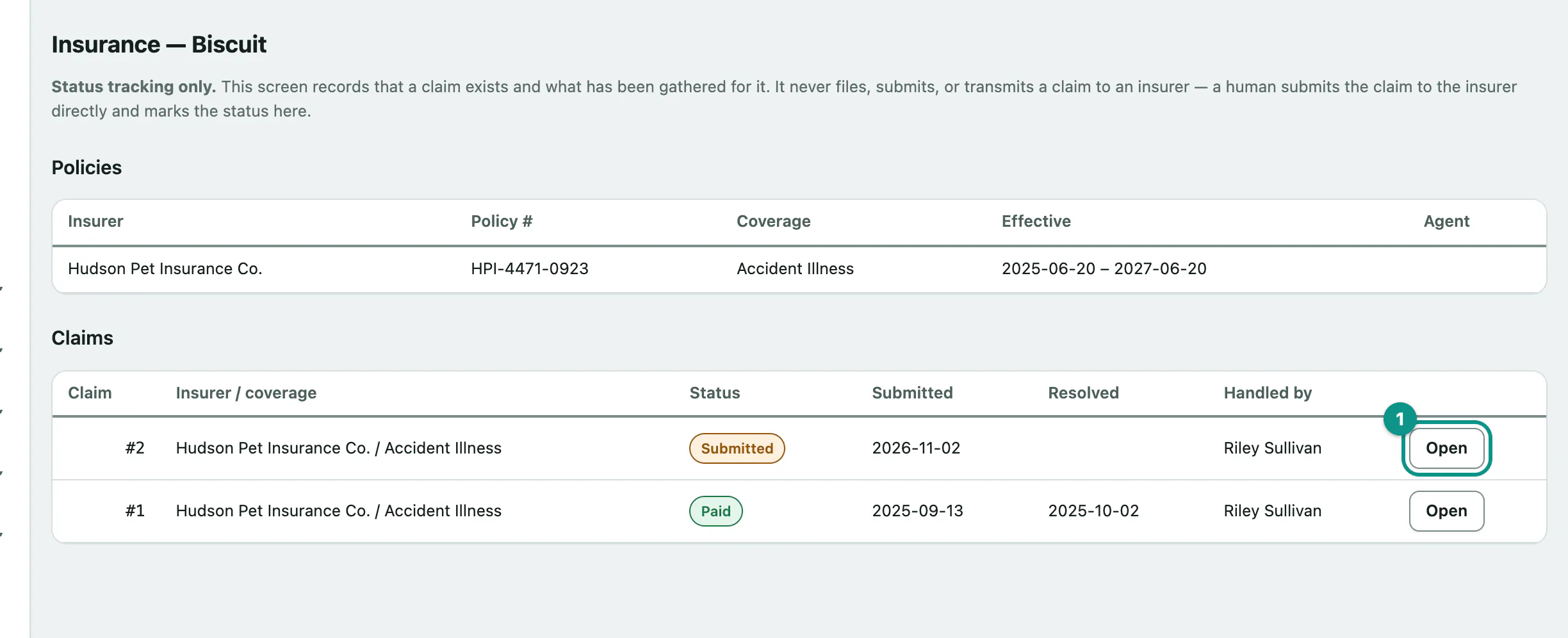
Anyone can view a patient's insurance. Practice managers and vet techs can add policies, open claims and update them. Front desk staff can't, because a claim needs clinical detail.
Add a policy
A claim is always made on a policy, so add the policy first.
- Under Add a policy, enter the Insurer name. It's the only required field.
- Select Add policy.
You can also fill in Policy number, Coverage type (Accident Illness, Wellness or Other), Agent contact, Effective from, Effective until and Notes. The policy appears in the Policies table.
Open a claim
- Under Open a claim, choose the Policy.
- Select Open claim (starts as pending).
Optionally pick the visit the claim is for in Triggering event (visit, optional) and add Notes. New claims start as Pending.
Update a claim
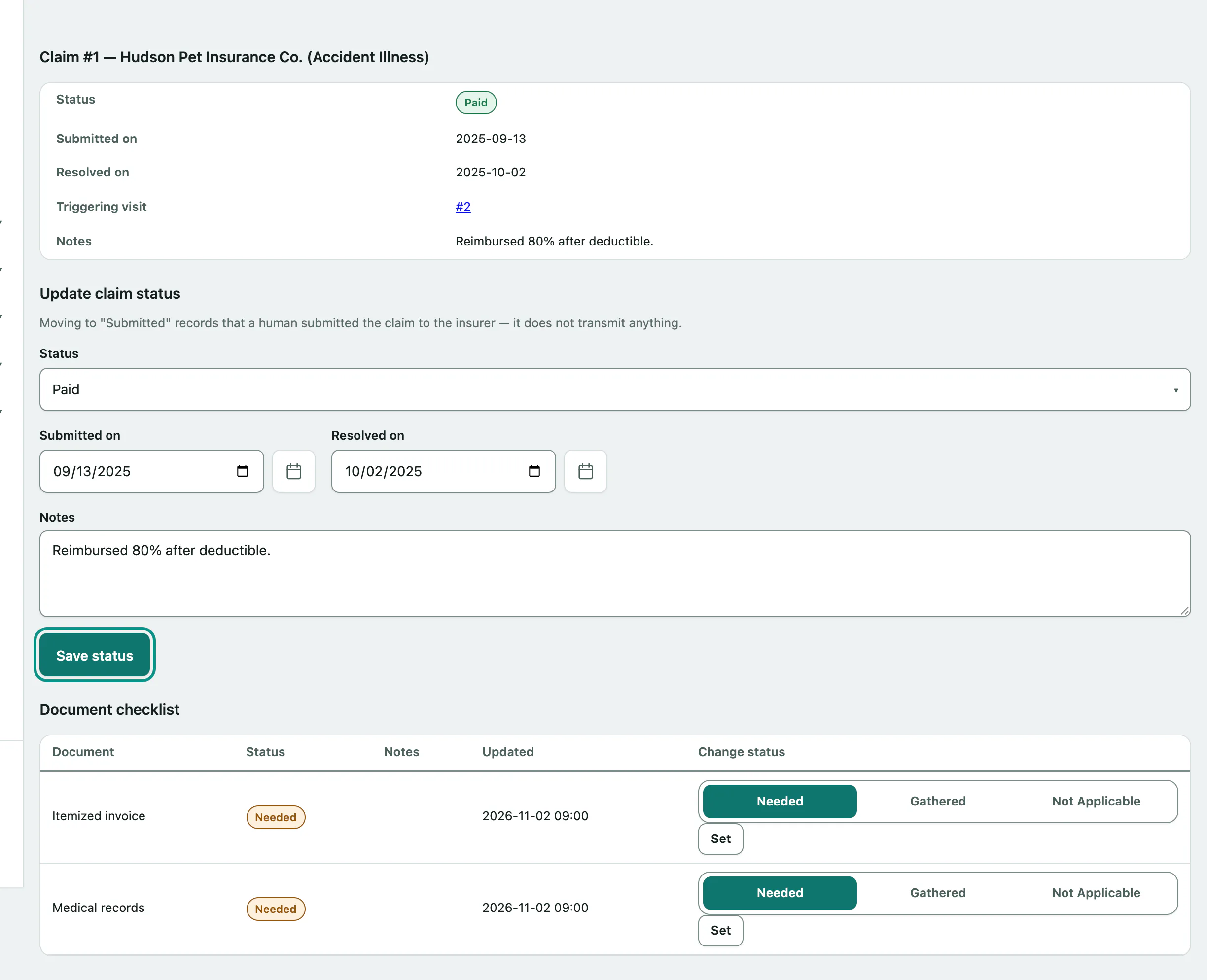
- In the Claims table, select Open on the claim.
- Under Update claim status, choose the new Status.
- Select Save status.
Fill in Submitted on and Resolved on as the claim moves along. The claim records you as the person who handled it.
| Status | Use it when |
|---|---|
| Pending | The claim is being put together. |
| Submitted | You've sent it to the insurer. |
| Paid | The insurer paid out. |
| Denied | The insurer turned it down. |
| Withdrawn | The claim was withdrawn. |
| Other | Anything else. Say what in the notes. |
Track the documents a claim needs
Each open claim has a Document checklist of what the insurer wants, such as an itemized invoice or medical records.
- Under Add a document to the checklist, enter the Document type, for example "Itemized invoice".
- Select Add document.
Each document is Needed, Gathered or Not Applicable. To change one, pick the new status in its row and select Set.
The checklist only tracks whether each item has been gathered. Attach the files themselves to the patient's record as usual.