
Livestock
Build and apply herd-health protocols
In Vivetra: Livestock › Health Protocols · Livestock › Applied Protocols
A herd-health protocol is a reusable vaccination or treatment program, like "fall-born calves: first vaccine at weaning, booster 21 days later". You build it once as a template, then apply it to a lot or an animal, and Vivetra works out the due dates.
By default, veterinarians, front-desk coordinators and practice managers can create and apply protocols. Everyone can see them.
Create a protocol template
- Select Health Protocols in the Livestock menu.
- Under Create a protocol template, choose the Operation it belongs to.
- Enter a Name.
- Choose a Species (optional — leave blank to apply to every species).
- Select Create protocol.
You can also add a production class and description. New templates are Active.
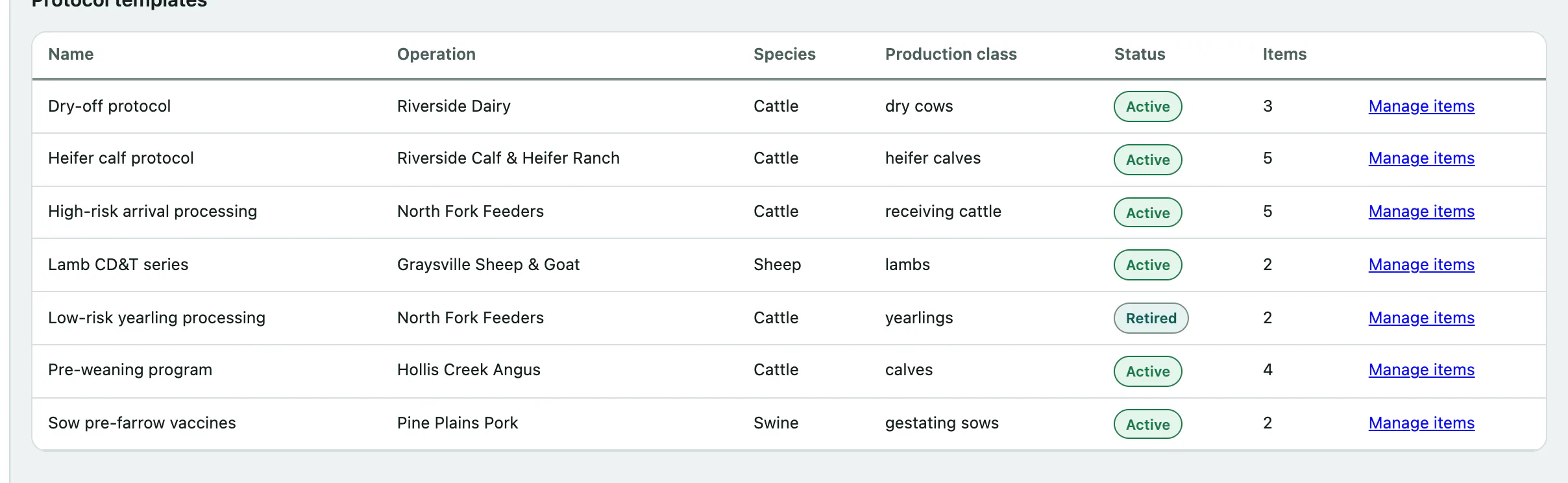
Set a template to Retired when you stop using it.
Add the scheduled items
Each item is timed from a trigger event, not a calendar date. That's what lets one template work for every group of animals.
- In the Protocol templates list, select Manage items on the protocol.
- Under Add a scheduled item, choose the Intervention type: Vaccine, Treatment or Other.
- Enter the Product name (free text), and pick a Drug reference (optional structured link) if it's listed.
- Choose the Trigger event: At birth, At arrival, At weaning, Post weaning or Other.
- Enter the Offset days: how many days after the trigger it's due. Use a negative number for days before.
- Select Add item.
Repeat for each item. They're listed under Protocol items.
Apply a protocol
- Select Applied Protocols in the Livestock menu.
- Under Apply a protocol, choose the Protocol.
- Choose what it applies to: select Tier 1 — individual patient and pick the animal, or Tier 2 — lot group and pick the lot. Only the picker for the option you select is used.
- Enter the Anchor date: the date of the trigger, such as the lot's arrival date or the animal's birth date.
- Select Apply protocol.
See the due dates
- Under Applications, select Schedule on the application.
The Computed schedule lists each item with its due date: the anchor date plus the item's offset. It's calculated fresh every time you open it, so changing a template's items changes the schedule too.

An application's Status can be Active, Completed or Cancelled.