
Hospital
Take in a new referral
In Vivetra: Hospital › Referrals
On this page
Referrals is the inbox for cases sent to your hospital: by referring vets, from emergency walk-ins, internal transfers or owners coming to you directly. Record each one as soon as it arrives, then work it from submitted through to closed (see Work a referral case).
Anyone can see the inbox. Creating a referral needs referral-management access, which veterinarians and practice managers have.
Check the inbox
- Select Referrals in the Hospital menu.
- To narrow the Referral inbox, choose a Status. The list updates straight away.
- Select View to open a referral.
Each row shows the referral number, status, urgency, source, patient, referring vet and practice, requested department, reason and when it was submitted. Select Clear to show every status again.
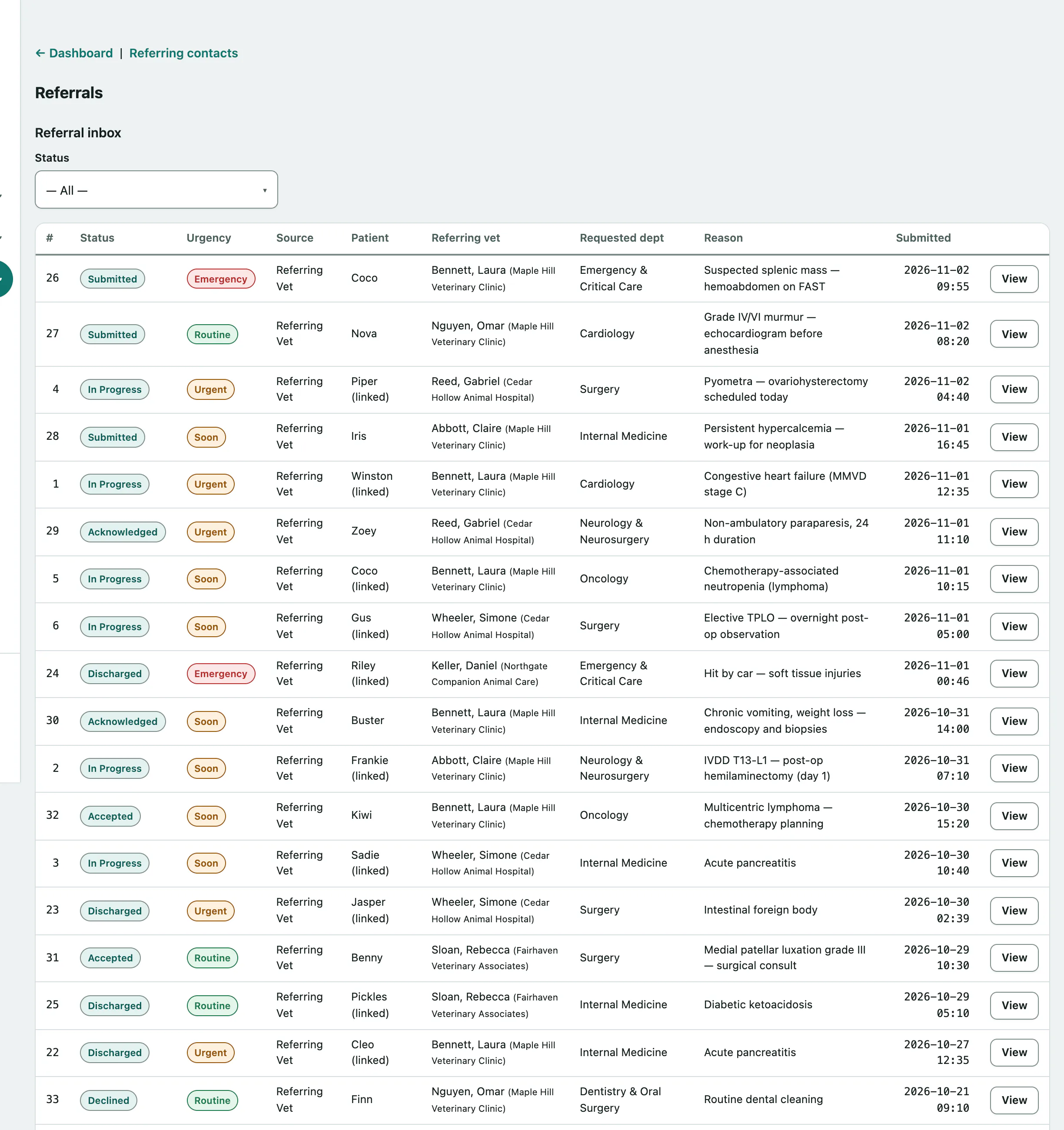
Referrals that referring vets send through their portal land here too (see Give referring vets portal access).
Record a new referral
The patient and owner don't need to exist in Vivetra yet. You can record them inline and link the real records once the case is accepted.
- Under New referral intake, choose the Source: Referring Vet, Emergency Walkin, Internal Transfer or Owner Direct.
- Choose the Referring practice and Referring veterinarian. If they aren't listed, add them first (see Manage referring practices and vets).
- Under Proposed patient (inline until accepted), enter the Patient name, species, breed, sex and approximate age. If the patient is already on file, enter its number in Link existing patient (optional).
- Under Owner contact (inline), enter the Owner name, phone and email.
- Enter the Reason. It's required.
- Choose the Urgency: Routine, Soon, Urgent or Emergency.
- Choose the Requested department (see Set up departments).
- Select Create referral.
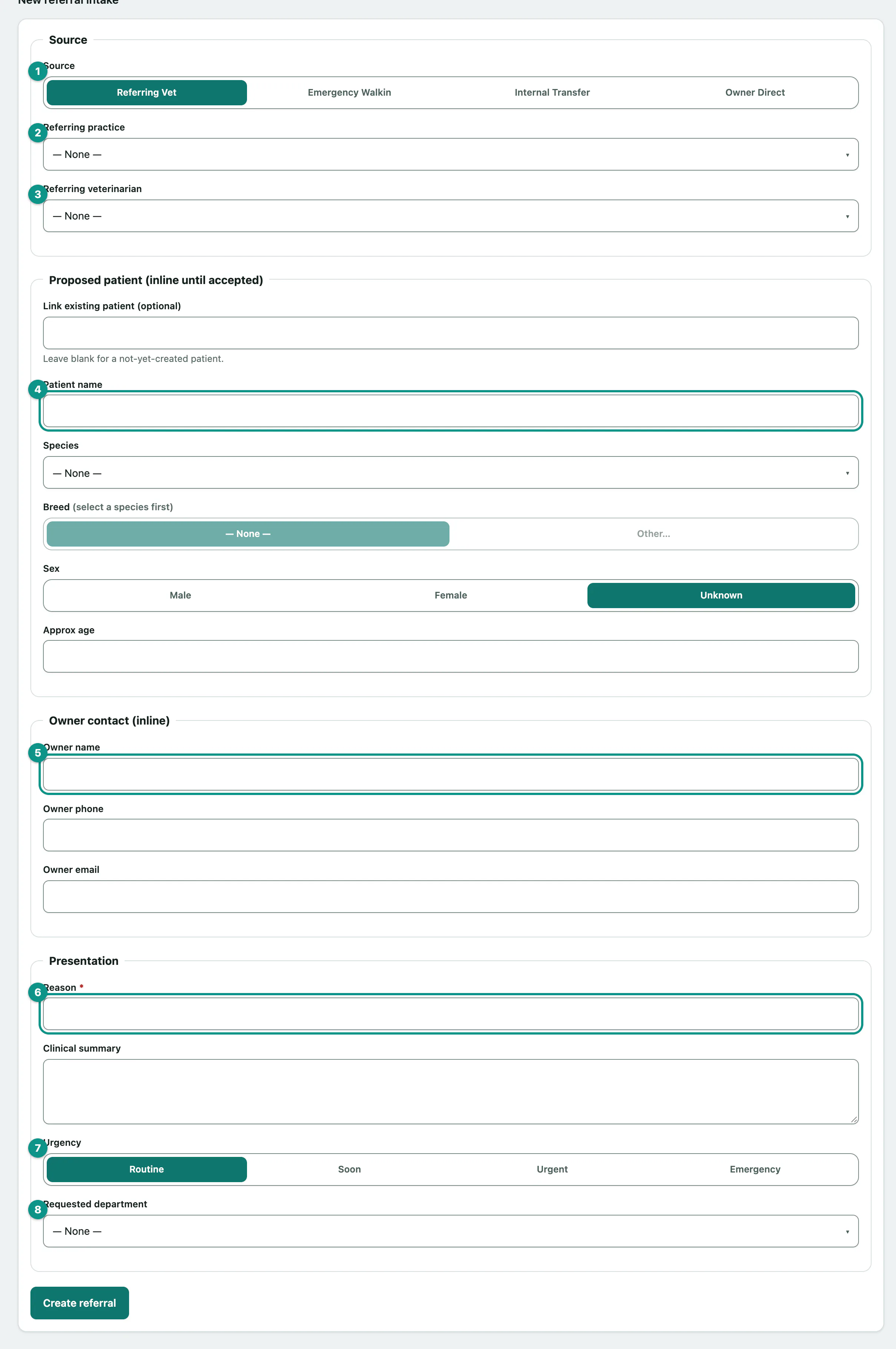
You can add a Clinical summary too. Once it's created, the referral opens so you can attach the records that came with it.