
Records & admin · Records
Find or add a patient
In Vivetra: Records › Patients
On this page
Patients lists every animal your practice has on file, whichever module it came in through. Use it to look a patient up by name or species, or to add a new one.
Find a patient
- Select Records › Patients in the menu.
- Type part of the name in Name contains. You can also fill in Species contains to narrow it down, for example to cats only.
- Select Search.
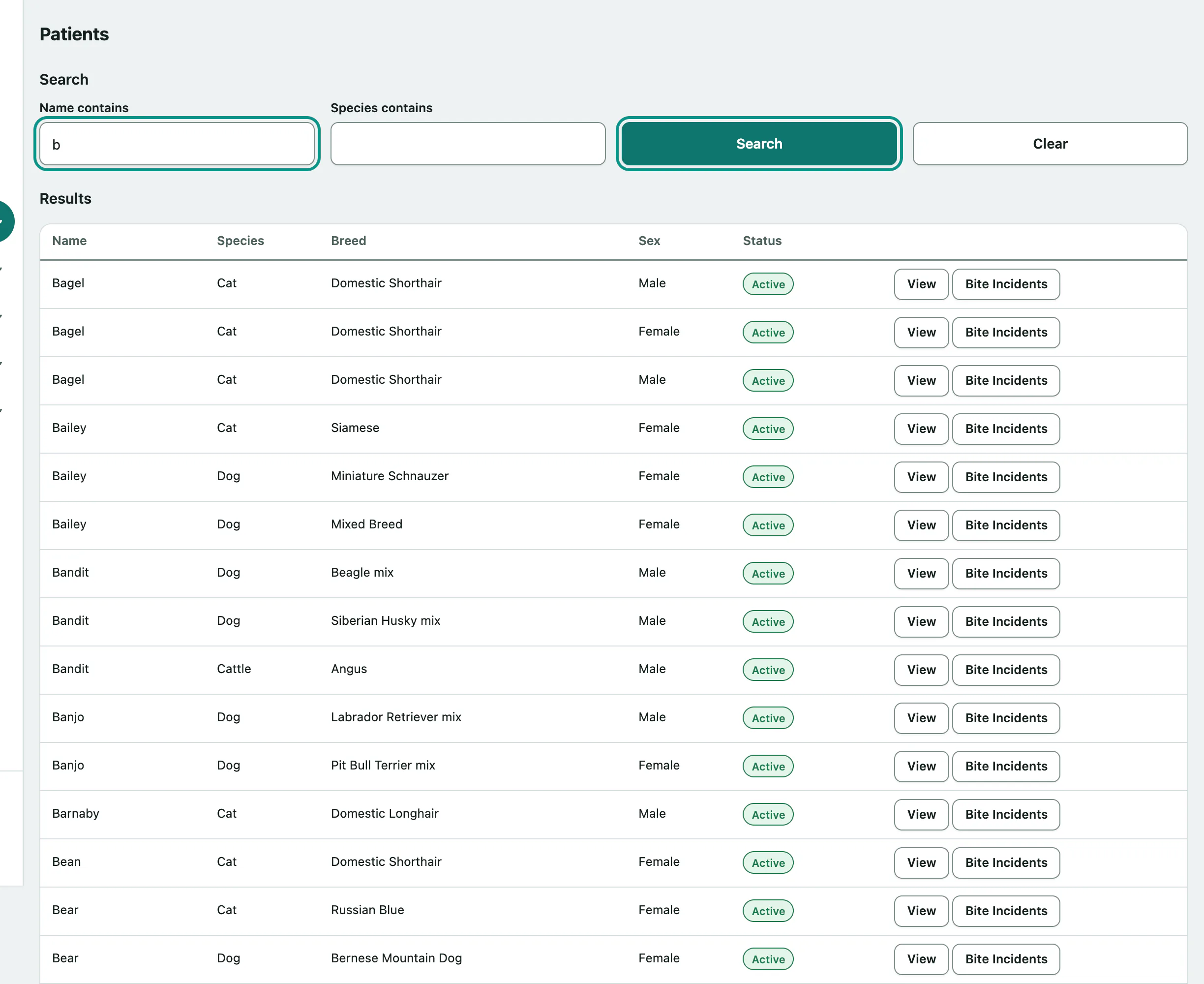
Each row shows the name, species, breed, sex and a status: Active or Deceased. A Caution pill means the patient has a safety flag. Select View to open the record (see Use the patient record), or Bite Incidents to see that patient's bite history.
Select Clear to empty the search and see the full list again.
Add a new patient
Add a new patient is at the bottom of the page. You only see it if your role can add patients.
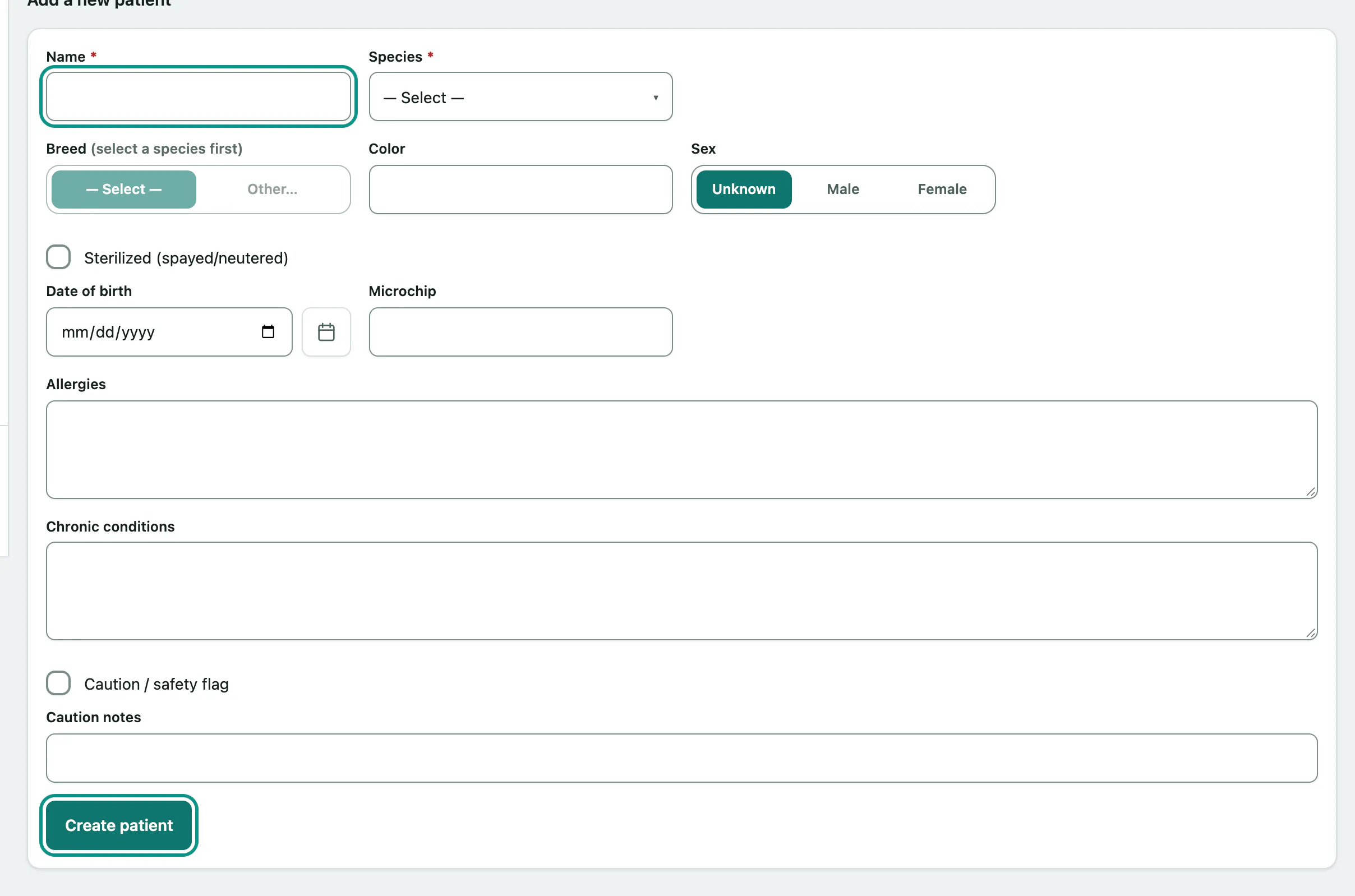
- Fill in the form under Add a new patient. Name and Species are required.
- Select Create patient. The new patient's record opens.
| Field | What to enter |
|---|---|
| Species | Pick from the list. If it isn't there, choose Other… and type it in If “Other” — species name. |
| Breed | The list depends on the species, so choose the species first. Other… works the same way. |
| Sex | Male, female or unknown. |
| Sterilized (spayed/neutered) | Tick if the animal has been spayed or neutered. |
| Date of birth, Color, Microchip | Optional. |
| Allergies, Chronic conditions | Optional free-text notes. |
| Caution / safety flag | Tick for an animal staff should approach carefully, and say why in Caution notes. The warning shows at the top of the record. |
The new patient isn't linked to an owner yet. You link an owner from the module you work in, for example a vet-practice client record.