
Records & admin · Getting around
Record a bite incident
In Vivetra: Bite Incidents
On this page
When an animal in your care bites or scratches someone, record it under Bite Incidents. The record keeps who was hurt, how badly, the animal's rabies status, whether you reported it, and the observation exam dates.
Everyone can see the list. Recording and correcting incidents needs bite-incident permission, which veterinarians and practice managers have.
Record an incident
Select Bite Incidents in the menu. If you start from the patient instead, with Bite Incidents on their row in Patients, the patient is filled in for you.
- Under Record a bite incident, enter the biting animal's Patient ID. It's the ID on their patient record.
- Fill in when and where it happened. Leave Incident date/time blank to use now.
- Choose the Victim type (staff, volunteer, client, another animal and so on) and add their name and contact details.
- Describe the Circumstances and the Bite site (on victim), then choose the Severity and whether it Broke skin.
- Choose the Biting animal's rabies-vax status.
- If you've reported it, tick Reported to the local/state health authority and fill in Reported on, the Authority name and their reference.
- Enter the observation exam dates you know: Exam — initial, Exam — midpoint and Exam — final.
- Select Record bite incident.
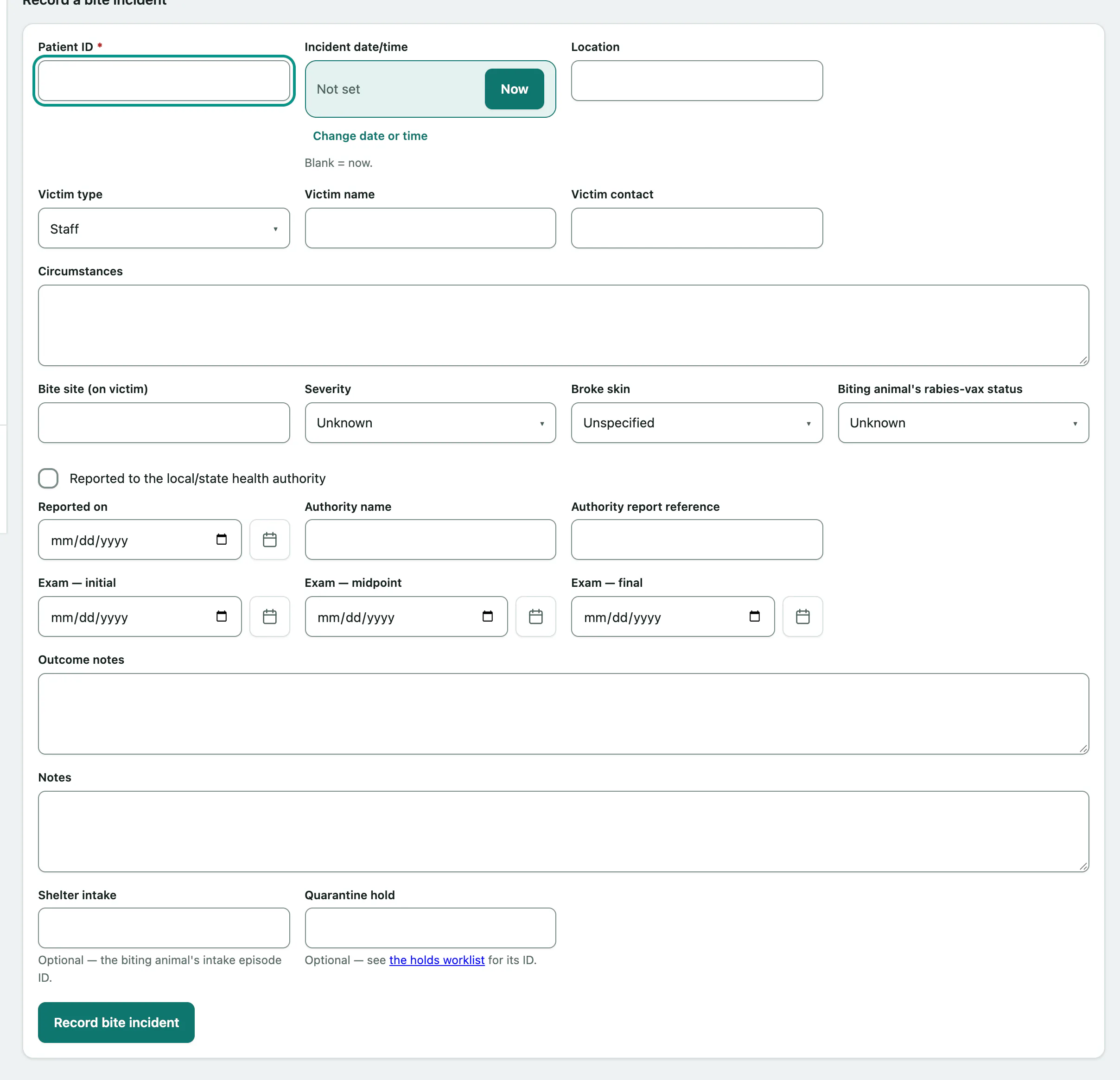
If your practice runs a shelter, you can also link the Shelter intake and Quarantine hold.
Update an incident
You'll usually come back to add exam dates and the outcome as the observation period goes on.
- In History, select View on the incident.
- Change what you need under Correct / update this incident, for example the exam dates or Outcome notes.
- Select Save changes.