
Client portal · Boarding
Set up a regular booking
In Vivetra: Regular bookings
Use Regular bookings for anything that repeats, such as daycare every week or a groom every six weeks. Ahead of each one, the facility gets a normal booking request, which they confirm with you each time. You can pause or stop a regular booking whenever you like.
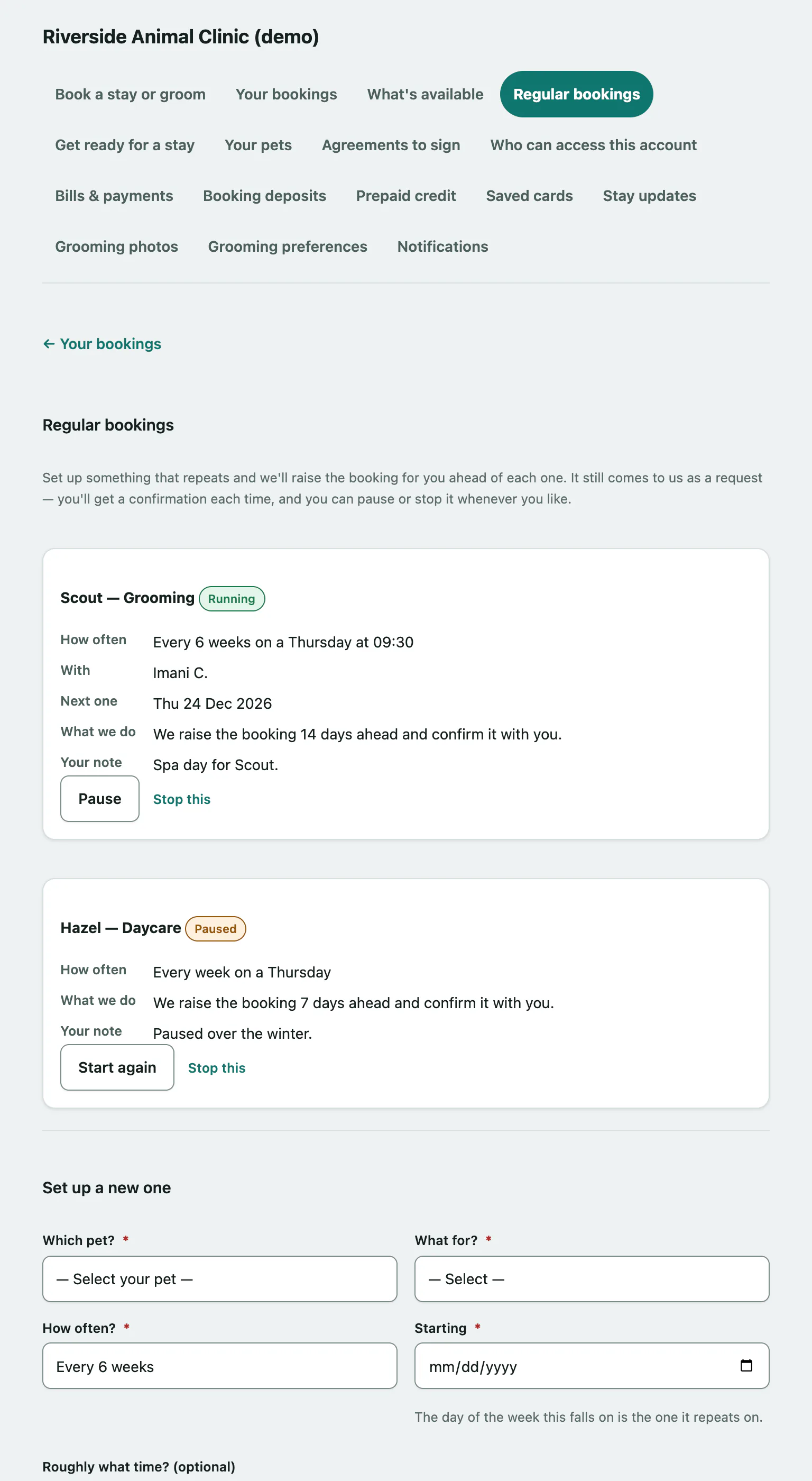
Set up a regular booking
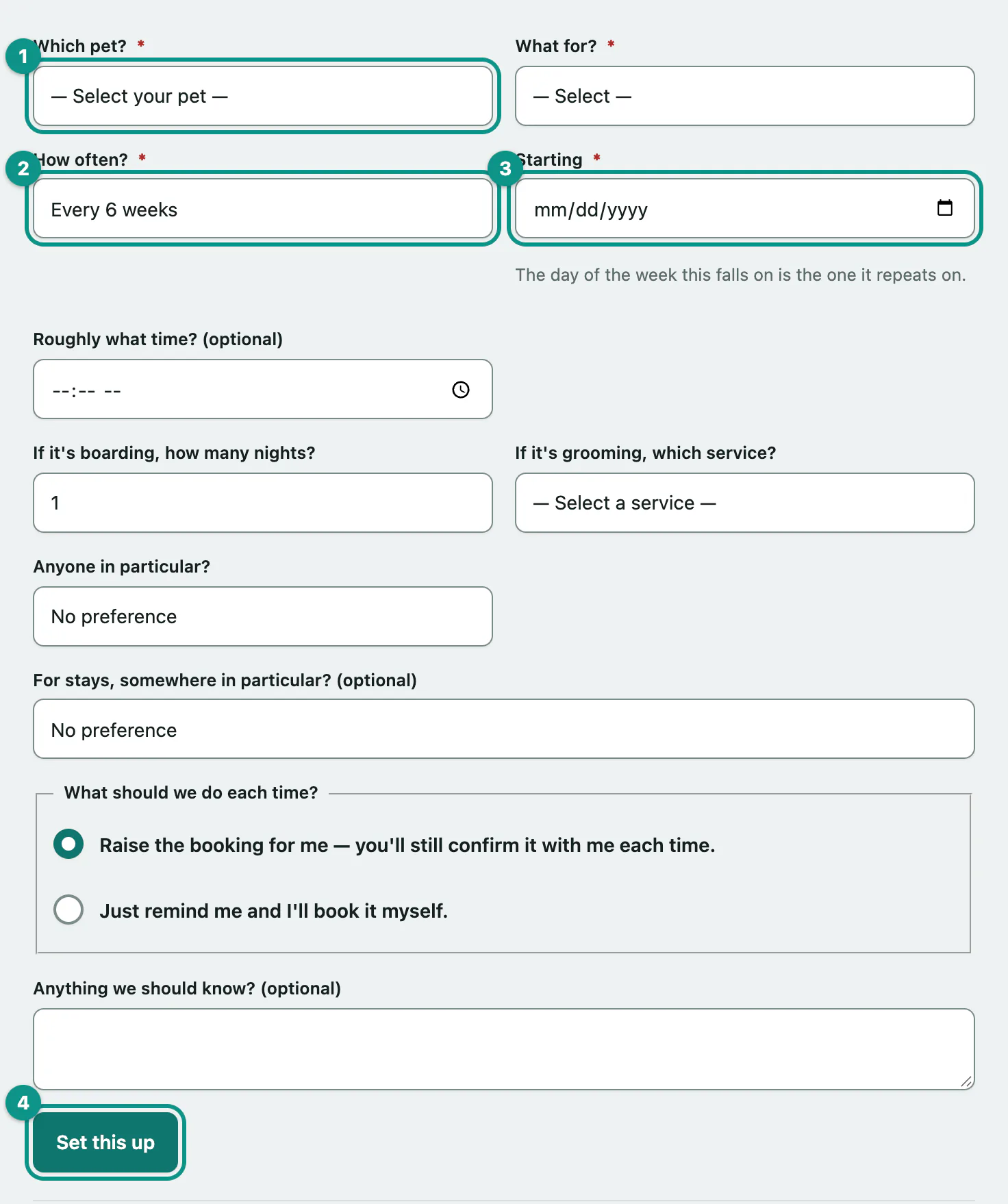
- Select Regular bookings in the portal menu.
- Under Set up a new one, choose your pet in Which pet?.
- In What for?, choose Daycare, Boarding or Grooming.
- Choose How often?, from Every week to Every month.
- Pick the first date in Starting. The day of the week it falls on is the day it repeats on. Add Roughly what time? (optional) if you like.
- Fill in the boxes that apply: If it's boarding, how many nights?, or If it's grooming, which service? and Anyone in particular?.
- Under What should we do each time?, choose Raise the booking for me — you'll still confirm it with me each time. or Just remind me and I'll book it myself.
- Select Set this up.
Your regular bookings
Each regular booking shows how often it happens, the date of the Next one, and What we do: either the facility raises the booking a set number of days ahead, or it reminds you to book.
| Label | What it means |
|---|---|
| Running | Bookings are being raised or reminders sent. |
| Paused | Nothing happens until you start it again. |
| Stopped | It has ended. |
Pause, restart or stop
- Select Pause to put a running booking on hold, for example while you're away.
- Select Start again to restart a paused one.
- Select Stop this to end it for good.
If you see We're not taking online bookings at the moment, call the facility to set up something regular.