
Equine
Record a horse's pedigree
The pedigree screen shows a horse's recorded ancestry as a family tree, lists its recorded offspring, and is where you record its sire and dam.
Anyone can see a pedigree. Recording parentage needs the clinical-authorship permission, which vets have by default.
Open a pedigree
- On the horse's record, select Pedigree (see Work with a horse's record).
The page shows This horse, the Ancestry tree and Recorded offspring: every horse in Vivetra that names this one as its sire or dam.
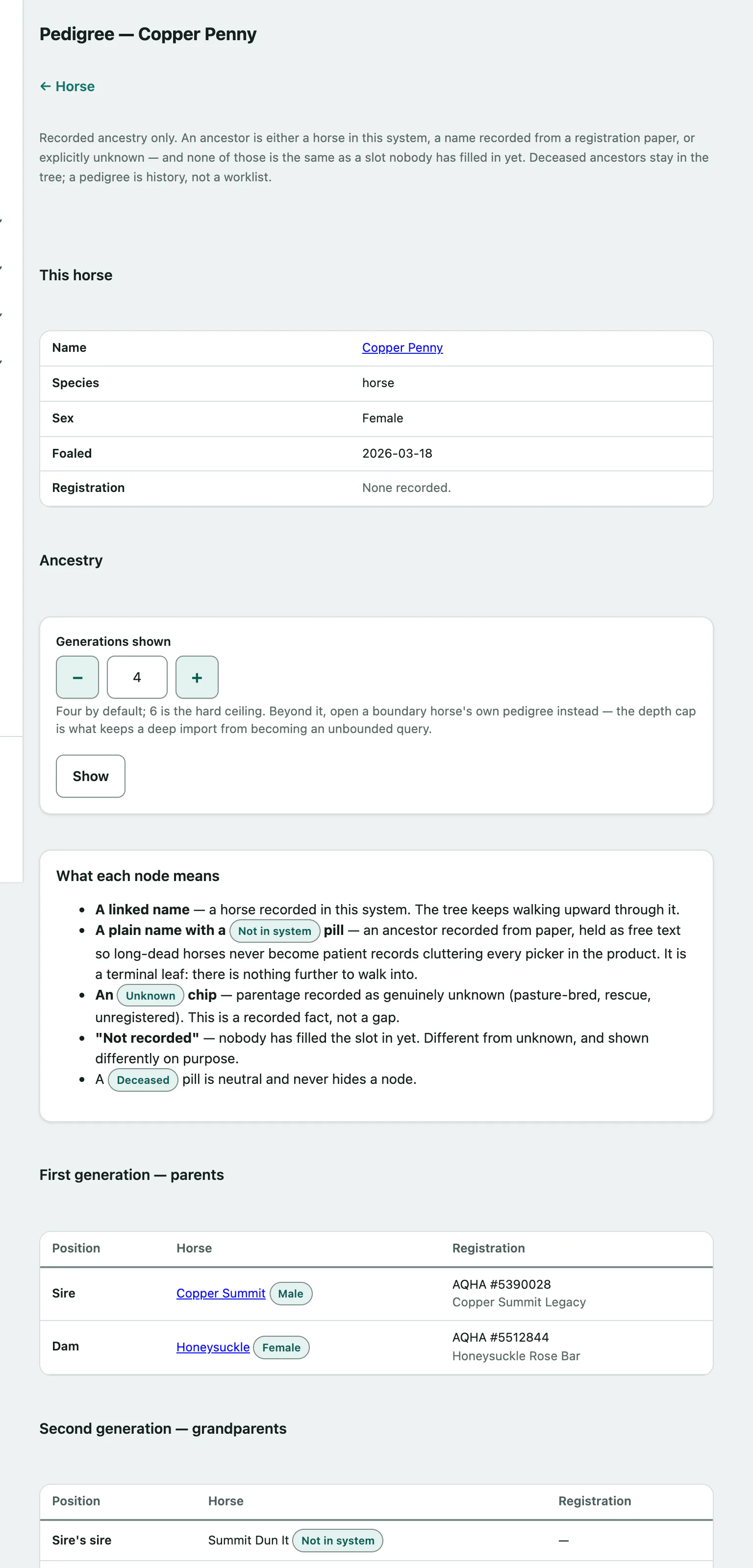
Reading the tree
| In the tree | What it means |
|---|---|
| A linked name | A horse recorded in Vivetra. Select it to open that horse. |
| A name marked Not in system | An ancestor typed in from the papers. The tree stops there. |
| Unknown | Parentage recorded as genuinely unknown, such as a pasture-bred or rescue horse. |
| Not recorded | Nobody has filled this slot in yet. |
Deceased ancestors stay in the tree with a Deceased pill.
Show more generations
The tree shows four generations by default.
- Change Generations shown to any number up to 6.
- Select Show.
To go further back, open an ancestor's own pedigree.
Record the sire and dam
Each parent can be recorded one of three ways: a horse in Vivetra, a name from the paperwork, or unknown. Use only one per parent.
- Under Record parentage, for the sire, either choose him in Sire (horse in this system), type Sire name (not in this system), or tick Sire is genuinely unknown.
- Do the same for the dam with Dam (horse in this system), Dam name (not in this system) or Dam is genuinely unknown.
- Select Save parentage. You'll see Parentage saved.
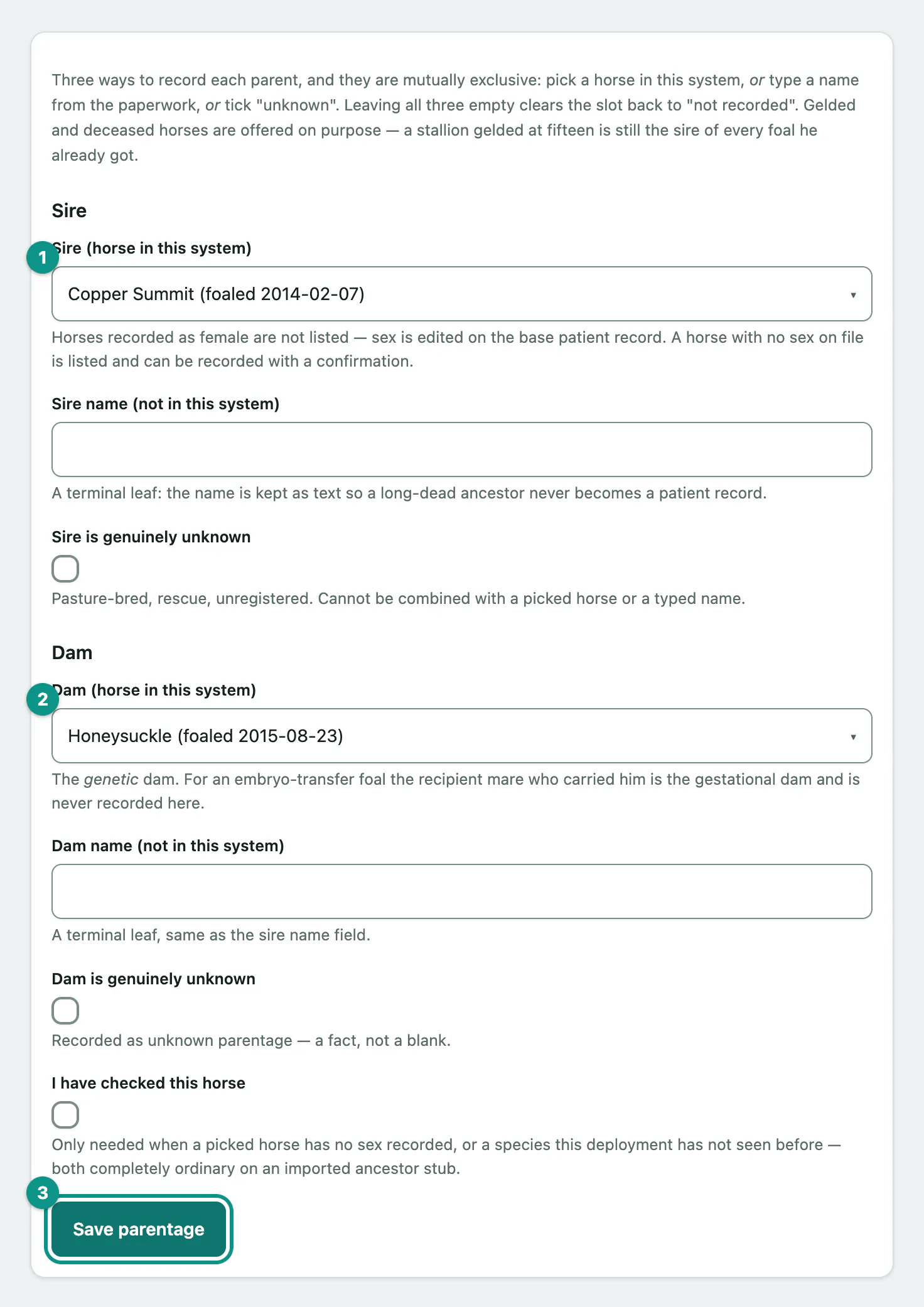
Leaving all three empty for a parent clears it back to Not recorded. Horses recorded as female aren't offered as a sire. Gelded and deceased horses are offered, because they're still the parents of foals they had.
Vivetra checks the ancestry before saving, so a horse can't end up as its own ancestor.
If you pick a horse with no sex recorded, tick I have checked this horse before saving.