
Shelter
Track litters and cohorts
In Vivetra: Shelter › Litters & Cohorts
A cohort ties together animals that arrived together, such as a mum and her kittens, a bonded pair or a hoarding seizure. Each animal still has its own intake and its own outcome; the cohort lets you see them as a group and place a hold on all of them at once.
Create a cohort
- Select Litters & Cohorts in the Shelter menu.
- Under Create a new cohort, choose the Cohort type: Litter, Bonded Pair, Hoarding Case, Cruelty Seizure, Disaster Response, Transport Transfer or Other.
- Give it a Label (for example "Tabby litter"), a Description and the Shared intake date if you like.
- Select Create cohort. The new cohort opens, ready for you to add animals.
You can also put an animal in a cohort when you record its intake, using Intake cohort (litter / mass-intake group) on the intake form (see Record an intake).
Add or remove animals
- Under All cohorts, select View on the cohort.
- Under Assign an intake to this cohort, choose the Intake. Intakes already in another cohort say which one.
- Select Assign intake to this cohort.
Assigning an intake that's already in another cohort moves it to this one. To take an animal out, select Remove on its row under Cohort members. The animal's intake stays as it is; it just leaves the cohort.
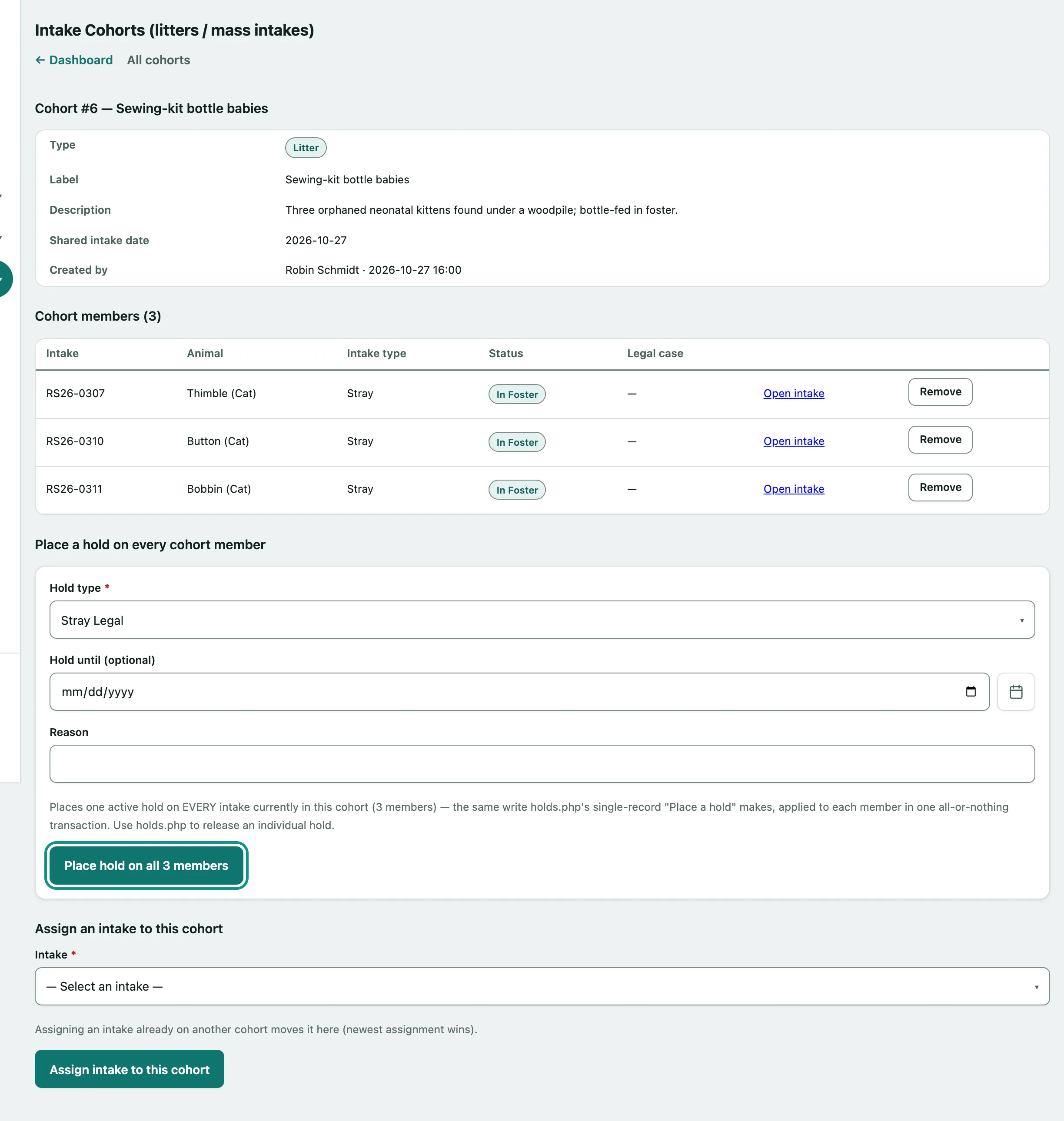
The members table shows each animal's intake number, type, status and any legal case it's part of. Select Open intake to go to an animal's intake.
Put a hold on the whole cohort
When every animal in the group needs the same hold, for example court evidence after a seizure, place it once here instead of animal by animal.
- On the cohort, under Place a hold on every cohort member, choose the Hold type.
- Enter a Reason, and a Hold until (optional) date if the hold has an end date.
- Select Place hold on all. The button ends with the number of animals it will hold, for example "Place hold on all 3 members".
Either every member gets the hold or none do. To release a hold for one animal, use the Holds worklist (see Place and release holds).
Who can do this
Anyone signed in can see cohorts. Creating cohorts and adding or removing animals need intake permission, and the cohort hold needs hold permission. Front desk, veterinarians and practice managers have both by default.
A Cruelty Seizure cohort isn't the same as a legal case; you open and link legal cases separately (see Track legal cases).