
Records & admin
Keep the problem list and allergies up to date
On this page
Each patient has a problem list (what's wrong with them now, and what was wrong before) and an allergy list. Keep both current: allergies to formulary drugs are checked automatically whenever someone prescribes.
You need permission to view the full chart to open either list, and permission to write clinical notes to change them. Anyone else sees a view-only note.
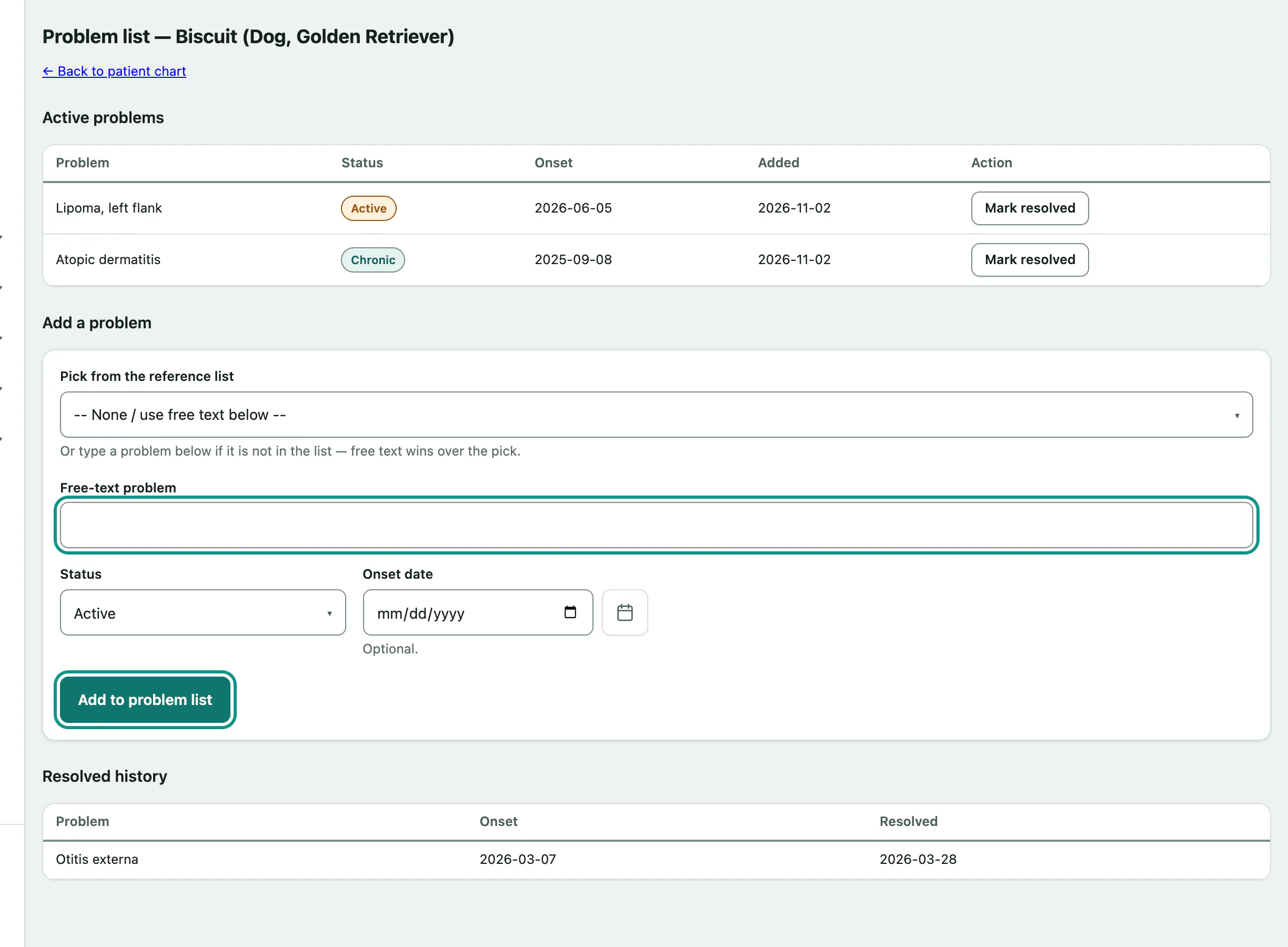
Add a problem
Open the patient's record and select Manage the problem list (or Open the problem list if it's empty).
- Pick a problem from Pick from the reference list, or type your own in Free-text problem.
- Choose a Status: Active or Chronic (ongoing). Add an Onset date if you know it.
- Select Add to problem list under Add a problem.
Resolve a problem
- Under Active problems, select Mark resolved next to the problem.
It moves to Resolved history with the date. Resolved problems are kept there for good; they're never deleted.
Record an allergy
Open the patient's record and select Allergies under Related records.
- If the patient reacts to a drug in your formulary, choose it in Allergic to a formulary drug. For anything else (a food, a shampoo), leave that on -- Not a formulary drug / use free text below -- and type it in Or: something that is not a formulary drug.
- Choose the Severity on file, from Life-threatening (anaphylaxis) to Mild, or leave it as Unknown / not graded.
- Select Record allergy under Record an allergy.
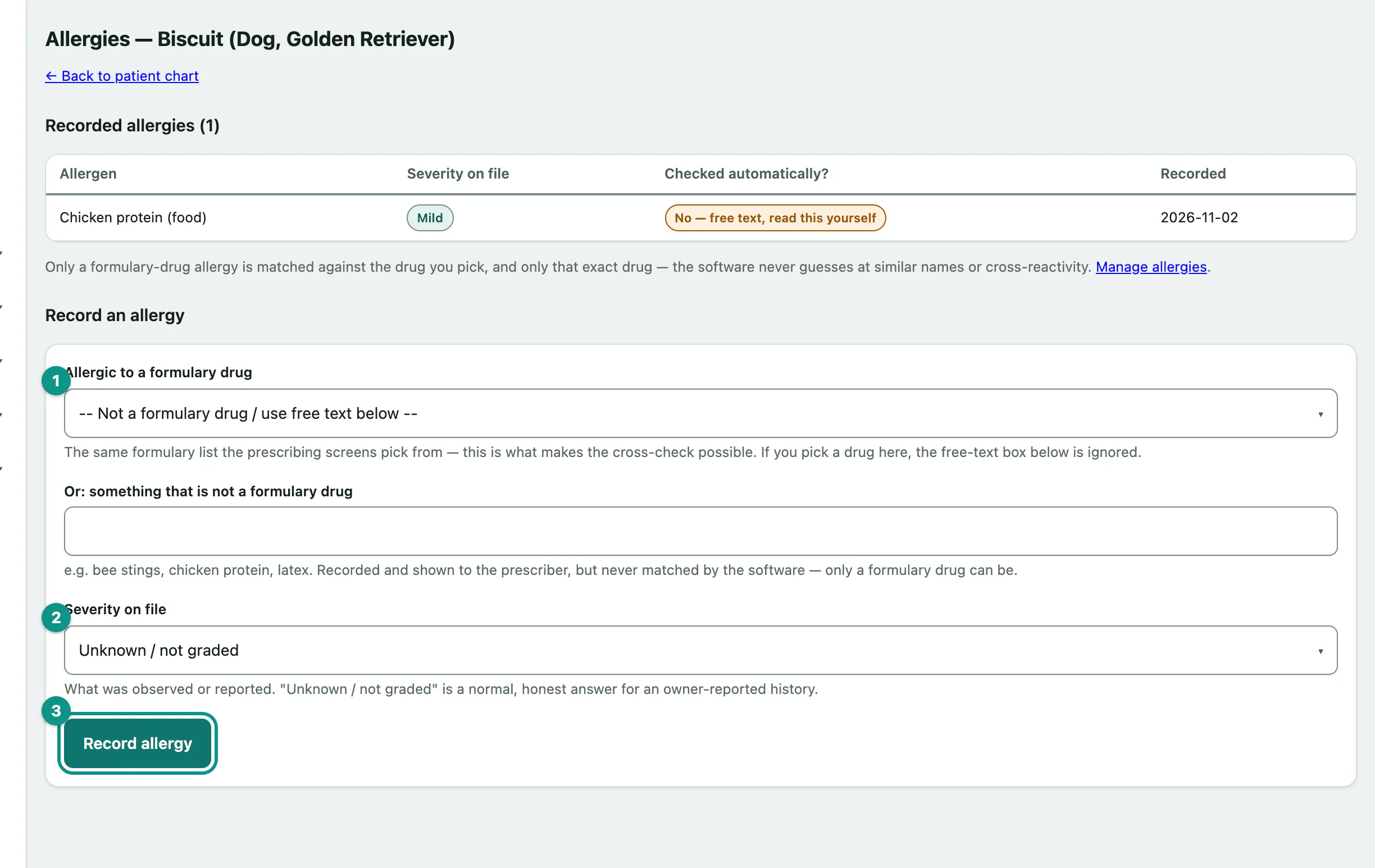
Recorded allergies shows each one and whether it's Checked automatically?:
| Shows | Means |
|---|---|
| Yes — formulary drug | Vivetra warns anyone who prescribes or orders this drug for the patient. |
| No — free text, read this yourself | Vivetra can't match free text to a drug. Staff have to read it. |
A formulary drug can only be on the list once. Trying to add it again shows is already recorded for this patient — it is already cross-checked when prescribing.