
Client portal
Fill in your boarding and grooming forms
The facility may ask you to fill in forms before a visit, such as a new guest questionnaire or a pre-arrival check-in. They all live on the Forms page, which shows what still needs filling in.
Open your forms
On Your pets, select Forms under Your account. The Forms page lists every form the facility uses.
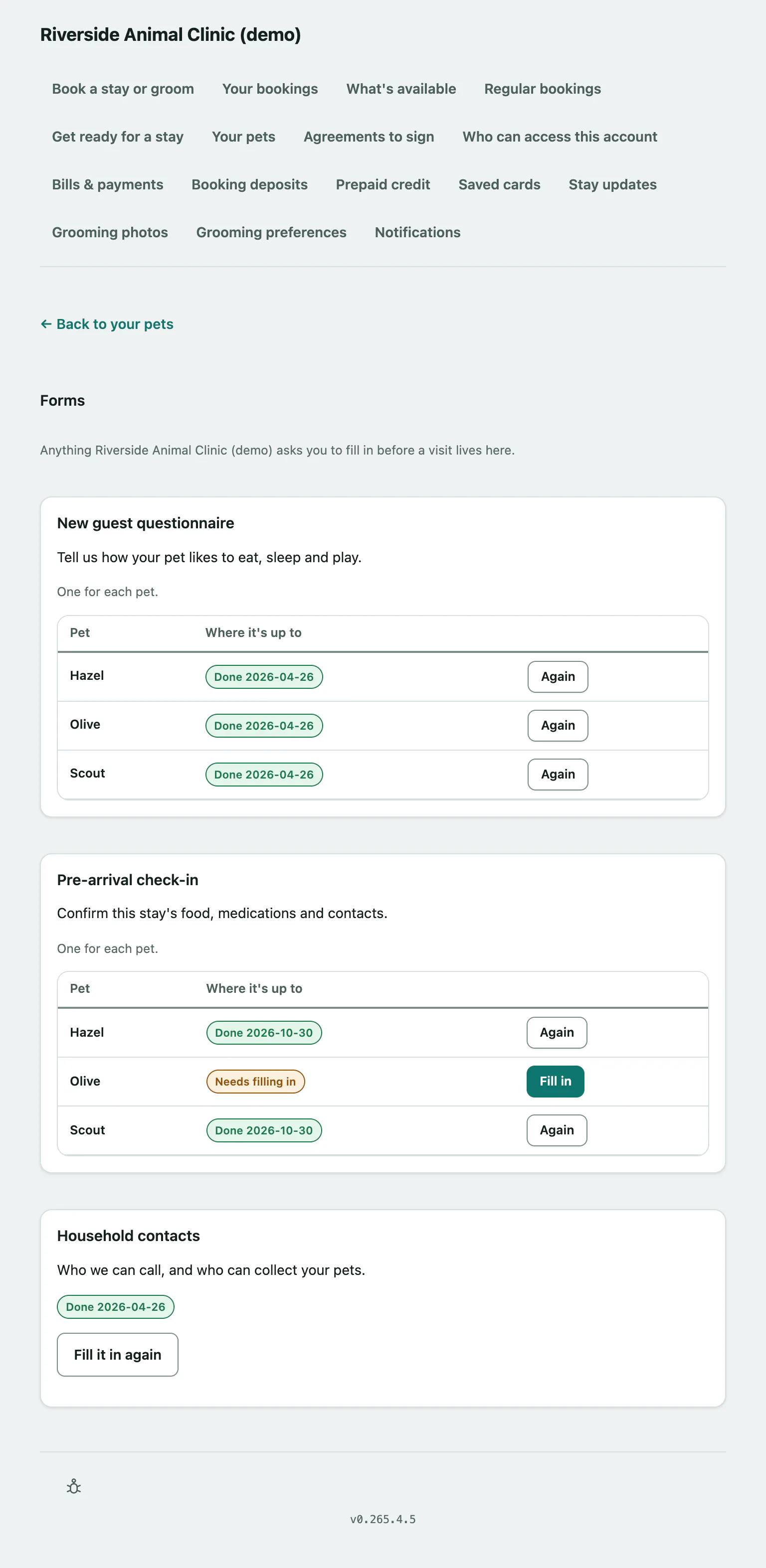
Some forms are answered once for your whole account. Others say One for each pet and list each of your pets in a table. Each form or pet shows either Needs filling in or Done with the date you sent it. A form can go back to Needs filling in after a while if the facility asks for it to be refreshed regularly.
Fill in a form
- Select Fill this in on a form for your whole account, or Fill in next to the pet on a per-pet form. Answer the questions; those marked with an asterisk are required.
- Select Send this to us.
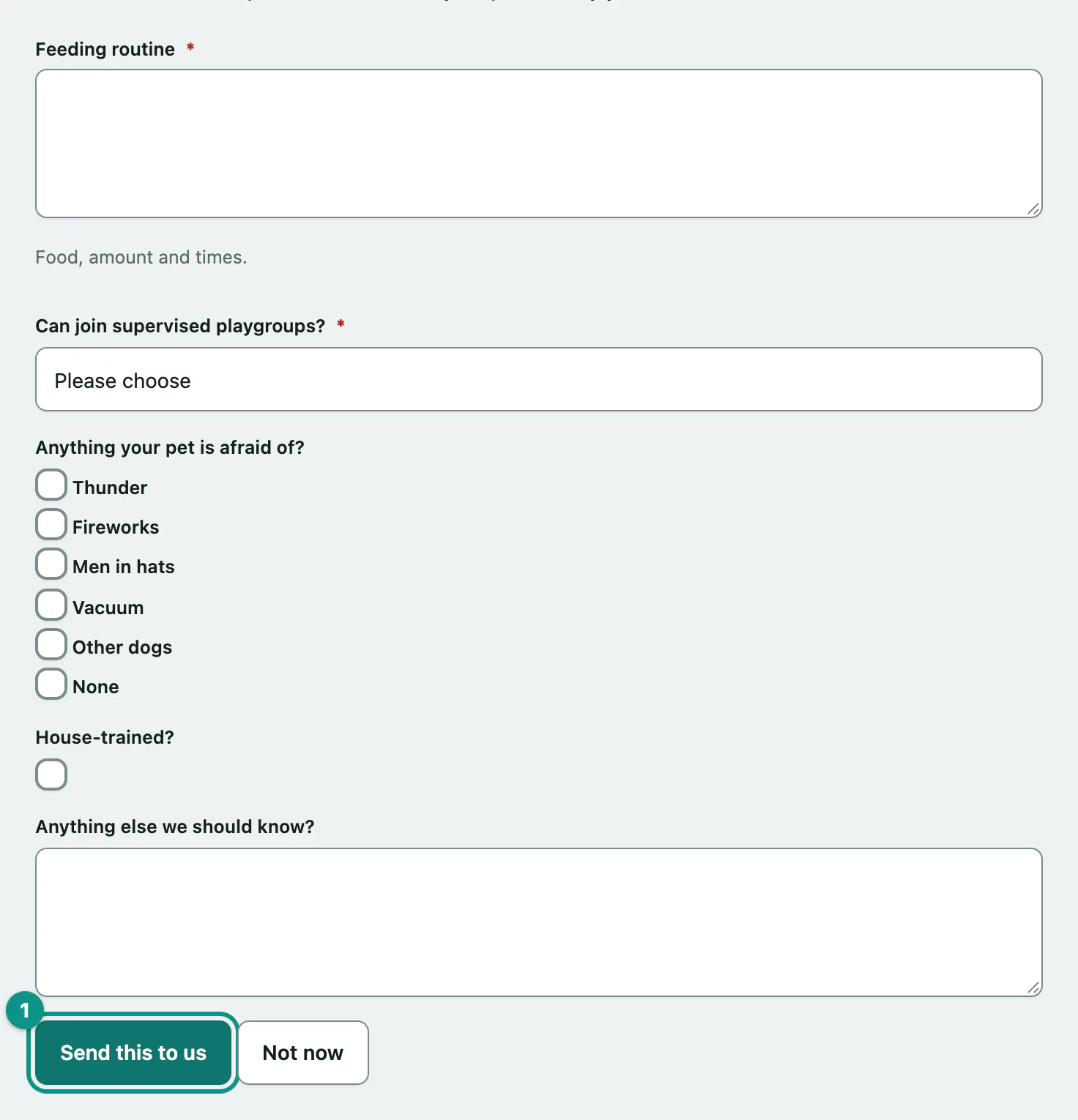
You're taken back to the list with Thank you. and the form shows Done. To update your answers later, select Fill it in again (or Again next to a pet) and send it again. Select Not now to leave a form without sending it.
If sending doesn't work
| Message | What it means |
|---|---|
| Please answer "…" — it's one we need. | A required question was left empty. The message names it. |
| Please choose which pet this is about. | Per-pet forms need a pet. Go back and pick one. |
| We updated this form while you had it open, so we didn't save the old version. Please reload and fill it in again — sorry. | The facility changed the form while you were filling it in. Nothing was saved. |
| This form hasn't got any questions on it yet. | Nothing for you to do. |