
Shelter
Track legal cases
In Vivetra: Shelter › Legal Cases
Legal Cases keeps the court facts for cruelty, neglect and custody-dispute cases: the docket number, seizing agency, court, bond and hearing dates, and which seized animals are on the case.
Anyone signed in can see cases. Opening a case and linking animals to it needs the intake permission, which the front desk, veterinarian and practice manager roles have by default.
Find a case
- Open Legal Cases from the Shelter menu. All cases lists every case with its number, seizing agency, status, disposition, next hearing and number of animals.
- To narrow the list, choose a Status. The list updates straight away.
- Select View on a case to open it.
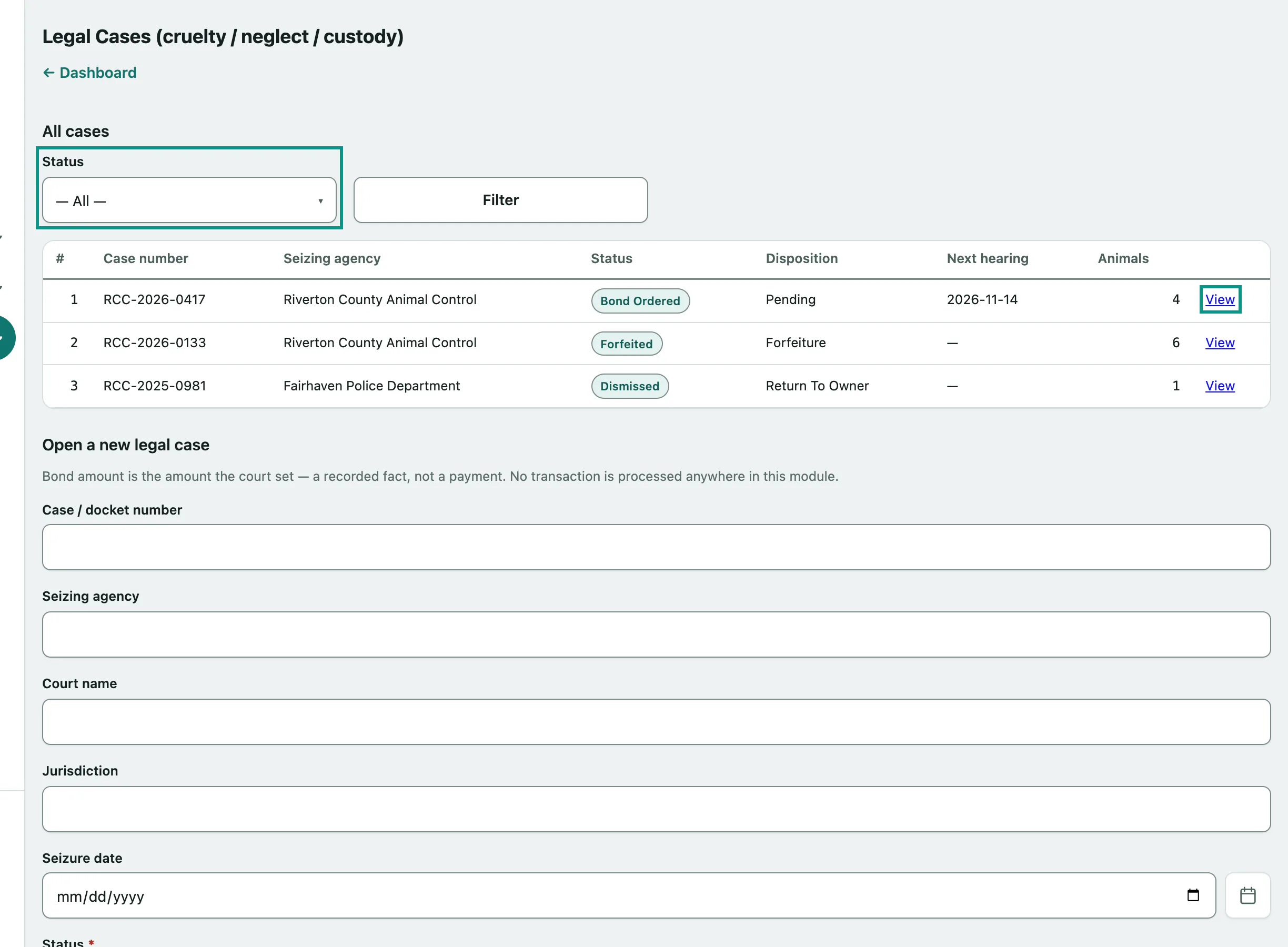
Case statuses are Open Investigation, Pending Hearing, Bond Ordered, Bond Posted, Forfeited, Returned To Owner, Dismissed and Closed.
Open a new legal case
The Open a new legal case form is below the list. Only the status is required, so you can open a case as soon as animals arrive and add the animals as you go.
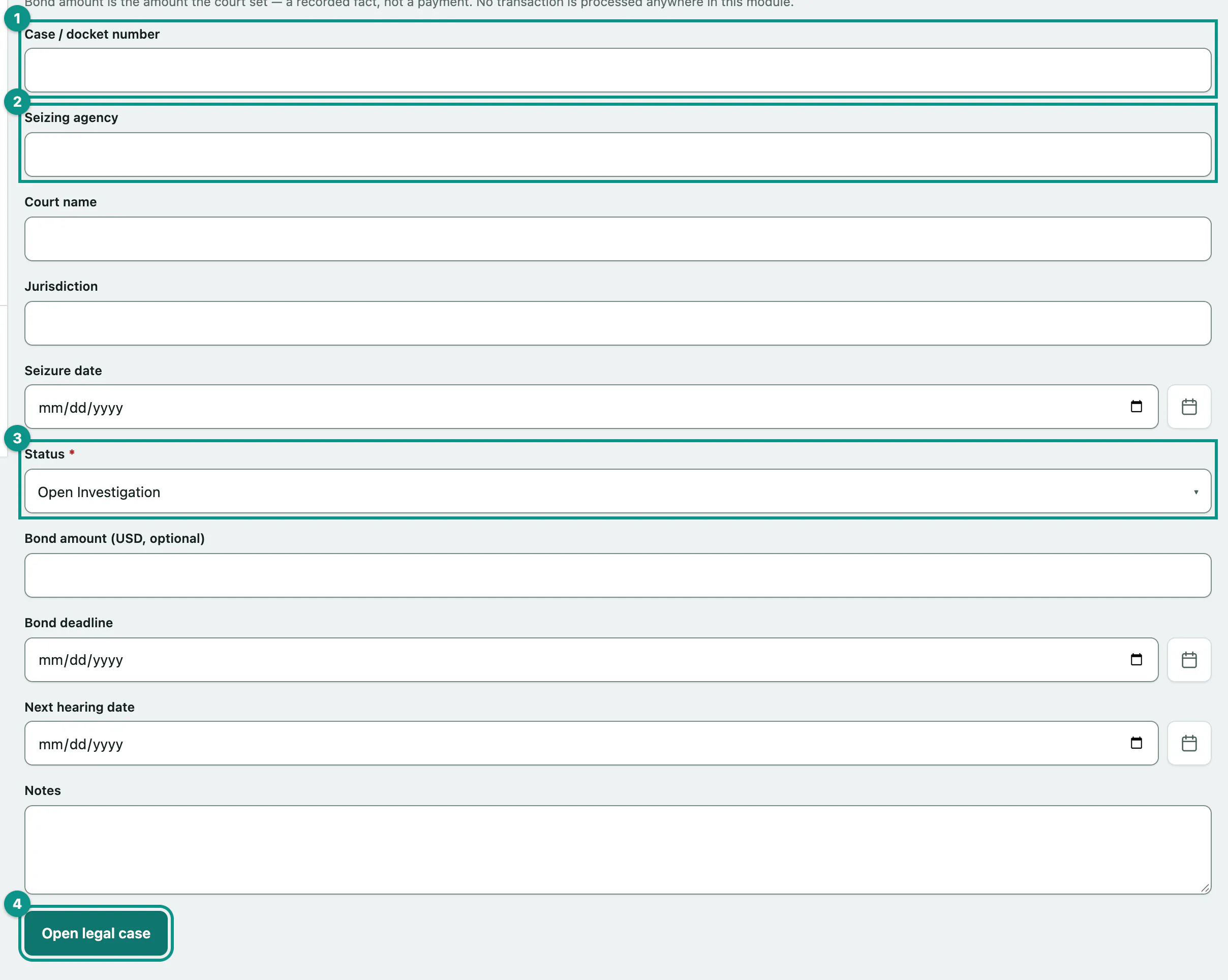
- Enter the Case / docket number.
- Enter the Seizing agency, then the Court name, Jurisdiction and Seizure date if you have them.
- Choose the Status. It starts at Open Investigation.
- Select Open legal case. The case opens, showing Legal case created.
Before you save, add the bond amount, Bond deadline, Next hearing date and Notes if they're known. The bond amount is what the court set. It's recorded as a fact only; no payment is taken or processed.
Link seized animals to a case
Each seized animal is an intake. Open the case, then use Link a seized animal (intake) to this case.
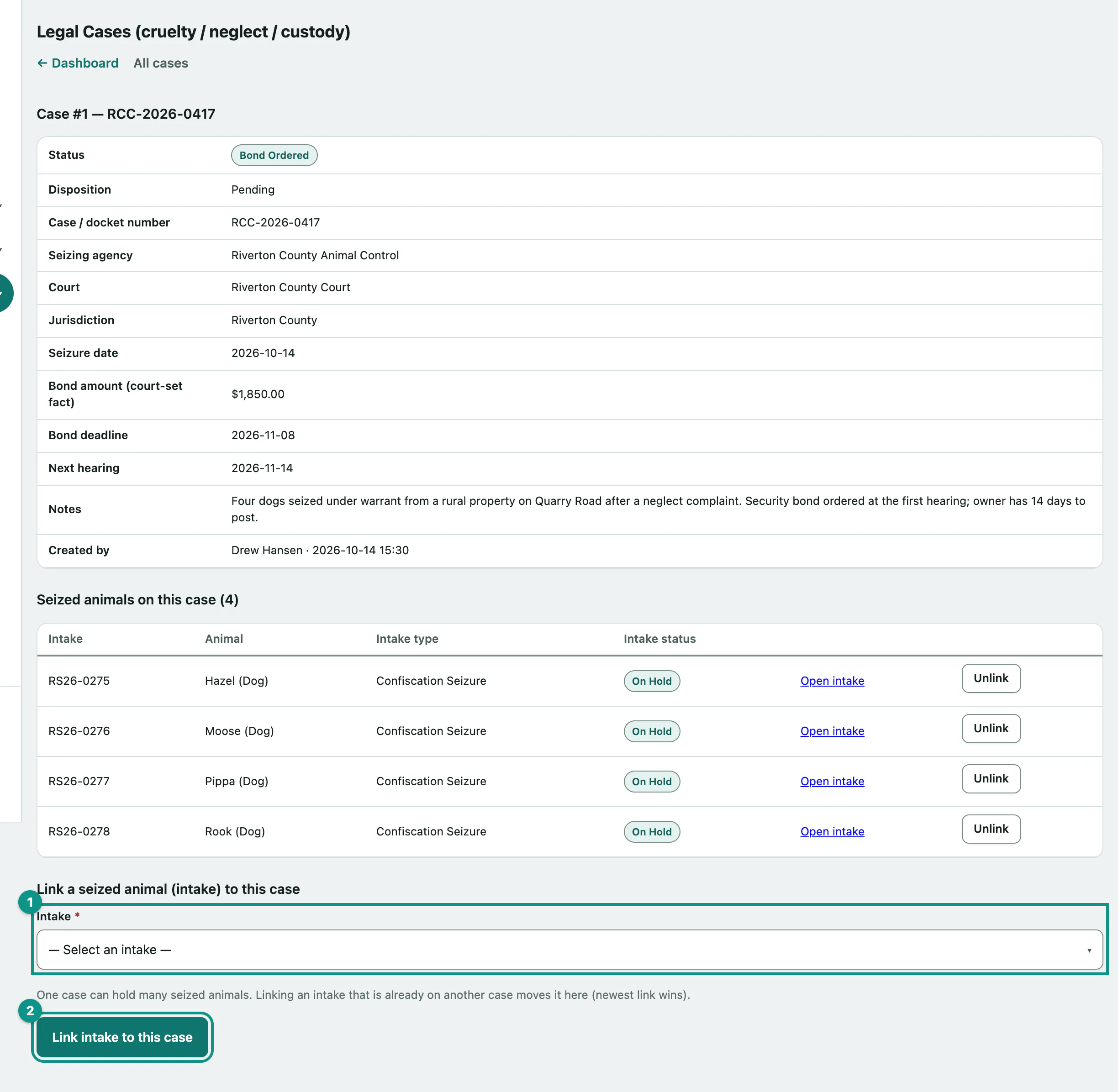
- In Intake, choose the animal's intake. An intake that's already on another case shows that case's number.
- Select Link intake to this case.
The animal appears under Seized animals on this case. One case can hold many animals, but an animal can only be on one case: linking an intake that's already on another case moves it to this one.
To take an animal off a case:
- Select Unlink on its row.
Select Open intake on a row to go to that animal's intake, which also shows the case it's linked to (see Record an intake).
Messages you might see
| Message | What it means |
|---|---|
| Seizure date must be YYYY-MM-DD (or left blank). | The date wasn't valid. The same check applies to Bond deadline and Next hearing date. |
| Bond amount must be a dollar amount (or left blank). It is a recorded fact — no payment is processed. | Enter the amount as a number. |
| That intake is already linked to this case. | Nothing to do; it's already there. |
| No intakes available to link. | Every intake is already on this case. |