
Client portal · Hospital
View hospital records, results and vaccines
In Vivetra: Medical records · Test results & imaging · Vaccine history
The portal keeps a copy of your pets' health record, the test results and images your vet has shared with you, and their vaccine history. You can print the record or save it as a PDF, for example to take to another vet.
Print or save your pets' health record
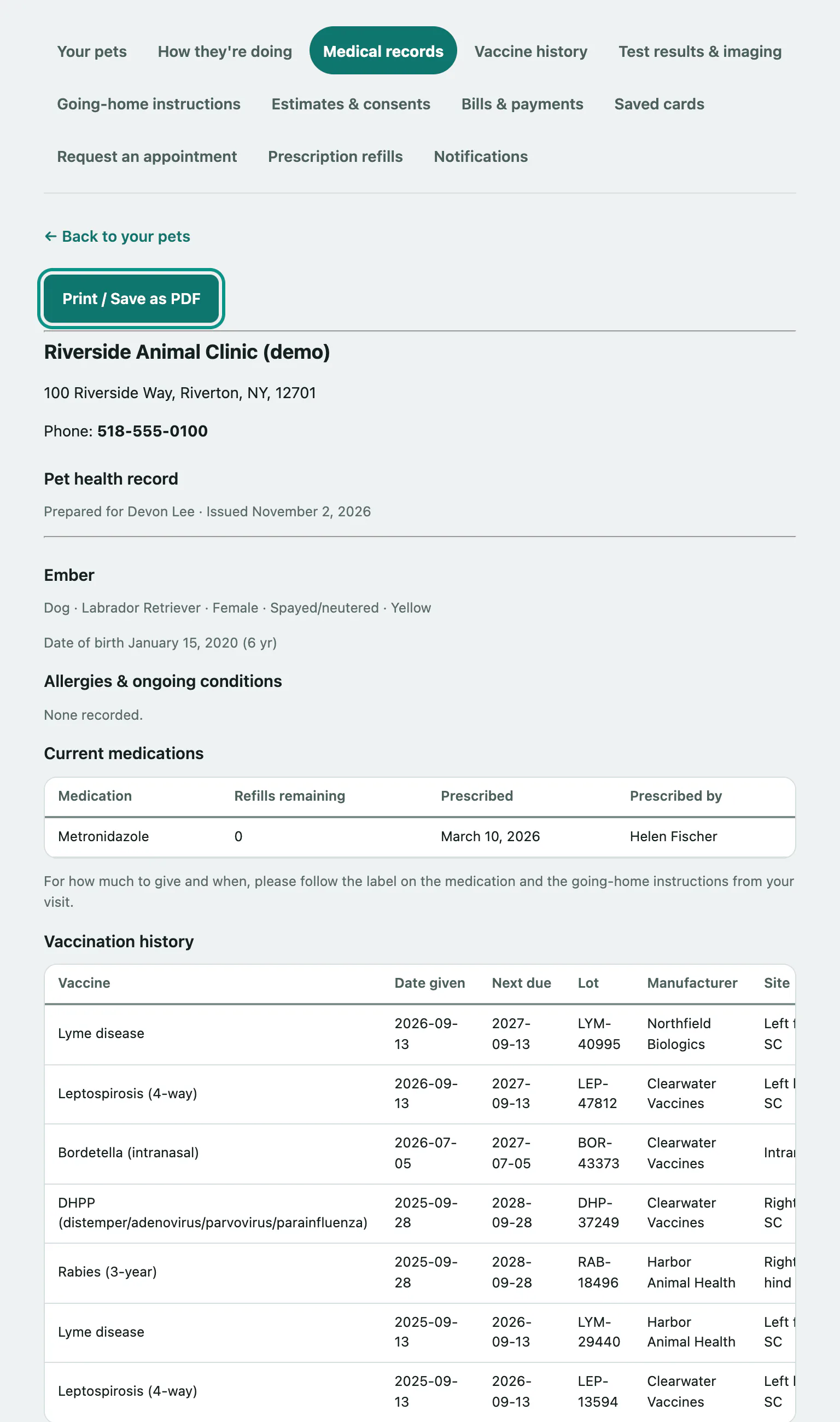
Medical records is one printable Pet health record covering every animal on your account. For each pet it lists allergies and ongoing conditions, current medications, vaccinations, past visits with their going-home notes, and the results shared with you. It doesn't include billing.
- Select Medical records in the menu.
- Select Print / Save as PDF. To save a file, choose "Save as PDF" in your browser's print window.
See test results and imaging
Test results & imaging shows the lab results, specialist reports and going-home summaries your vet has chosen to share. Anything still being run, or not yet discussed with you, isn't shown.
- Select Test results & imaging in the menu.
- If a result has a file attached, select Download to save it. Images and PDFs also have Open it in this browser instead.
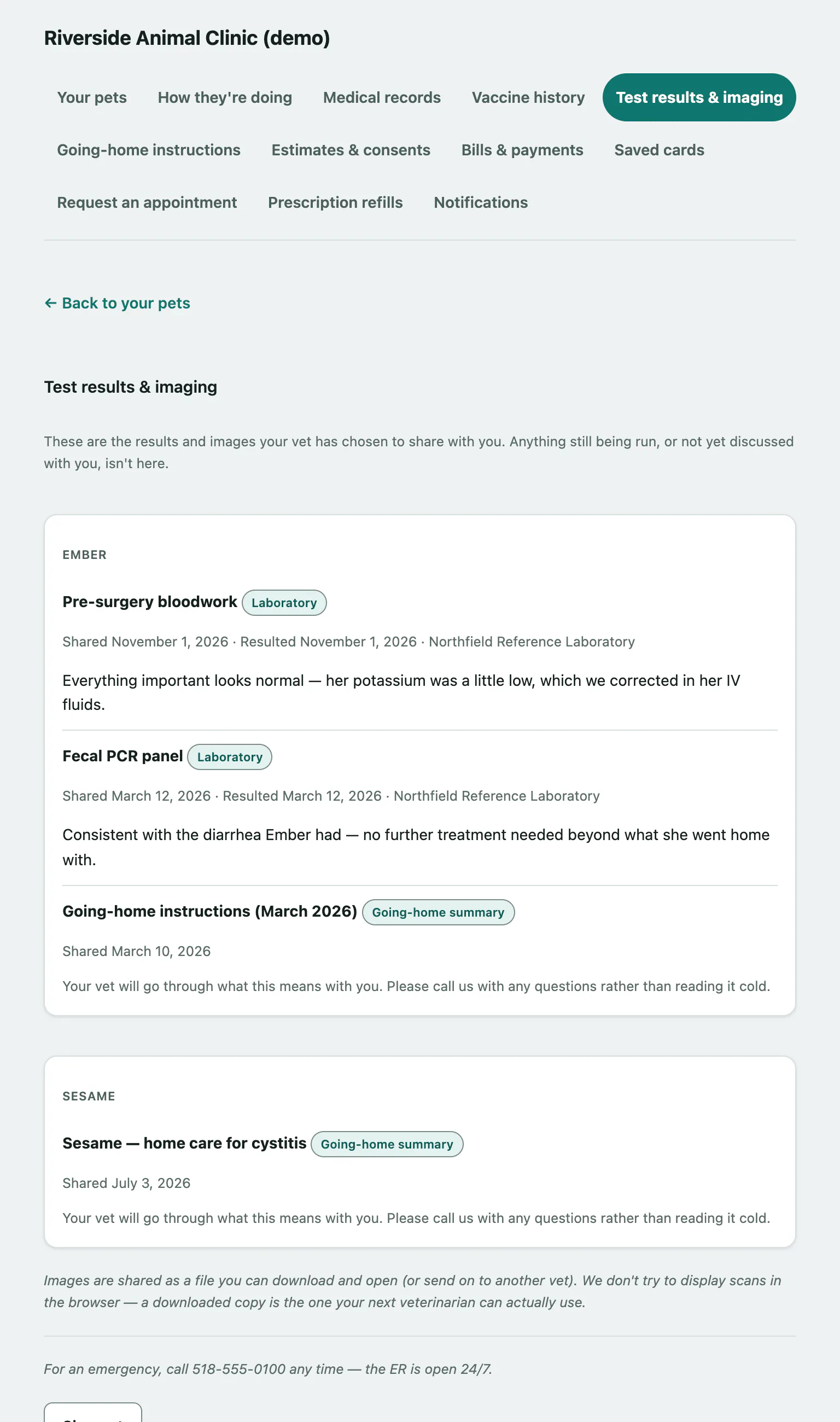
Scans are shared as files to download rather than shown on the page, so you have a copy your next vet can use. If the hospital keeps a file offline, the result says so; call them for a copy.
Check vaccine history
- Select Vaccine history in the menu. Each pet has a table of doses with the date given, next due date, lot, manufacturer, site and who gave it. A dose past its next due date is marked Due.
- To print it, select See your full record and print the health record.
This page isn't an official vaccine certificate, and it only lists doses given at this hospital. If a boarding facility, groomer or airline needs proof of vaccination, call the hospital and they'll send a certificate.