
Client portal · Boarding
Choose which messages you get
In Vivetra: Notifications
On this page
Notifications lets you choose which messages the facility sends you and how. It also shows any current announcements from the facility, such as holiday hours. The messages are one-way: there's no reply box, so anything you need to tell the facility is a phone call or a note on your booking.
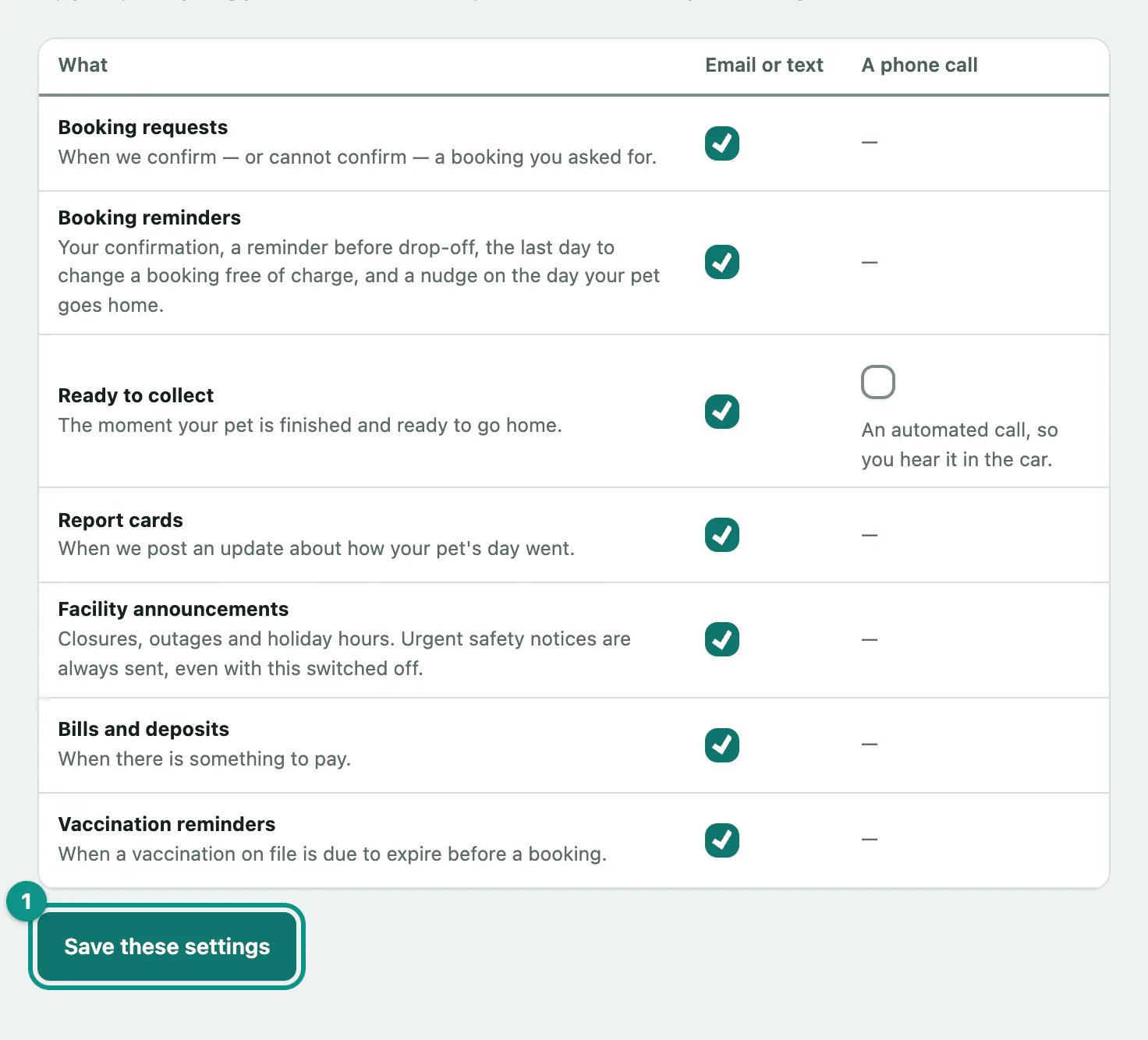
Choose your messages
- Select Notifications in the portal menu. Messages from us opens.
- In the table, tick or untick each message under Email or text, and under On your phone or A phone call where they're offered.
- Select Save these settings.
| Message | When it's sent |
|---|---|
| Booking requests | When the facility confirms, or can't confirm, a booking you asked for. |
| Booking reminders | Your confirmation and a reminder before drop-off. |
| Ready to collect | When your pet is finished and ready to go home. This one can also be an automated phone call. |
| Report cards | When the team posts an update about your pet's day (see See stay updates and grooming photos). |
| Facility announcements | Closures, outages and holiday hours. |
| Bills and deposits | When there's something to pay. |
| Vaccination reminders | When a vaccination on file runs out before a booking. |
Good to know
- Urgent notices always reach you. If the facility has to close, or something happens while your pet is with them, they'll tell you even if you've turned announcements off.
- Email or text is whichever one the facility has on file for you. They don't send both. To switch, ask the facility to change it on your record. This page can only turn messages off or on.
- Phone notifications need your device's permission too. If On your phone is shown, your phone or browser also has to allow notifications for the portal before anything appears.