
Client portal · Hospital
Request a prescription refill from the hospital
In Vivetra: Prescription refills
On this page
Running low on a take-home medication? Ask the hospital for a refill from the portal. A member of the team reviews every request and gets back to you. It's a request, not a filled prescription.
Ask for a refill
- Select Prescription refills in the menu. Your medications with us lists each current medication, which pet it's for, the refills left and when it was prescribed.
- Select Ask for a refill next to the medication.
- If there's something the team should know, add it in Anything we should know? (optional). Call the hospital for dosing questions rather than writing them here.
- Select Send refill request.
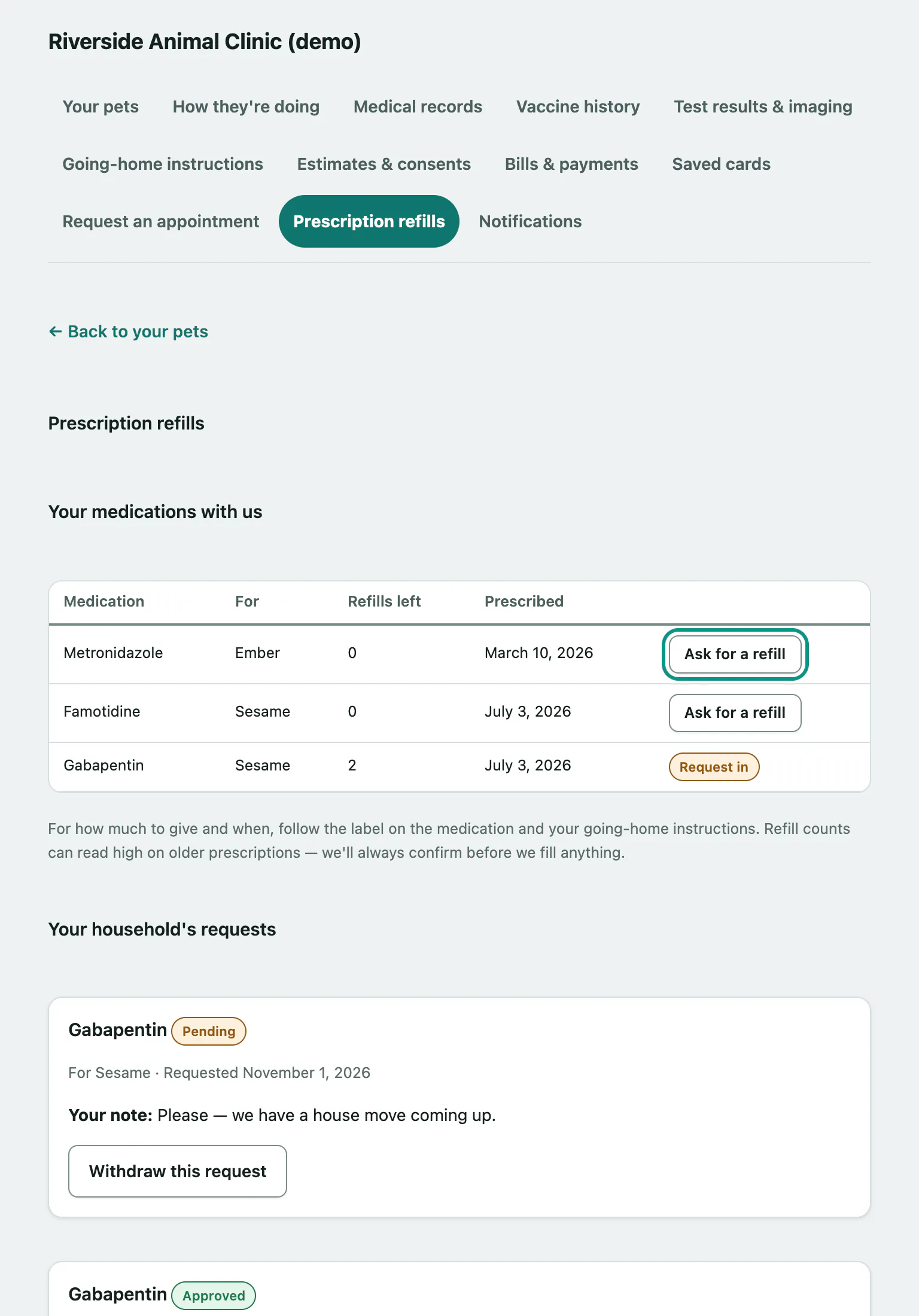
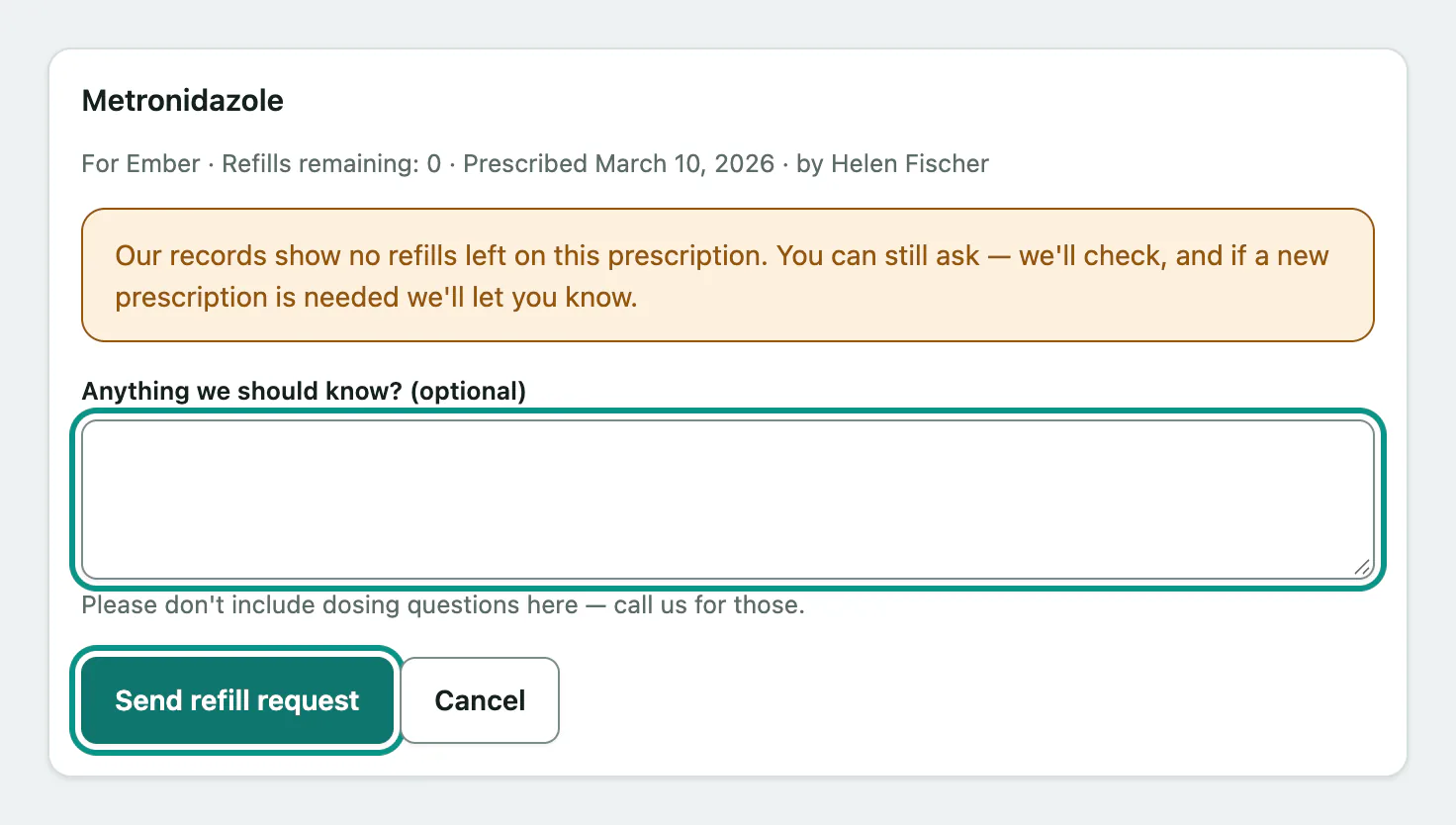
If a medication shows no refills left, you can still ask. The team will check, and tell you if a new prescription is needed.
A medication that already has a request in shows Request in instead of the button, whoever in your household sent it.
Follow up on a request
Your household's requests lists every refill request with its status.
| Status | What happens next |
|---|---|
| Pending | The team is reviewing it. |
| Approved | It's been approved. Call the hospital if you're not sure when to collect it. |
| Declined | The card says why, such as We'd like to see your animal before refilling this. or New prescription needed — please give us a call. |
To take back a pending request you sent yourself, select Withdraw this request.