
Client portal · Livestock
Look up treatments and medicines used
In Vivetra: Treatment records · Medicines used
Treatment records lists everything the clinic has administered to your animals, most recent first. Medicines used rolls the same records up into one row per product, which helps with audits and recalls.
See your treatment records
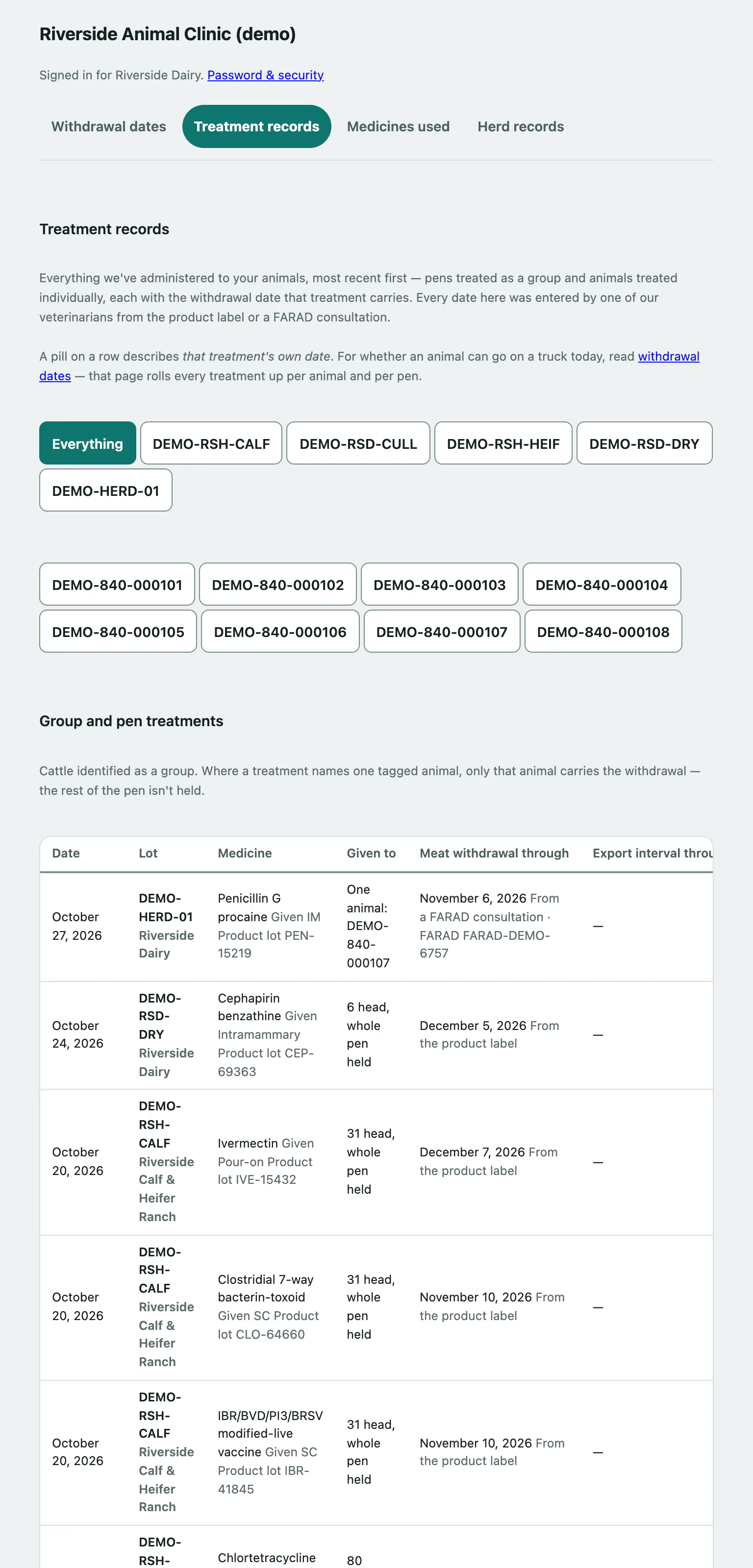
- Select Treatment records in the portal menu.
- To see one pen, select its lot ID in the row of buttons that starts with Everything.
- To see one animal, select its official ID in the row of animal buttons below it.
- Select ← All treatments to clear the filter.
The filter rows only appear when you have more than one lot or animal. If you have too many to list, open the pen or animal from Withdrawal dates instead.
What the tables show
Group and pen treatments covers cattle identified as a group. Each row has the Date, Lot, Medicine and who it was Given to: the whole pen, a head count, or "One animal" with its tag. Where a treatment names one tagged animal, only that animal is held.
Individual animal treatments covers animals with their own official ID. Date recorded, not stated means no administration date was captured, so the date shown is when the record was written.
When your clinic publishes withdrawal dates, each row also shows Meat withdrawal through with where the date came from (for example "From the product label" or "From a FARAD consultation"), plus Milk discard through or Export interval through where those are shown. The This treatment column is the state of that one treatment's date. Whether an animal can ship today depends on all its treatments, so check Withdrawal dates for that.
A few things to know:
- Records are never edited. A correction is added as a new record, so you may see two entries for one treatment; the later one stands.
- Doses aren't shown. Call the clinic if you need one confirmed.
- A controlled substance shows as Controlled medication (not named here), with its date, animals and withdrawal dates still shown.
- Under a VFD or Under an MFSP marks a treatment given under a feed directive.
See the medicines used
- Select Medicines used in the portal menu.
- Read Given to lots and groups for pen treatments: Times given, Lots, Head treated, Last given and the Active ingredient total.
- Read Given to individually tagged animals for animals treated one at a time.
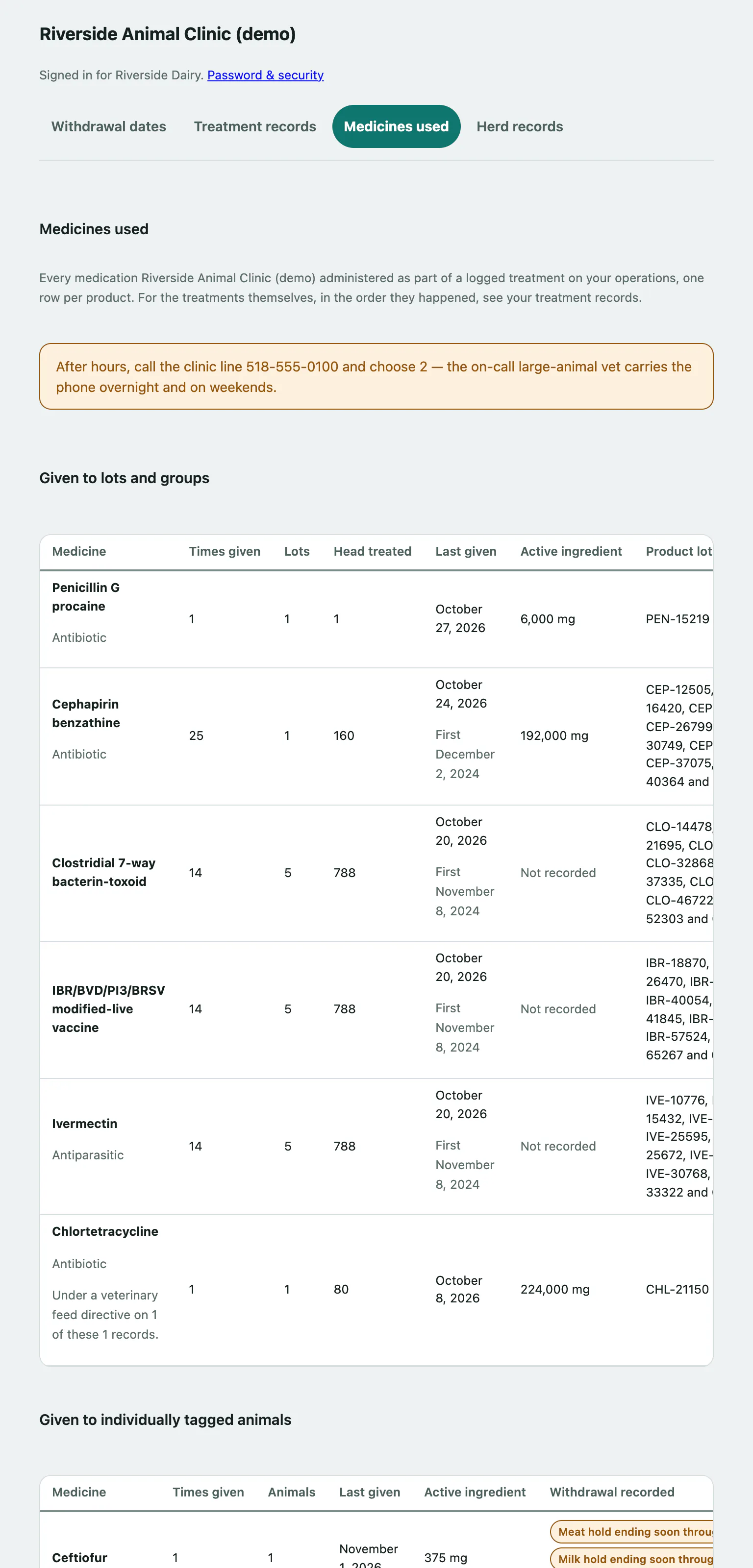
Your clinic may also show Product lot numbers (useful in a recall) and Withdrawal recorded. That column is the latest date recorded for that product, not a clearance for any animal. For that, check Herd records.
If your clinic doesn't publish treatment or medication records online, you'll see a note asking you to call instead.