
Livestock
Put a lot under a quarantine hold
On this page
A quarantine hold records that a whole lot is under a regulatory disease hold, such as a TB reactor herd, a brucellosis trace or an HPAI order, and who you reported it to. Vivetra records the hold and the report. It never files or sends the report itself.
By default, veterinarians and practice managers can start and release holds. Everyone else sees the history read-only.
Start a hold
- Select Animal Lots in the Livestock menu.
- On the lot's row, select quarantine.
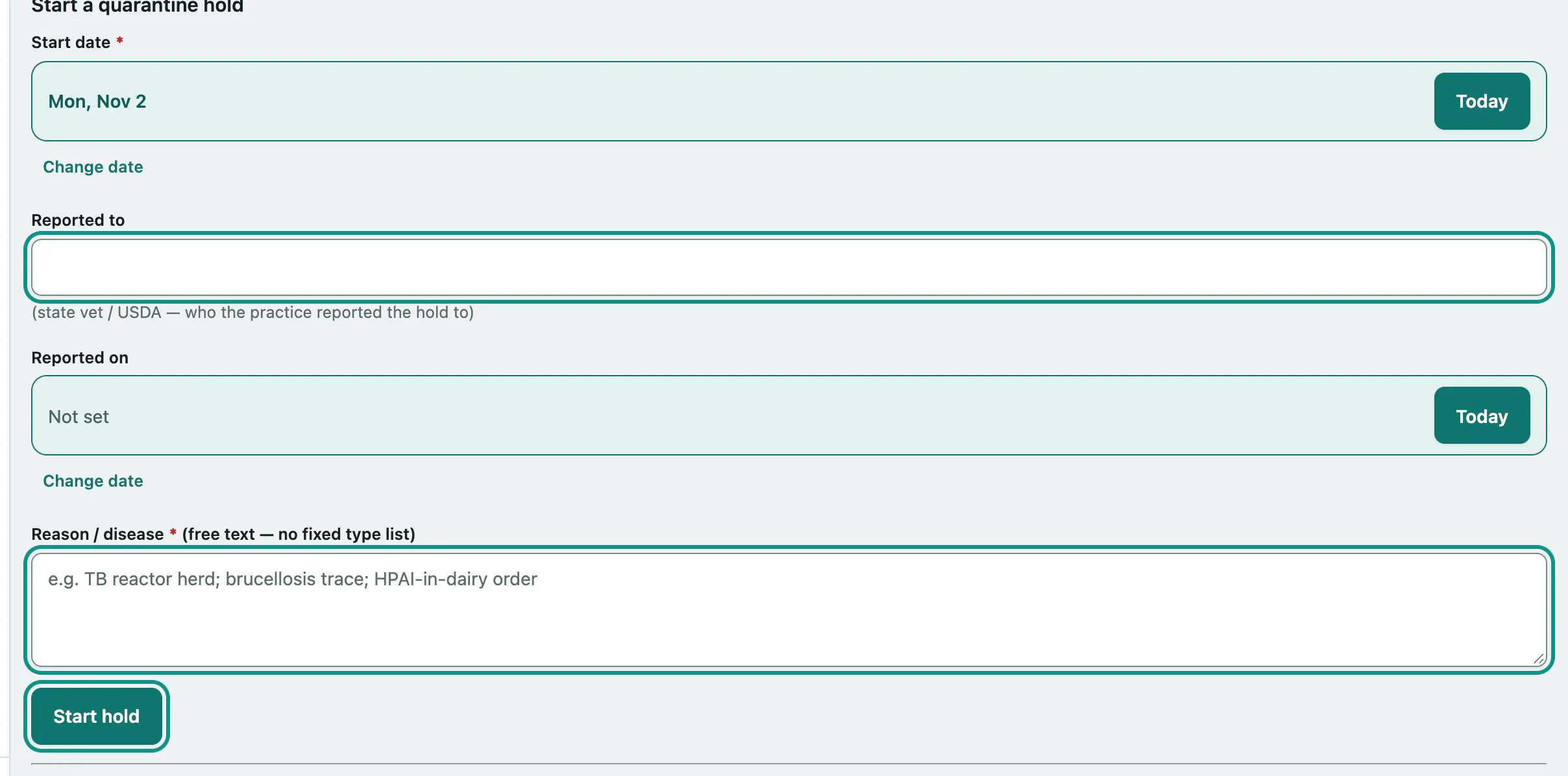
- Under Start a quarantine hold, check the Start date.
- In Reported to, enter who you reported the hold to, such as the state vet or USDA, and the Reported on date.
- Describe the Reason / disease. It's free text, for example "TB reactor herd".
- Select Start hold.
Release a hold
Active holds are listed under Quarantine history. Releasing needs a live connection; it doesn't work offline.
- On the hold's row, choose Released or Lifted in the Release column, and check the end date next to it.
- Select Release.
The hold stays in the history with its start and end dates.