
Client portal · Boarding
Sign your boarding and grooming agreements
In Vivetra: Agreements to sign
Before your pet stays or is groomed, the facility may ask you to sign agreements such as a boarding agreement or an emergency care authorization. You can read and sign them online, and see what you've already signed and when it runs out.
See what you need to sign
- Select Agreements to sign in the portal menu. You can also select Agreements under Your account on Your pets.
The page shows a banner at the top: how many agreements are still waiting for you, or You're all signed up. when nothing is outstanding.
Agreements are listed in two groups:
- Needed before you book: you must sign these before you can book online.
- Everything else: optional ones, such as a photo consent. You're welcome to sign them, but they never stop you booking.
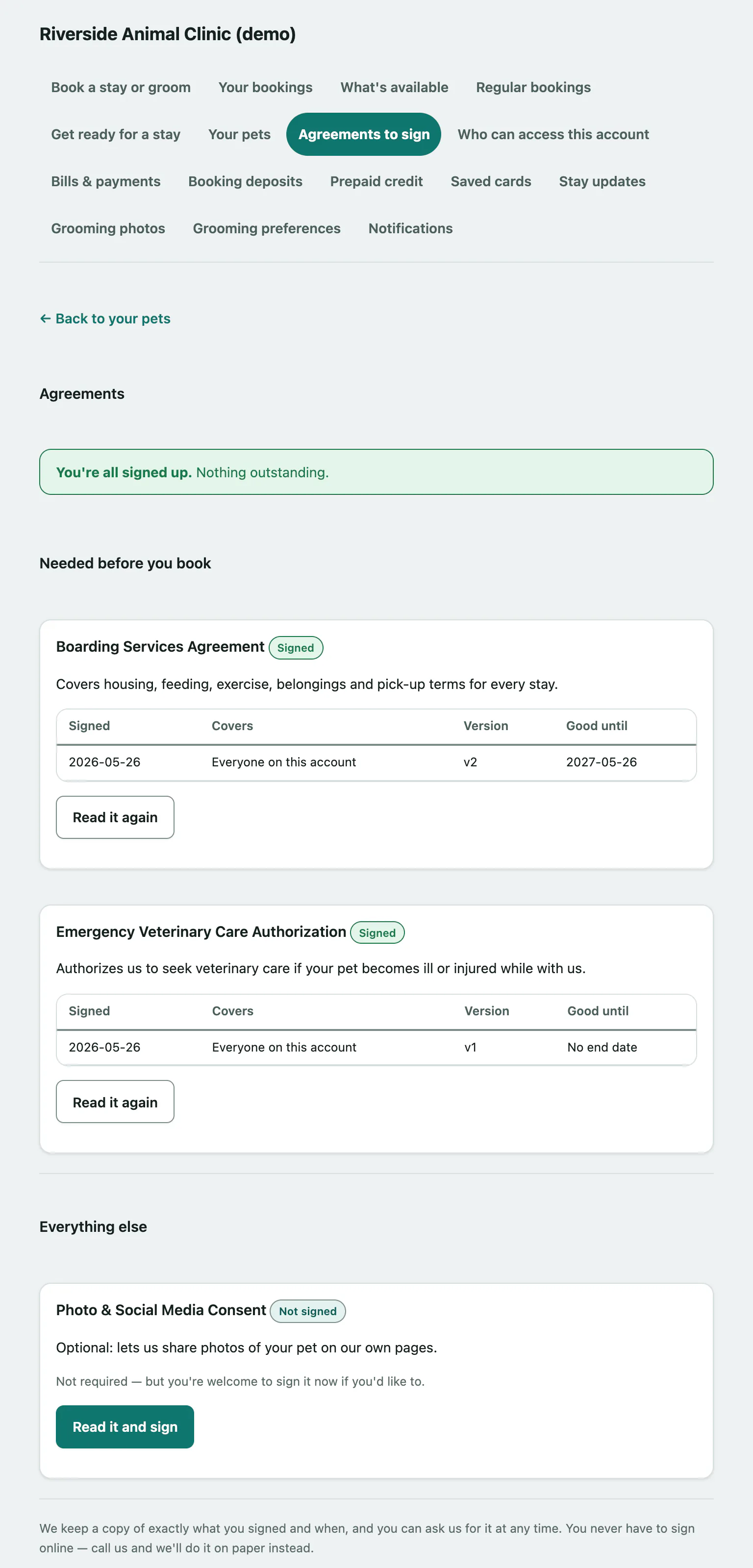
Each agreement has a pill showing where it stands:
| Pill | What it means |
|---|---|
| Still to sign | You need to sign it (or sign it again) before you can book. |
| Signed | You, or someone on your account, has signed it. |
| Not signed | An optional agreement nobody on your account has signed. |
For a signed agreement, the table shows when it was signed, who it Covers (Everyone on this account or one pet), the version you signed and the date it's Good until. Signed on paper means you signed it at the desk. If the facility has since updated the wording, you'll see the newer version number next to yours, such as now on v2. Your signature stays valid for the version you signed.
Sign an agreement
- On Agreements to sign, select Read it and sign on the agreement. Read it under What you're agreeing to, and the Signing electronically notes below it.
- Tick I've read the above and I'm happy to sign electronically.
- Type your full name in Type your full name to sign. Sign however you normally would; the hint shows the name the facility has on file for you.
- Select Sign this.
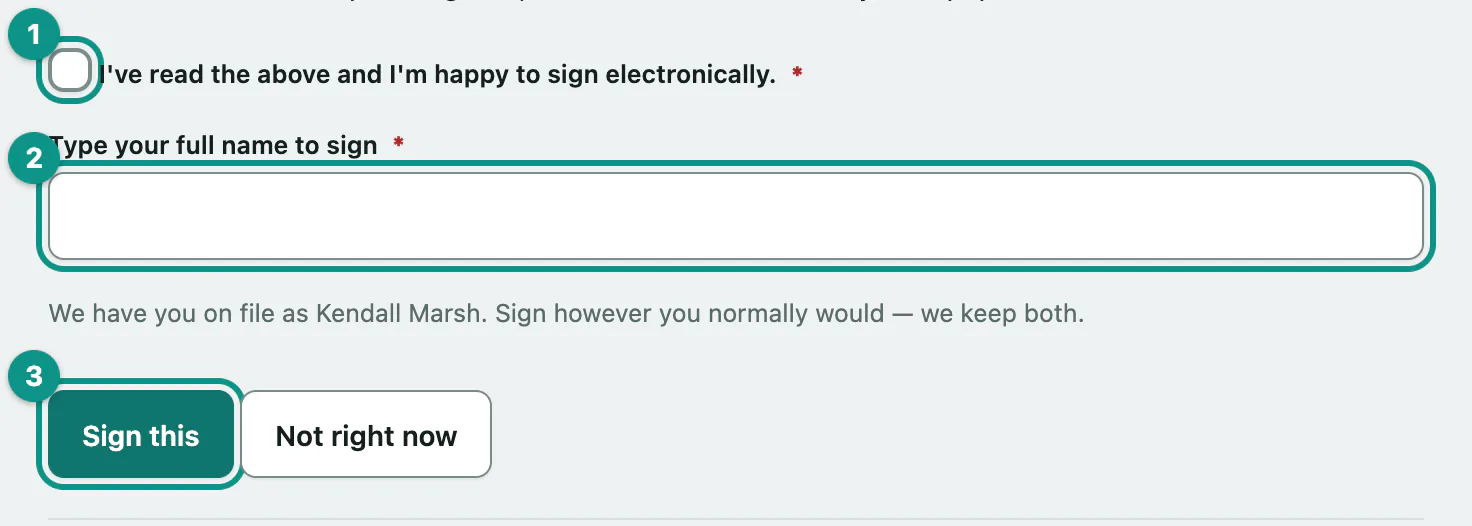
The page then shows Already signed with the date. You can come back and select Read it again any time to reread what you signed. Select Not right now to leave without signing.
You never have to sign online. If you'd rather sign on paper, call the facility. Some agreements can only be signed in person; for those the page says We don't take this one online.
If signing doesn't work
| Message | What it means |
|---|---|
| Please tick the box to confirm you're happy to sign electronically. | Tick the box above the name field and select Sign this again. |
| Please type your name in the signature box (160 characters max). | The name field was empty or too long. |
| We updated this agreement while the page was open, so we didn't sign the old wording. Please reload and read it again. | The facility published new wording while you were reading. Reload and read the new version. |
| You've tried that a few times just now — please wait a little while, or call us instead. | Too many attempts in a short time. Wait a while and try again. |
| Our copy of what you signed doesn't match its own record any more. | The stored copy of an agreement you signed has changed. Call the facility so they can look into it. |