
Client portal · Boarding
Pay a booking deposit
In Vivetra: Booking deposits
On this page
Some bookings need a deposit to hold them while the facility confirms your request. Booking deposits shows each booking request that's waiting on one, with the cancellation terms in plain money before you pay.
Pay a deposit
- Select Booking deposits in the portal menu.
- Read the terms under the deposit amount: Notice we need before drop-off, and what happens If you cancel late or don't turn up.
- Select Pay … deposit. The button shows the deposit amount, and you finish on the payment provider's secure page.
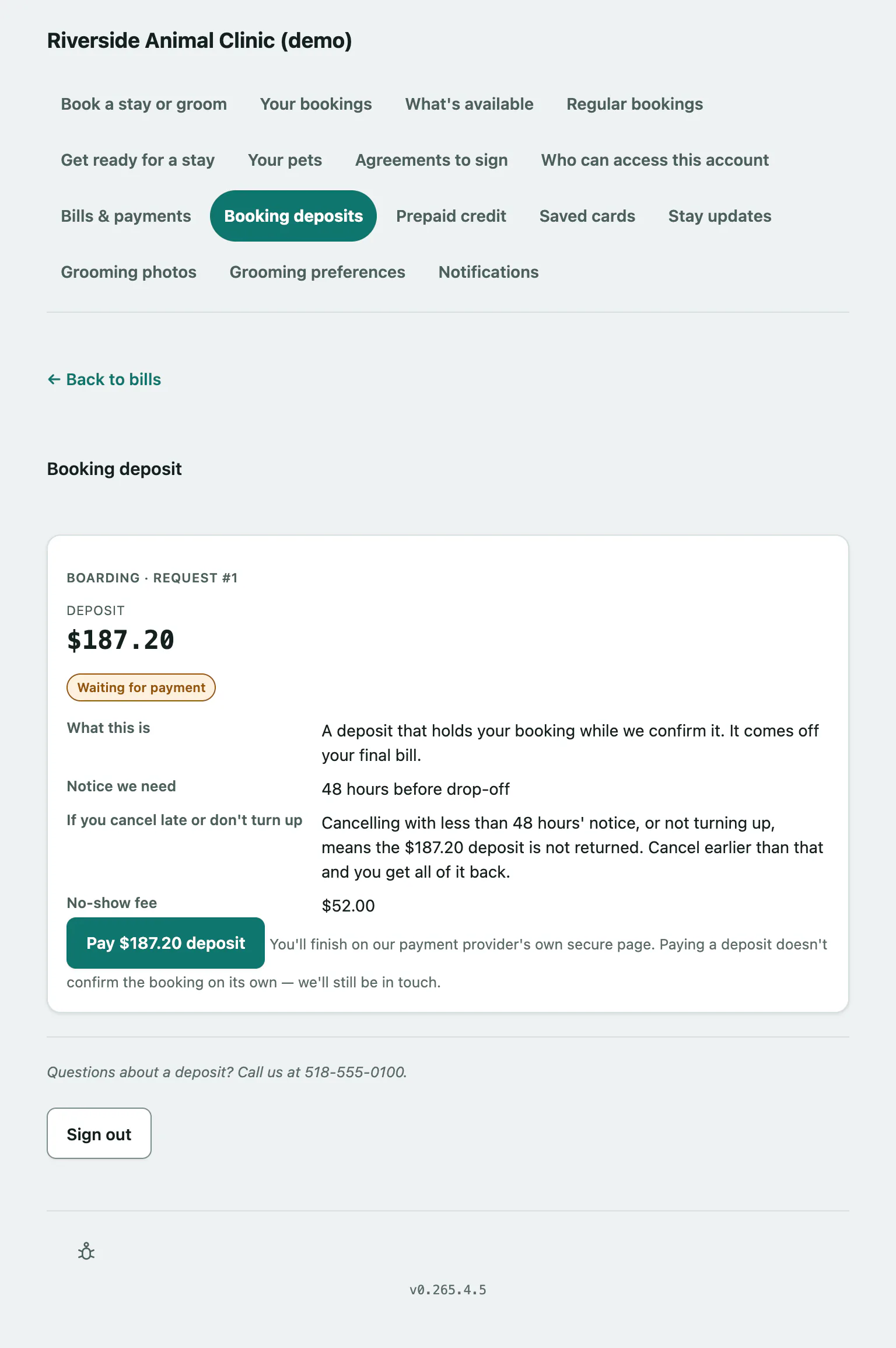
The deposit comes off your final bill. Paying it doesn't confirm the booking on its own; the facility still reviews your request and will be in touch.
If nothing is waiting, the page says Nothing is waiting on a deposit right now. We'll let you know if a booking needs one.
What the deposit status means
| Pill | What it means |
|---|---|
| Waiting for payment | The deposit hasn't been paid yet. |
| Deposit received | The facility has your deposit and is holding your booking. |
| Applied to your bill | It's been taken off your final bill. |
| Refunded | It's been returned to you. |
| Forfeited | It was kept under the cancellation terms. |
| Waived by the practice | The facility decided not to charge it. |
| No longer due | The booking isn't going ahead, so there's nothing to pay. |
If you've paid but the status hasn't changed, select Already paid? Check status on the deposit.