
Client portal · Livestock
View and print your herd records
In Vivetra: Herd records
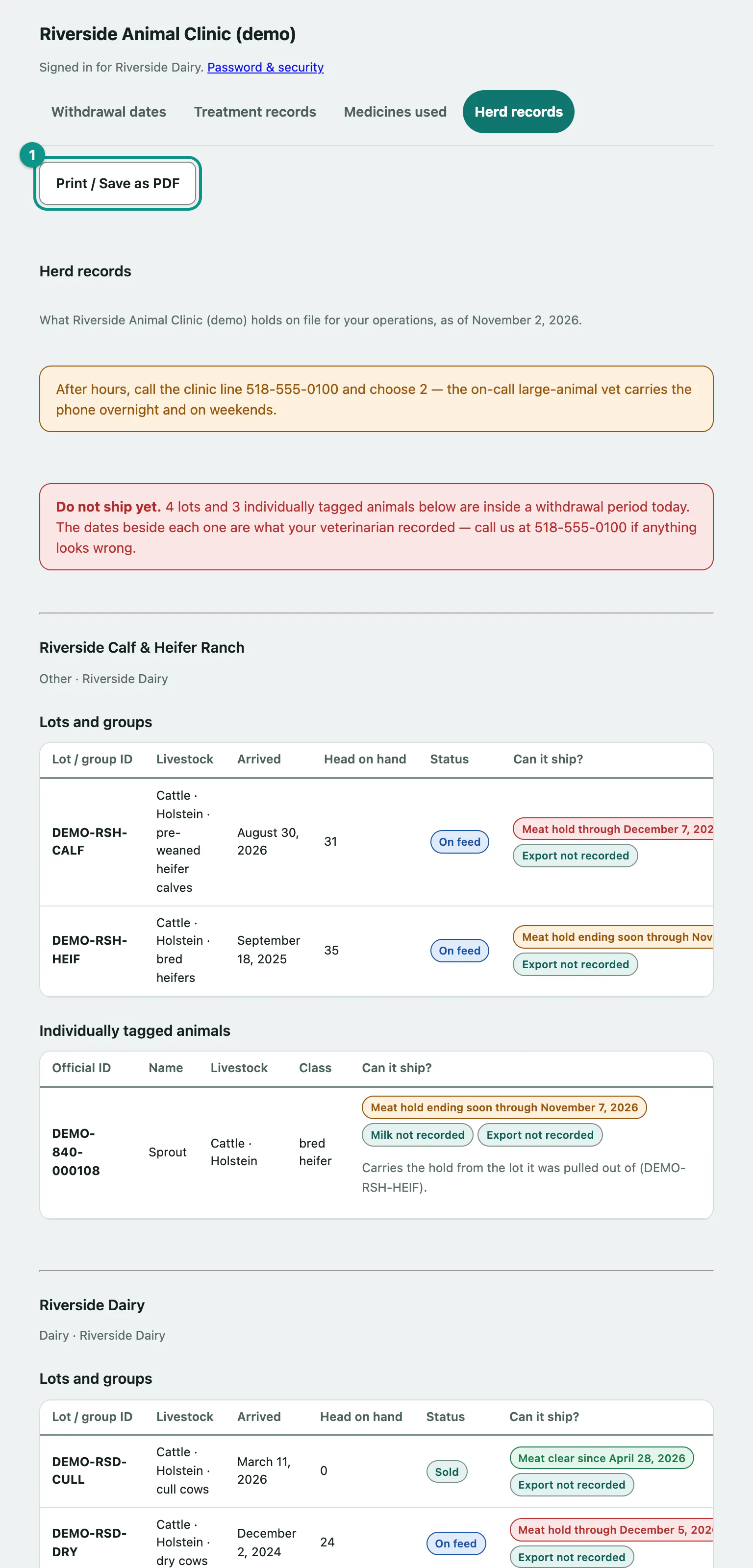
Herd records shows what the clinic holds on file for each of your operations: your lots and groups, your individually tagged animals, and whether each one can ship today. It's your compliance record, and you can print it or save it as a PDF.
Open your herd records
- Select Herd records in the portal menu. This is also where you land when you sign in.
Each of your operations has its own section, headed with its name and type.
What each operation shows
Lots and groups lists each lot with its Lot / group ID, Livestock, Arrived date, Head on hand and Status: On feed, Sold or Closed.
Individually tagged animals lists animals with their Official ID, Name, Livestock and Class. An animal marked No longer on the place is recorded as deceased. A feedlot often has none, because its cattle are identified by lot.
When the clinic publishes withdrawal dates, both tables have a Can it ship? column with a state for meat, and for milk and export where those are shown. A hold reads "through" the date it ends; a clear state reads "since" the date it cleared. "Carries the hold from the lot it was pulled out of" means a tagged animal inherited its pen's hold.
If any lot or animal is held today, a Do not ship yet. banner at the top says how many.
For the full day-by-day view of holds, use Check whether your animals can ship.
Print or save as PDF
- Select Print / Save as PDF at the top of the page, then print or choose to save as PDF in your browser's print window.
The button only appears if your clinic allows record exports. The printout leaves out the menu and the sign-out button.
If the clinic doesn't publish herd records online, you'll see Not available online instead.