
Boarding
Handle an overstay or abandoned pet
In Vivetra: Boarding › Overstays
On this page
When an owner doesn't collect a pet at the scheduled pick-up, flag the stay as an overstay. The worklist then keeps a record of every attempt to reach the owner and any written notice until it's resolved.
The worklist
- Open Boarding › Overstays.
Overstay / Abandonment Worklist has a column for each outcome: Pending, Owner returned, Deemed abandoned, Surrendered to shelter, Abandoned to shelter and Other. Each card shows the pet, the owner, the original pick-up time, how many days overdue it is and whether written notice has gone out. The board updates on its own while you have it open.
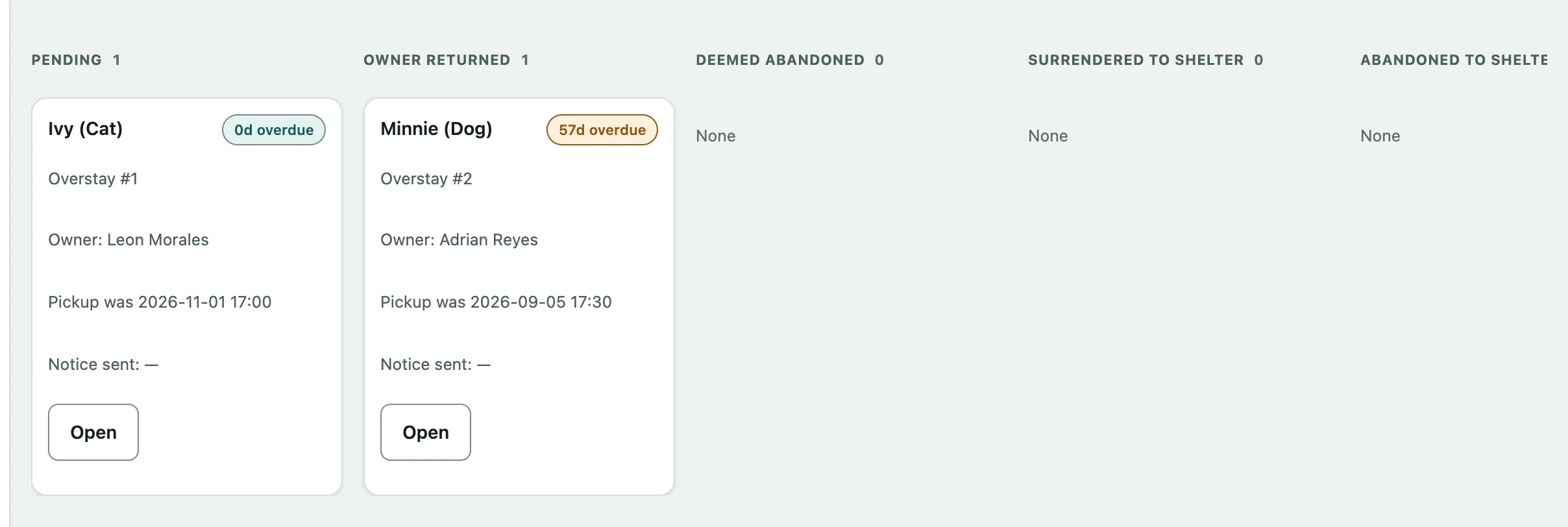
Vivetra doesn't decide when a pet counts as abandoned. It shows how long it's been and what notice you've given; your facility decides when to act.
Flag an overstay
You can only flag a stay that's still checked in and past its scheduled pick-up.
- Under Flag a new overstay, choose the Checked-in stay past pickup.
- Select Flag overstay.
If no stays are listed, nothing checked in is past its pick-up time, or those that are have already been flagged. You can flag an overstay while offline; it's sent when you're back online.
Keep the notice record
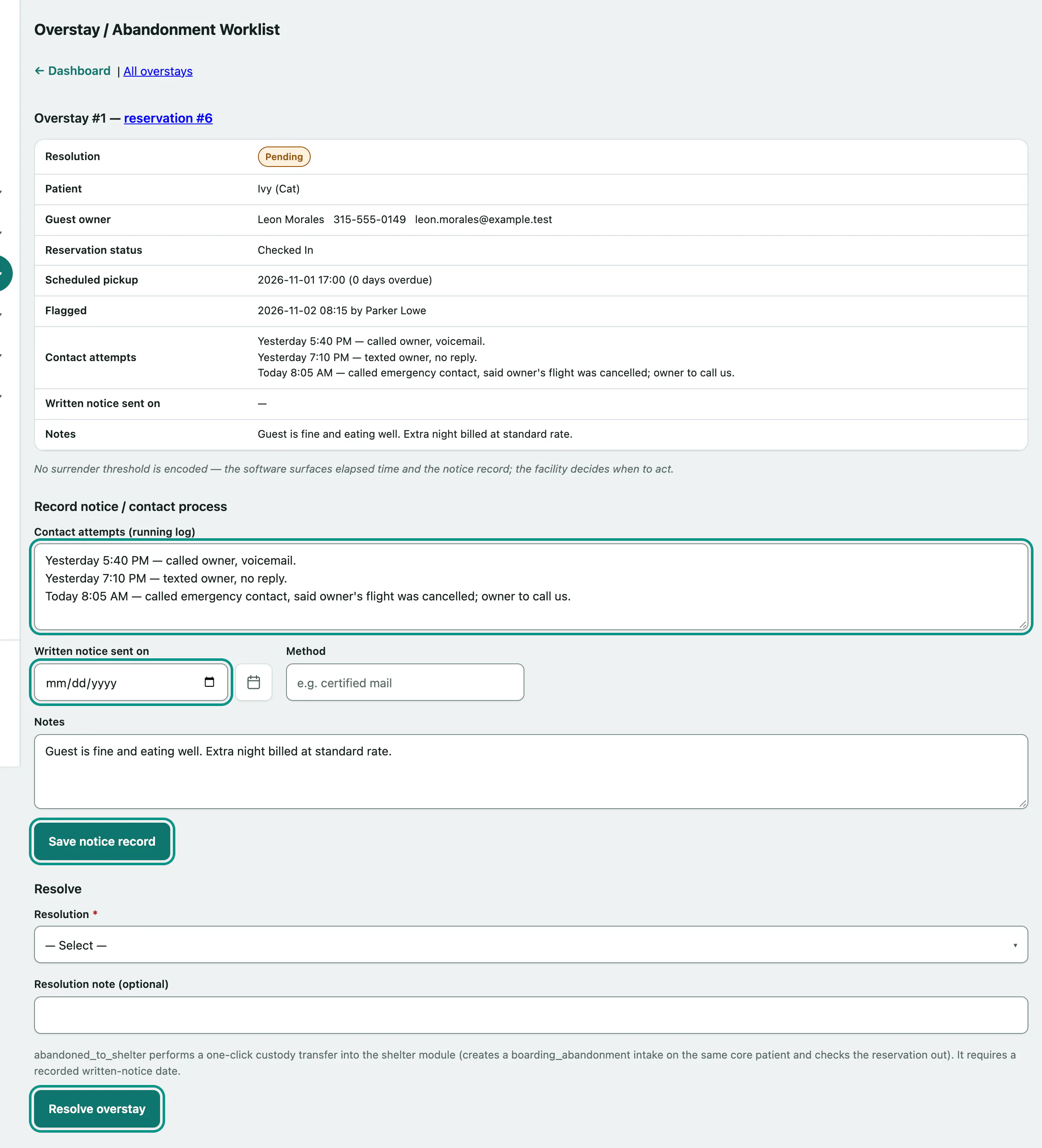
- On the overstay's card, select Open.
- Add each call, text or email to Contact attempts (running log), one per line with the time and what happened.
- When you send formal written notice, enter Written notice sent on.
- Enter the Method, such as certified mail, and any Notes.
- Select Save notice record.
Resolve it
- Choose a Resolution:
- Owner Returned: the owner came back.
- Deemed Abandoned: your facility has treated the pet as abandoned.
- Surrendered To Shelter: the pet went to an outside organization.
- Abandoned To Shelter (transfer to this deployment's shelter intake): only shown if your practice also uses the Vivetra shelter module.
- Other.
- Add a Resolution note (optional).
- Select Resolve overstay.
Resolving locks the notice record: Resolved — record locked. It doesn't check the pet out. When the owner collects, check the pet out as usual (see Check a guest in and out › Check out).
Transfer to your shelter
If your practice also runs the shelter module, Abandoned To Shelter moves the pet into shelter intake in one step: it creates the shelter intake for the same pet, checks the stay out and resolves the overstay. You must record the written-notice date first, because the notice is the intake's legal basis.
Who can do what
Anyone signed in can see the worklist. Flagging, updating and resolving need permission to manage reservations, which front desk and practice managers have by default.