
Hospital
Record a patient's code status
A patient's code status says what the team should do if their heart or breathing stops: full resuscitation, closed-chest or open-chest CPR, or do not resuscitate (DNR). Record it as soon as it's agreed with the owner, and record a new entry whenever it changes.
Recording a directive needs clinical authoring access, which veterinarians have. Everyone else can see the history read-only.
Open a patient's code status
- On the ward board, find the patient's card and select Code status.
The card on the ward board also shows the directive currently in force.
See the current directive
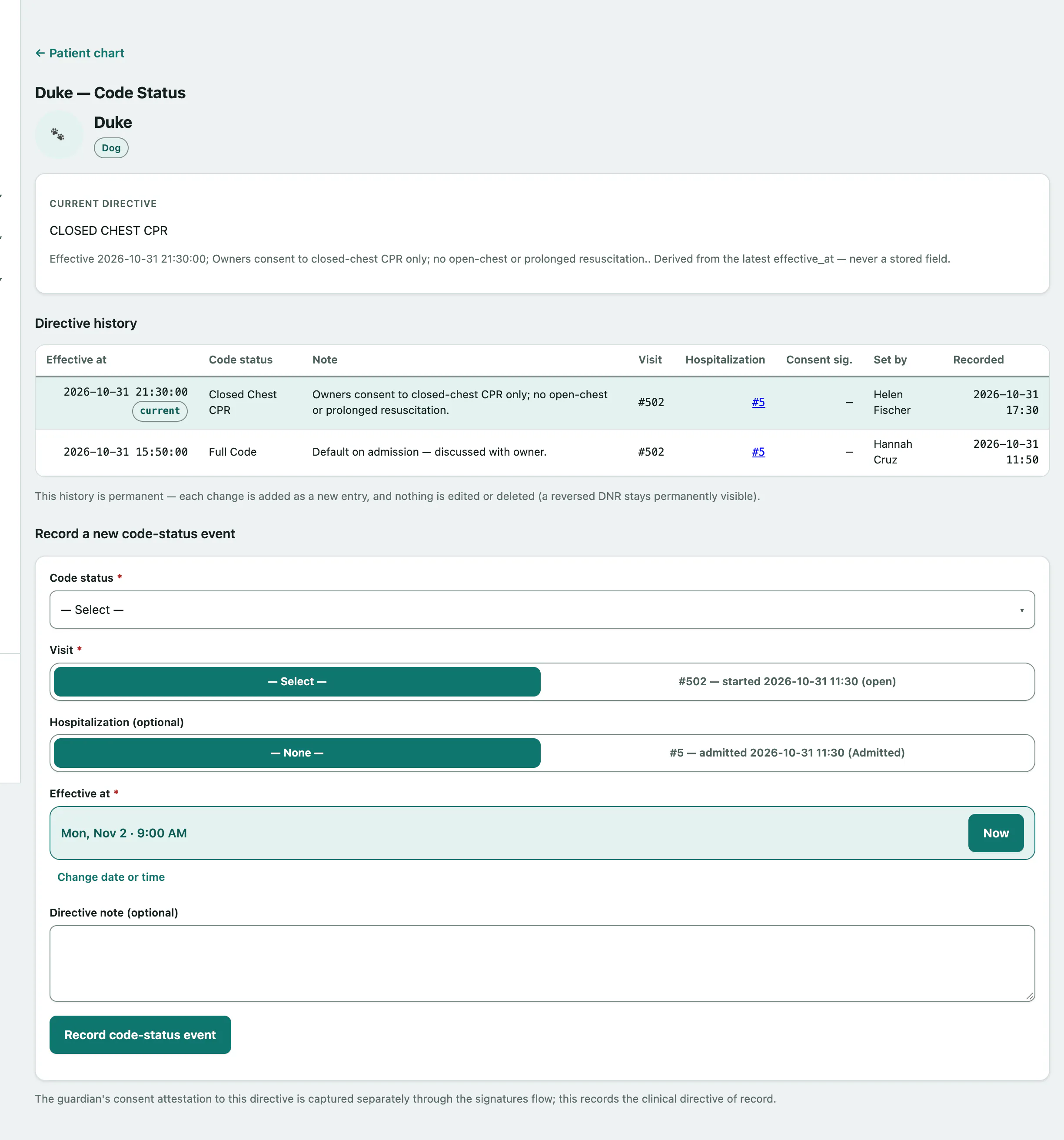
The Current directive card shows the directive in force, when it took effect and any note. It's always the latest entry whose effective time has passed. If nothing has been recorded, it says so.
Directive history lists every entry: when it took effect, the code status, the note, the visit and hospital stay it's attached to, who set it and when it was recorded. The entry in force is marked current. An entry with a future effective time is marked scheduled — not yet in effect and only takes over once that time arrives.
Record a new directive
- Under Record a new code-status event, choose the Code status: Full Code, Closed Chest CPR, Open Chest CPR or DNR.
- Choose the Visit the directive belongs to.
- If the patient is in hospital, choose the stay in Hospitalization (optional).
- Check Effective at. It's set to now.
- Select Record code-status event.
You can add a Directive note (optional) before recording, such as who agreed it with the owner.
A directive has to be attached to a visit, so the patient needs at least one visit first. If they don't have one, you'll see a message instead of the form.
The owner's signed consent to the directive is captured separately through signatures. This screen records the clinical directive.
If the patient dies in hospital, the death record picks up the directive that was in force (see Record a death in hospital).