
Client portal · Vet Practice
See your pets
In Vivetra: Your pets
On this page
Your pets is the first page you see after you sign in to your practice's client portal. It shows every pet on your account, their upcoming visits and where their vaccines stand.
What's on the page
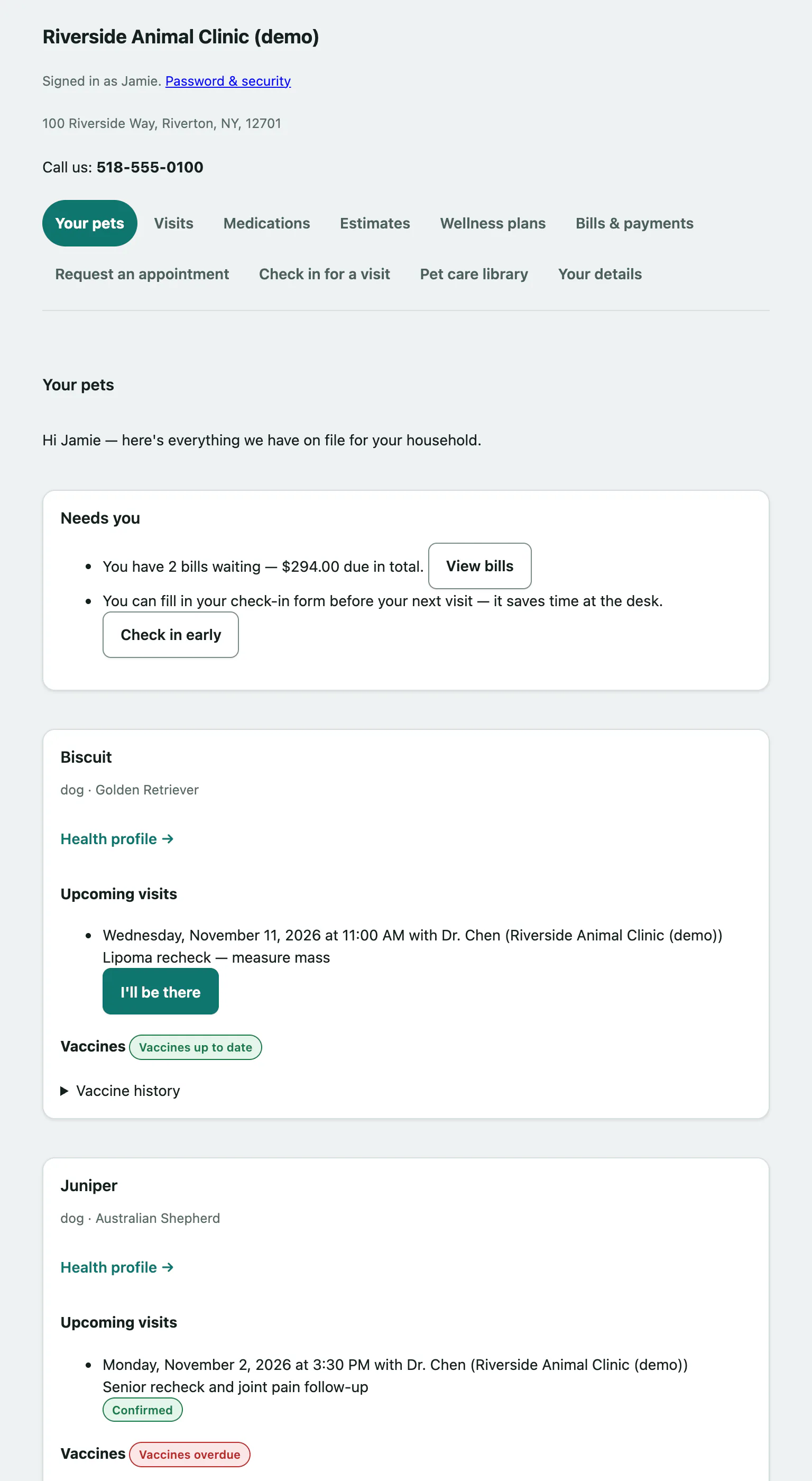
At the top you'll see your practice's name, address and phone number, and the portal menu.
If there's something waiting for you, a Needs you box lists it with a button to deal with it:
| Message | Button | Where it takes you |
|---|---|---|
| A bill waiting, with the amount due | View bills | Bills & payments |
| An estimate waiting for your approval | Review it | Forms to sign |
| You can fill in your check-in form before your next visit | Check in early | Check in for a visit |
| How did your recent visit go? | Tell us | Visits |
Below that, each pet has its own card with:
- Upcoming visits: the date and time, the vet, and whether it's at the clinic or a house call. If nothing's booked, you'll see Nothing booked.
- Vaccines: a summary label (Vaccines up to date, Vaccines due soon, Vaccines overdue or No vaccines on record yet). Open Vaccine history to see each vaccine, when it was last given, when it's next due and its status. The history opens by itself when something is due or overdue.
A vaccine shows Due soon when it's due within the next 30 days, and Overdue once the due date has passed.
From an upcoming visit you can also confirm you're coming (I'll be there) or tell the practice you've arrived (I'm here). See Confirm an appointment and Check in for a visit.
Open a pet's health profile
- Select Your pets in the portal menu.
- On your pet's card, select Health profile.
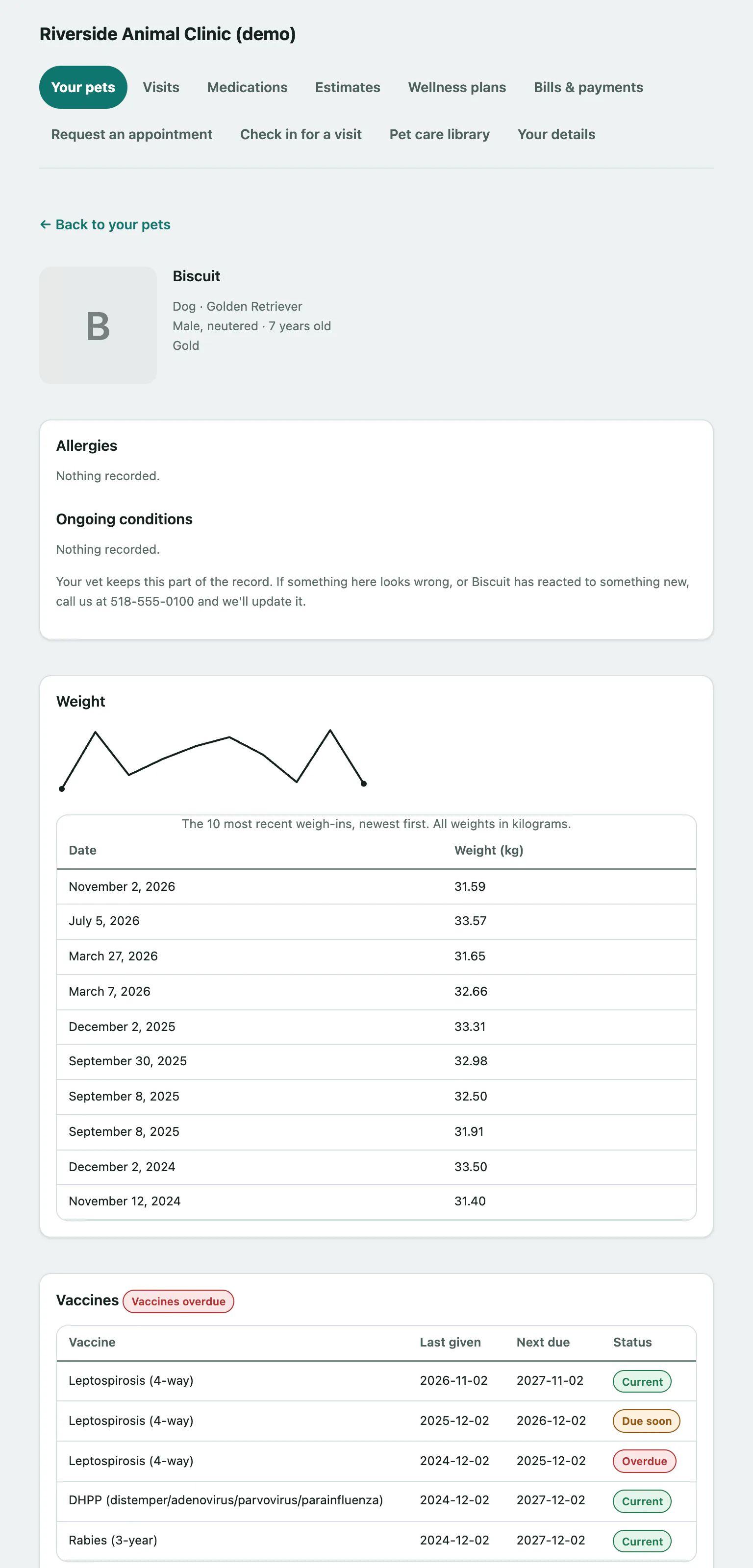
The health profile shows:
- Your pet's photo (if the practice has added one), species, breed, sex, age and colour.
- Allergies and Ongoing conditions.
- Weight: a small chart and a table of the most recent weigh-ins, newest first, in kilograms.
- Vaccines: each vaccine with Last given, Next due and Status.
- More about your pet: links to what they're prescribed, their visit summaries and a printable full record.
The health profile is read-only. Your vet keeps it up to date, so if something looks wrong, or your pet has reacted to something new, call the practice and they'll update it.
Select ← Back to your pets to return.