
Client portal · Vet Practice
See medications and request a refill
In Vivetra: Medications
On this page
Medications shows what each of your pets is currently prescribed. From there you can ask the practice to refill a prescription.
See what your pet is prescribed
- Select Medications in the portal menu.
- If you have more than one pet, choose All pets or a pet's name.
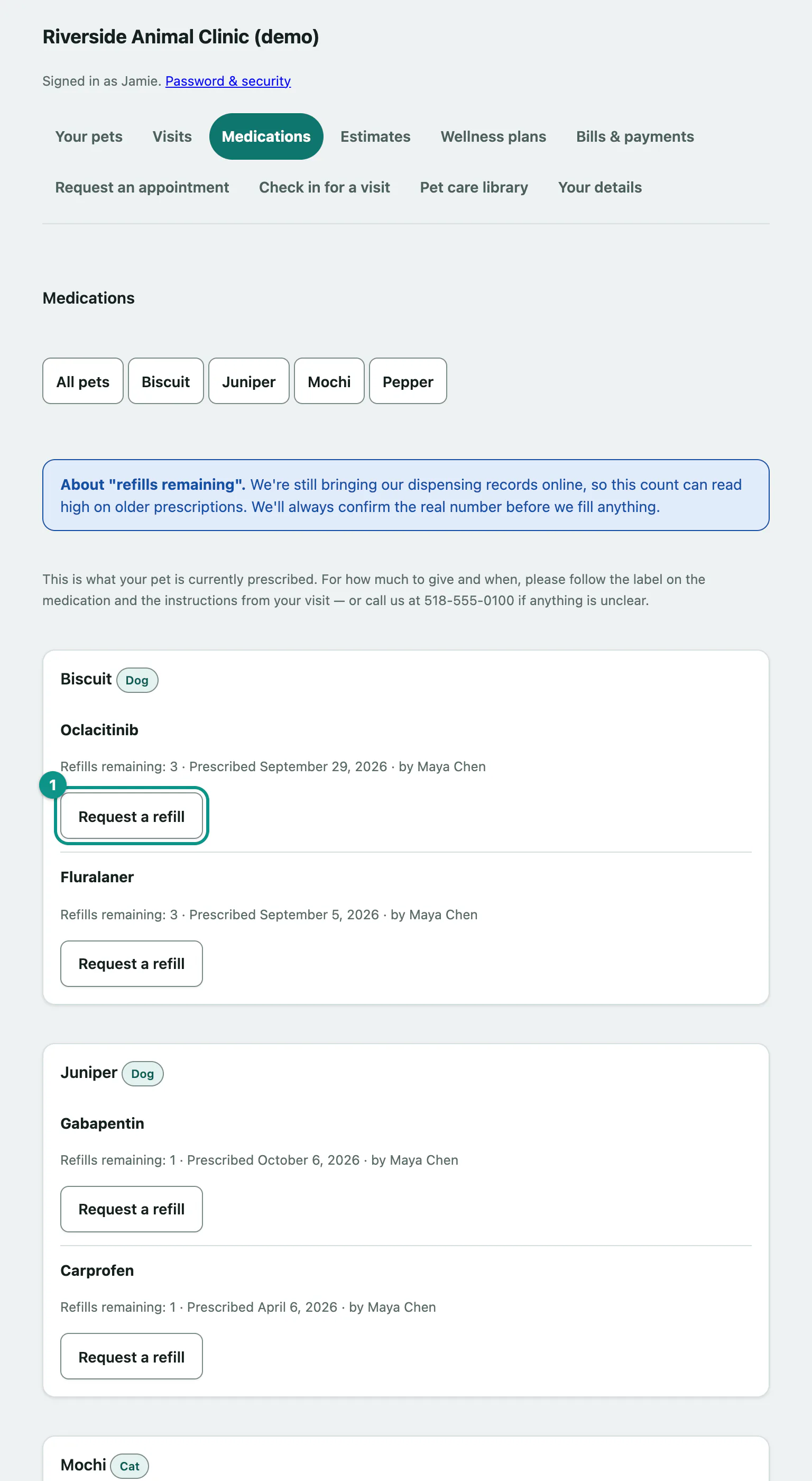
Each medication shows how many refills are left, when it was prescribed and by whom. For how much to give and when, follow the label on the medication and the instructions from your visit.
Request a refill
- In Medications, find the medication and select Request a refill. The Refill requests page opens with that medication.
- If there's anything the practice should know, type it in Anything we should know? (optional) (up to 300 characters). Please call with dosing questions instead of writing them here.
- Select Send refill request.
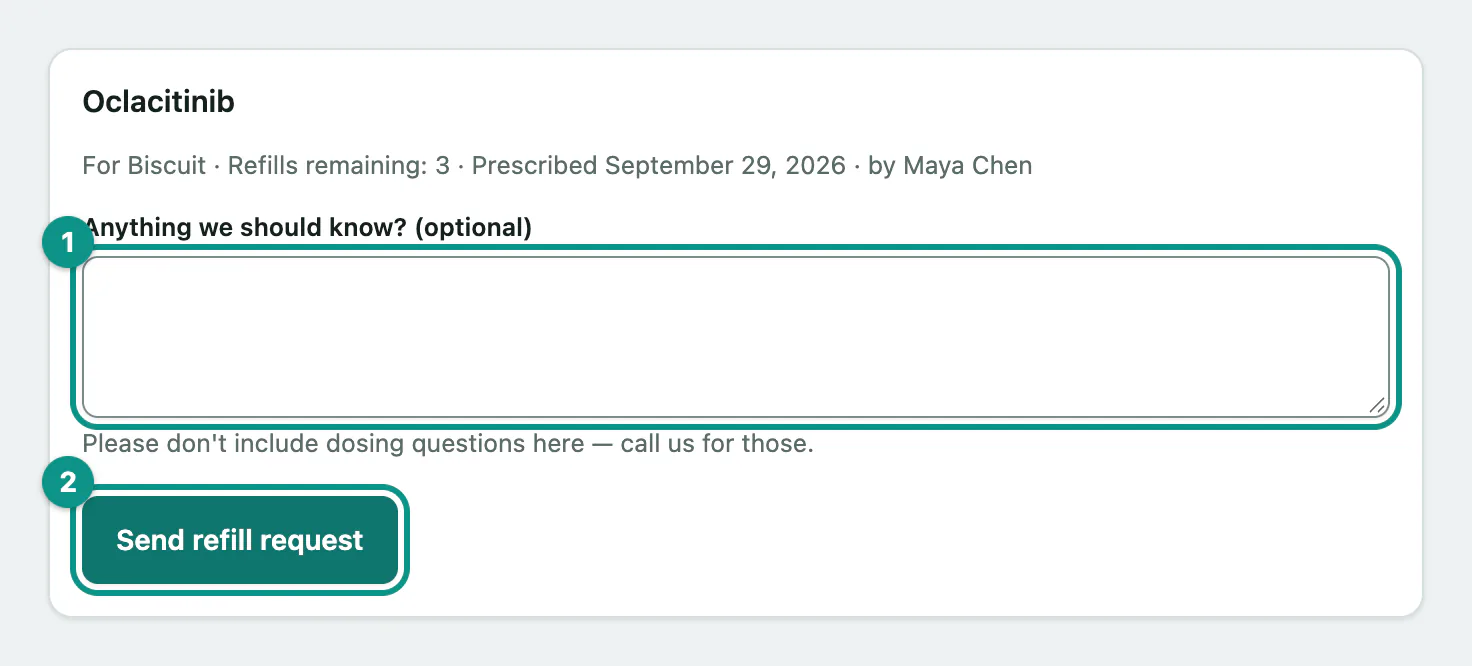
You'll see Thanks — we've got your refill request. A member of the team reviews it and gets back to you. It's a request, not a filled prescription yet.
If the record shows no refills left, the form says so but still lets you ask. The practice will check and let you know if a new prescription is needed.
When you can't request a refill online
- If a refill request is already in for that medication, the medication shows Refill requested instead of the button.
- If a prescription is older than the practice allows for online refills, the medication asks you to call instead.
- Some medications can't be requested online at all. You'll see We can't take a refill request for that medication online. Please give us a call and we'll help.
Check on a request
Your household's requests, at the bottom of Refill requests, lists recent requests for everyone on your account, with a status:
| Status | What it means |
|---|---|
| Pending | The practice has it and is reviewing it. |
| Approved | Approved. Call the practice if you're not sure when to collect it. |
| Declined | Not refilled. The reason is shown, for example We'd like to see your pet before refilling this. |
| Cancelled | The request was withdrawn. |
Withdraw a request
You can withdraw a pending request you sent yourself.
- Under Your household's requests, find the request and select Withdraw this request.
You'll see That refill request has been withdrawn.