
Records & admin
Write a SOAP chart
Each visit has one SOAP chart: Subjective, Objective, Assessment and Plan. You write it while the visit is open, then sign it, which locks it for good. Anything you need to add after that goes in an addendum.
Open it from the appointment with SOAP note once the visit has started, or from Visits & encounters on the patient's record.
Anyone who can view the full chart can read SOAP charts. Writing and signing them needs permission to write clinical notes, which veterinarians have.
Write the note
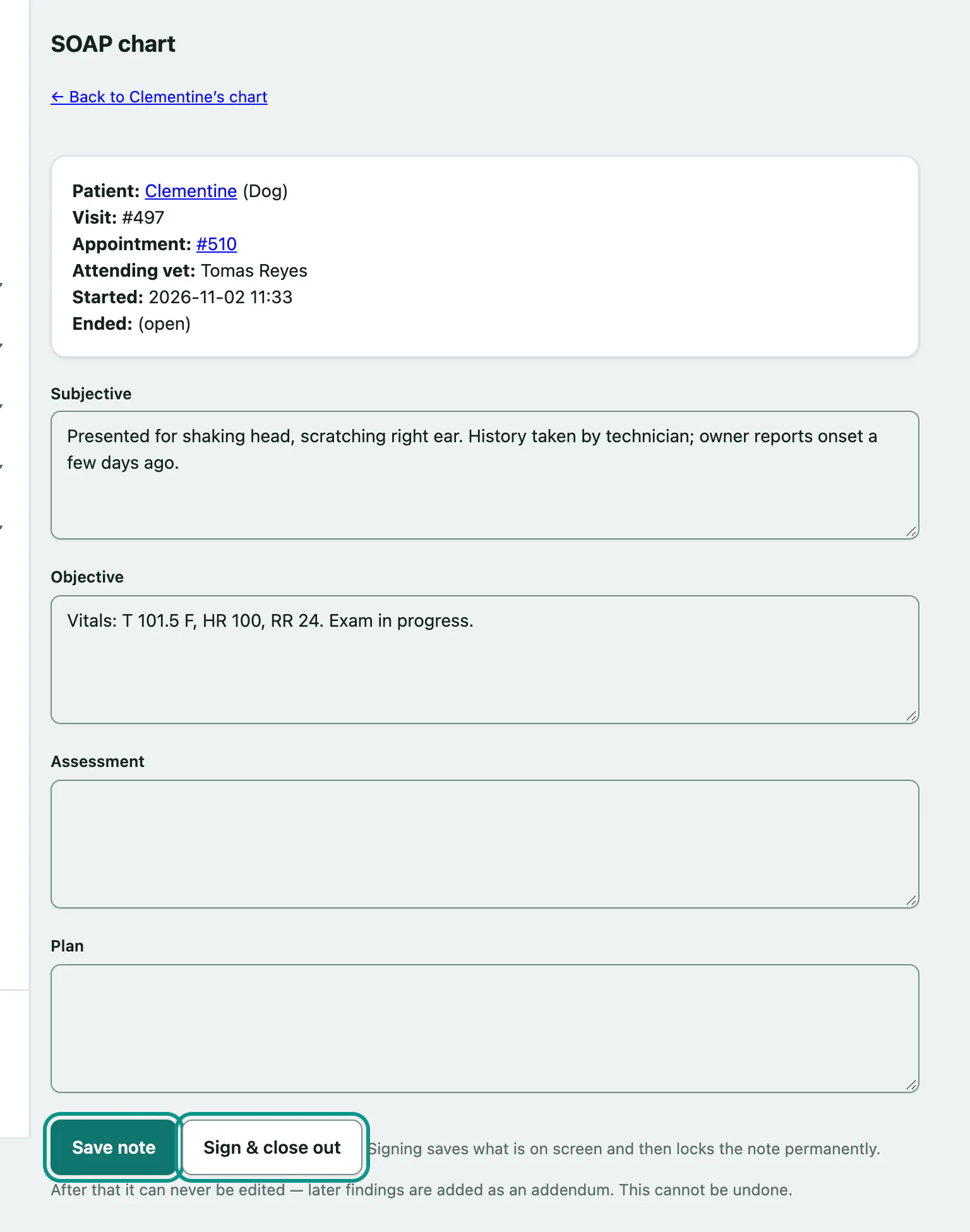
The top of the page shows the patient, visit number, appointment, attending vet and when the visit started and ended.
If your practice has chart templates for this species, you can start from one. This only shows while the note is still empty.
- Choose a template in Start from a template and select Start from template. The four boxes fill in, and you can change anything.
- Type in Subjective, Objective, Assessment and Plan.
- Select Create note. After the first save the button says Save note. Save as often as you like.
Sign and close out
When the note is finished:
- Select Sign & close out.
Vivetra saves exactly what's on screen and locks it in one step. The page then shows This note is locked with who signed it and when.
Add an addendum
To correct or add to a signed note:
- Type in Add an addendum.
- Select Add addendum.
Each addendum is listed under Addenda with its own number, author and time. The original note stays exactly as it was signed.
If your changes weren't saved
If someone else saved the same note while you were typing, you'll see Your changes were not saved. Nothing you typed was written, and nothing of theirs was overwritten. Your text is shown under What you submitted so you can copy it. Select Reload the chart, then add your changes to the latest version.