
Client portal · Hospital
Review and approve a hospital estimate
In Vivetra: Estimates & consents
When the hospital plans care for your pet, they give you an estimate: a price range for that plan. You can read it in the portal and approve it by signing online, sign a printed copy instead, or decline it.
Find your estimates
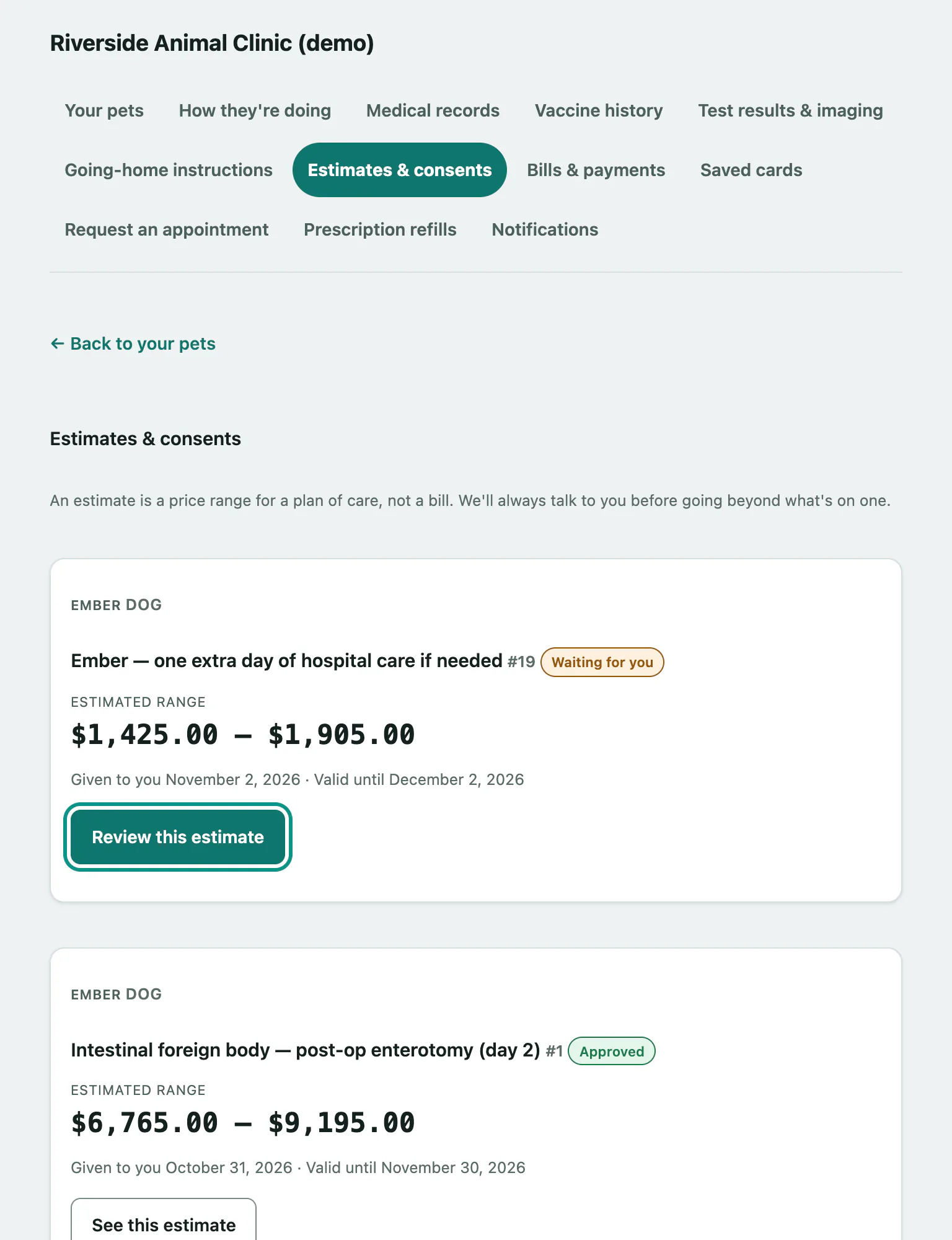
- Select Estimates & consents in the menu. Every estimate for your pets is listed with its Estimated range, the day it was given to you and how long it's valid.
- Select Review this estimate on one that's Waiting for you. Estimates you've already decided show See this estimate instead.
| Status | What it means |
|---|---|
| Waiting for you | The hospital is waiting for your decision. |
| Approved | Someone on your pet's record approved it. |
| Declined | It was declined. Nothing is booked or charged. |
| Out of date | It's past its valid-until date. Call the hospital for an up-to-date one. |
An estimate is not a bill. The hospital will talk to you before going beyond what's on it.
Approve and sign online
The estimate lists each item under What's included with its quantity and estimated range, and the Estimated total.
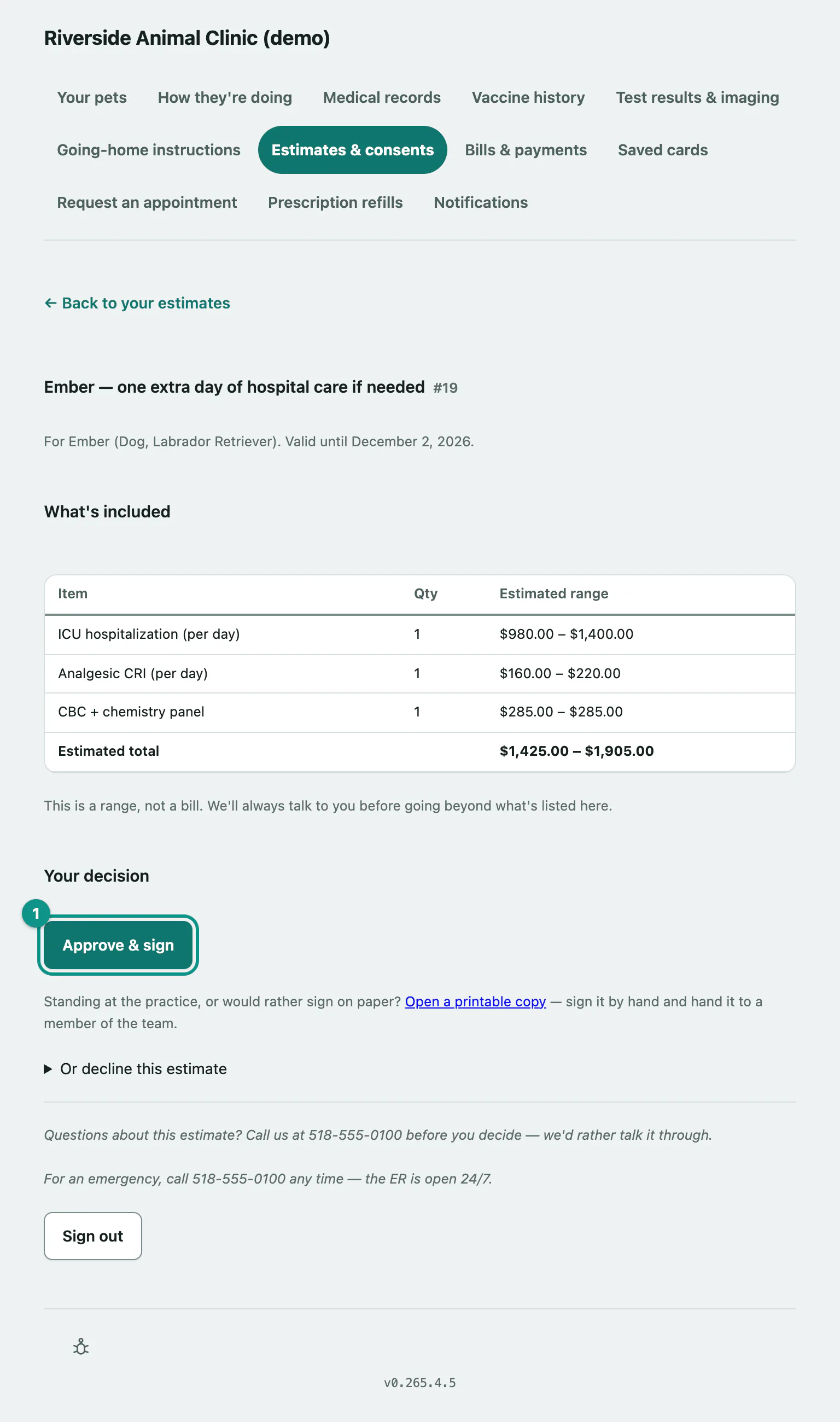
- Under Your decision, select Approve & sign.
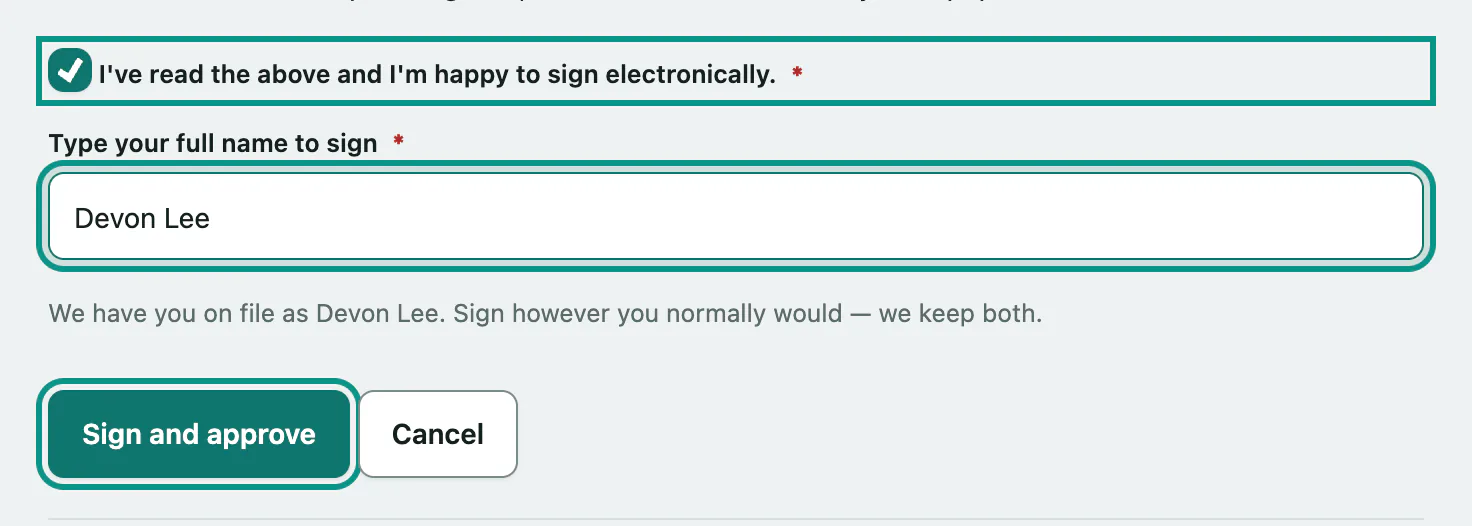
- Read What you're agreeing to and Signing electronically, then tick I've read the above and I'm happy to sign electronically..
- Type your full name in Type your full name to sign.
- Select Sign and approve.
When it's done you'll see Thank you — that's signed and we have it. There's nothing else you need to do.
You don't have to sign electronically. Approve & sign doesn't appear if the estimate is past its date or the hospital hasn't set it up for online approval; call them instead. If someone else on your pet's record has already signed, or the hospital has printed it for you to sign at the practice, the page tells you so.
Sign a paper copy instead
If you're at the hospital, or you'd rather sign by hand:
- On the estimate, select Open a printable copy.
- Select Print this sheet, sign it, and hand it to a member of the team.
You only need to do one: sign online or on paper.
Decline an estimate
- On the estimate, select Or decline this estimate.
- Choose a reason in Why?: The cost is more than we can do right now, We'd like a second opinion first or Something else. You can add a note too, but the team won't reply to it here.
- Select Decline this estimate.
Nothing is booked or charged. If you change your mind or want to talk options, call the hospital.