
Boarding · Grooming
Record a grooming incident
In Vivetra: Grooming › Incidents
On this page
Incidents under Grooming is where you record anything that happens during a groom, such as a nick, a clipper burn, a quicked nail, a bite, an escape or a matting shave-down, and tell the owner about it. It lists every grooming incident for every pet.
Anyone can read the list. Filing an incident or recording an owner notification needs incident-reporting permission, which front desk and practice managers have.
File an incident
An incident always belongs to a specific groom from the last 30 days. If the appointment isn't listed, open it on the day board first (see Book and run grooming appointments).
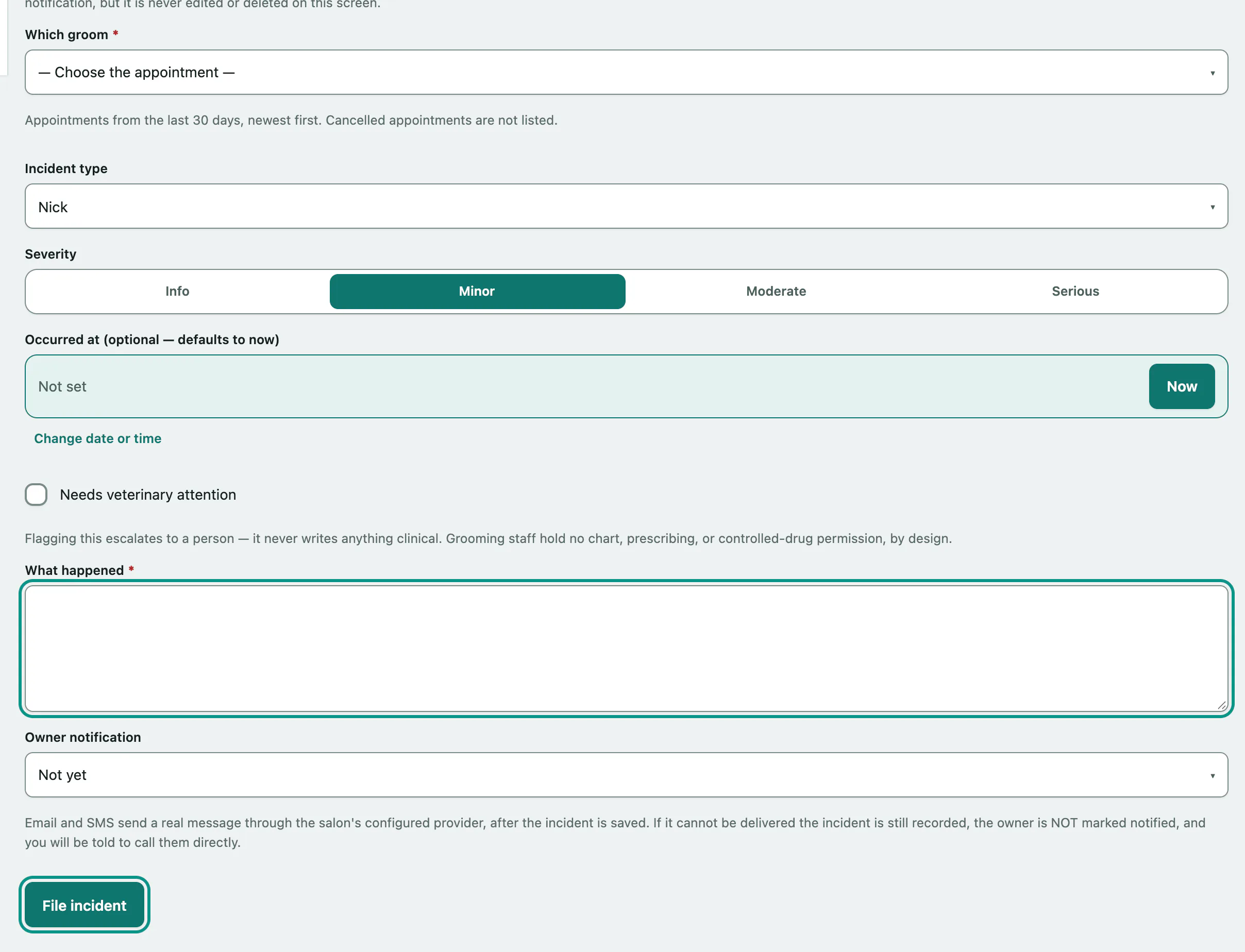
- In the menu, open Grooming and select Incidents.
- Under File a grooming incident, choose Which groom. The pet comes from the appointment, so the incident can't land on the wrong animal.
- Choose the Incident type.
- Choose the Severity: Info, Minor, Moderate or Serious.
- Describe What happened.
- Choose how the owner was told under Owner notification.
- Select File incident.
Occurred at (optional — defaults to now) lets you record an earlier time. Tick Needs veterinary attention if the pet needs a vet. That flags it for a person to follow up; it doesn't write anything to the pet's clinical record.
Owner notification options
| Option | What happens |
|---|---|
| Not yet | Nothing is sent. The incident shows as not notified. |
| Send an email now / Send an SMS now | A real message is sent after the incident is saved. If it can't be delivered, the incident is still recorded but the owner isn't marked notified, and you're told to call them. |
| Record: I phoned them / Record: I told them in person | Records that you told them yourself. |
If you see a warning
For a matting shave-down, the screen checks for a signed release on that appointment. If there isn't one, you'll see Review before filing — the incident was NOT recorded. The warning doesn't block you: tick I've reviewed the warning(s) above and want to record this incident anyway. and select File incident again. The override is recorded on the appointment.
Tell the owner later
Incidents with no owner notification show Not yet in the Owner notified column. A banner at the top counts how many from the last 30 days still haven't been notified.
- In that incident's Notify owner column, choose Send email, Send SMS, Record: phoned them or Record: told them in person. Email and SMS are greyed out if the client has no email address or phone number.
- Select Notify.
Find an incident
- Under Filter, narrow by Severity, Incident type, Pet name contains, dates, Owner notified or Vet attention.
- Select Filter. Clear removes the filters.
This pet's incidents under a pet's name shows just that pet. For a bite, staff who can record bite incidents also see a Core bite record link.