
Vet Practice
Print an account statement
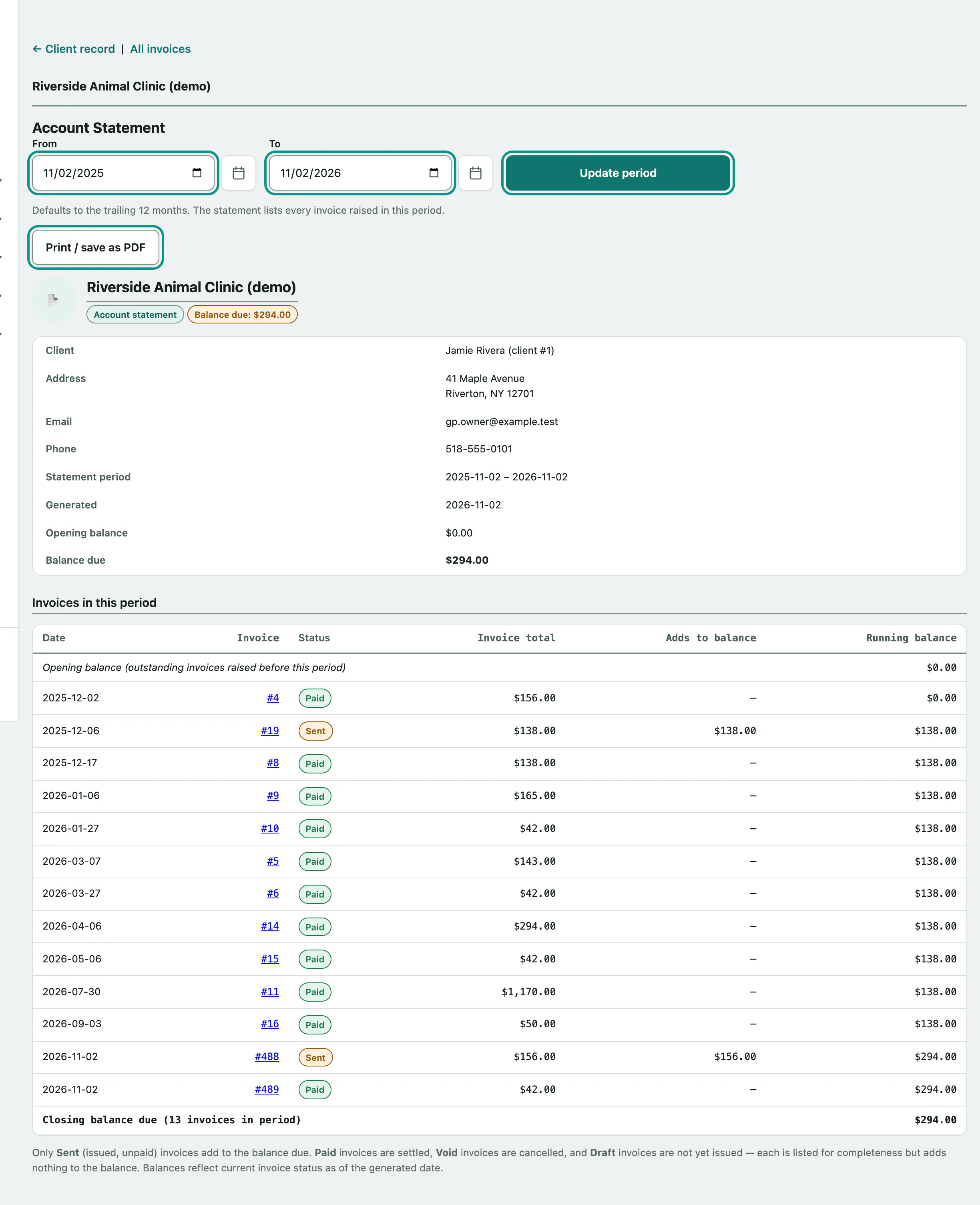
An account statement lists every invoice raised for one owner over a period, with an opening balance, a running balance and the balance due. Print it or save it as a PDF to hand or send to the owner.
Make a statement
- Open the owner's record (see Work with an owner's record) and select Account statement.
- The statement covers the last 12 months. To change that, pick a From date.
- Pick a To date.
- Select Update period.
- Select Print / save as PDF. To get a PDF, choose to save as PDF in your browser's print window.
The printout has your practice's logo and name at the top and leaves off the date boxes, buttons and menu.
What's on it
The top lists the owner's name, client number, address, email and phone, the Statement period, the date it was Generated, the Opening balance and the Balance due.
Invoices in this period lists each invoice raised in the period, oldest first, with its Status, Invoice total, what it Adds to balance and the Running balance. Select an invoice number to open it.
Only Sent invoices (issued and not yet paid) add to what the owner owes. Paid, Void and Draft invoices are listed so the owner sees the full picture, but add nothing.
The Opening balance is the total of sent, unpaid invoices raised before the period started. Balances use each invoice's status on the day you make the statement, so an old invoice paid last week counts as paid.
If no invoices were raised in the period you'll see No invoices were raised for this client in this period., plus a line explaining any opening balance carried in.
If the statement isn't made
A Statement not generated: message means the dates are wrong. The From date has to be on or before the To date.