
Shelter
Add and find adopters
In Vivetra: Shelter › Adoptions
On this page
Every adoption application needs an adopter on your roster. The Adopter roster on the Adoptions screen is where you add new adopters and look up ones you already have.
Anyone signed in can search the roster. Adding adopters needs adoption permission.
Find an adopter
- Select Adoptions in the Shelter menu.
- Under Adopter roster, type part of a name in Name contains. Matching names are suggested as you type. You can also search with Email contains and Phone contains.
- Select Search.
The Adopter roster shows each adopter's contact details, preferred contact, any caution flag, whether they're active, and their portal account status. Select Clear to show everyone again. The list shows up to 500 adopters at a time, so narrow your search if you have more.
Add an adopter
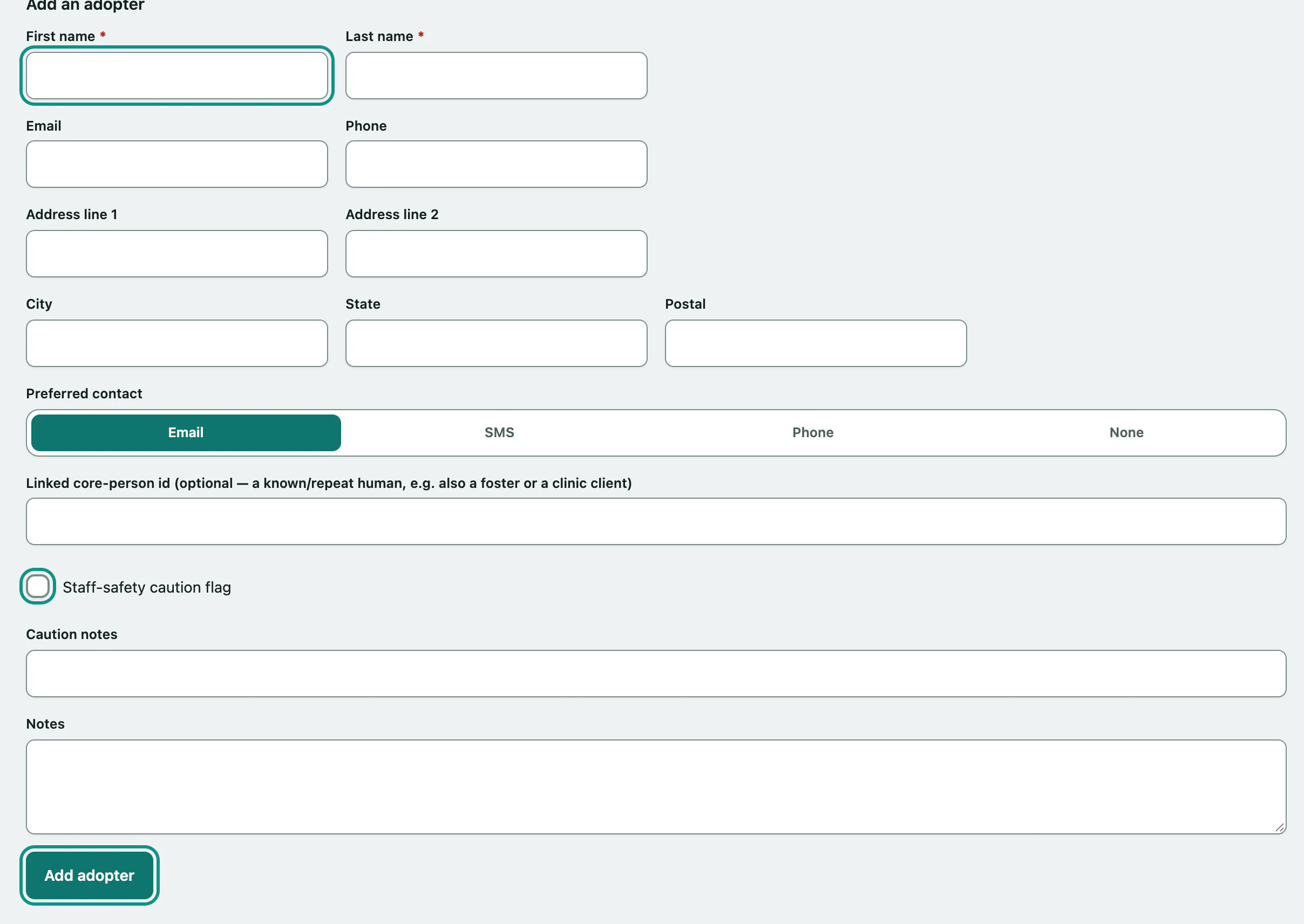
- Under Add an adopter, enter the First name and Last name. These are the only required fields.
- Fill in their Email, Phone, address and Preferred contact. You need an email address if you want to invite them to the client portal later.
- If staff should take care with this person, tick Staff-safety caution flag and say why in Caution notes.
- Select Add adopter. You'll see "Adopter added to the roster."
If the adopter is already known to you as someone else, such as a foster caregiver or a clinic client, enter their person record number in Linked core-person id. Leave it blank if you don't know it.