
Records & admin · Admin
Set up locations and rooms
In Vivetra: Admin › Locations & Rooms
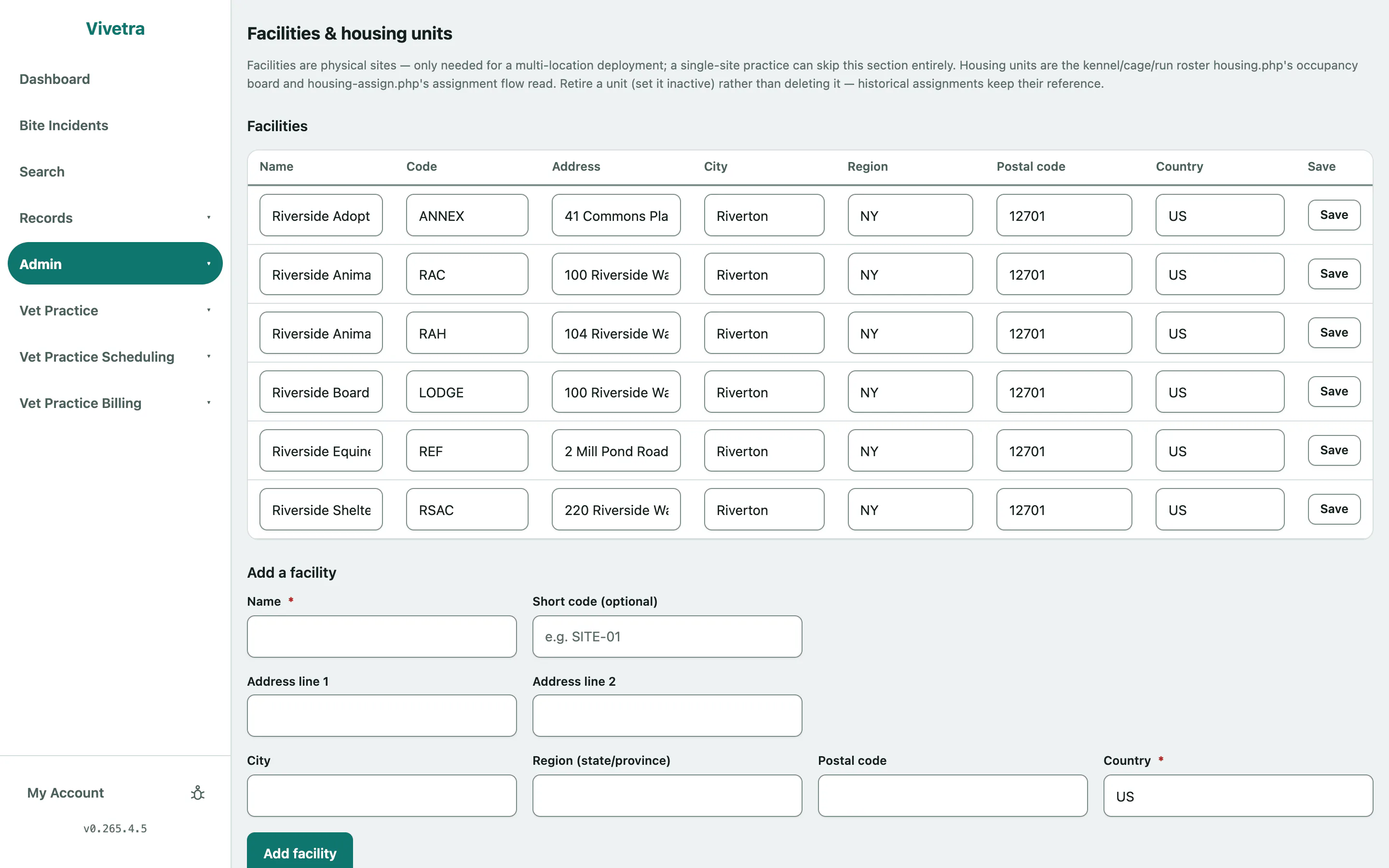
Locations & Rooms holds two lists: your facilities (the physical sites, if you have more than one) and your housing units (every kennel, cage, run or ward space an animal can be put in). The occupancy board and the screen for assigning animals to housing both read from it, and show nothing until you add your units.
Managing this needs facilities permission, which practice managers have.
Add a site
Only practices with more than one location need facilities. A single-site practice can skip this.
- Select Admin › Locations & Rooms in the menu.
- Under Add a facility, enter the Name, an optional short code and the address. Country is required.
- Select Add facility.
Add a kennel, cage or run
- Under Add a housing unit, give it a Name, such as Run 12 or ICU Cage 3.
- Choose the Type: run, suite, cage, cat condo, isolation, ward or other.
- Set the Capacity, how many animals it holds. Add a Zone (building/wing, optional), a Species restriction (optional) and a Facility (optional) if they apply.
- Select Add housing unit.
Take a unit out of service or retire it
Each unit in Housing units can be edited in its row.
- To close it for a while (a broken door, deep cleaning), set it to Out of service and give a reason.
- To stop using it for good, set it to Retired.
- Select Save on that row.