
Getting started
Welcome to Vivetra
In Vivetra: Dashboard
Vivetra keeps every patient, owner and visit in one record, whether your practice runs a general clinic, a hospital ward, boarding kennels, a shelter, or equine or livestock work. These guides walk you through each screen in the order you'll meet it.
What's in Vivetra
Vivetra is built from modules. Your practice turns on the ones it needs:
| Module | What it covers |
|---|---|
| Vet Practice | Owners, the schedule, reminders, estimates, invoices and wellness plans |
| Hospital | Inpatient care on the ward |
| Boarding | Stays, kennels, boarding billing and grooming |
| Equine | Horses, farm calls and breeding |
| Livestock | Farms, herds, treatments and withdrawal dates |
| Shelter | Intakes, adoptions and fosters |
Everything that isn't specific to one module, like patients, people, lab results, the controlled drug list and staff, is shared by every module. You'll find it under Records and Admin in the menu.
Workspaces
If your practice uses two or more modules, you'll see Where do you want to work? straight after you sign in. Pick a workspace to see that module's dashboard cards.
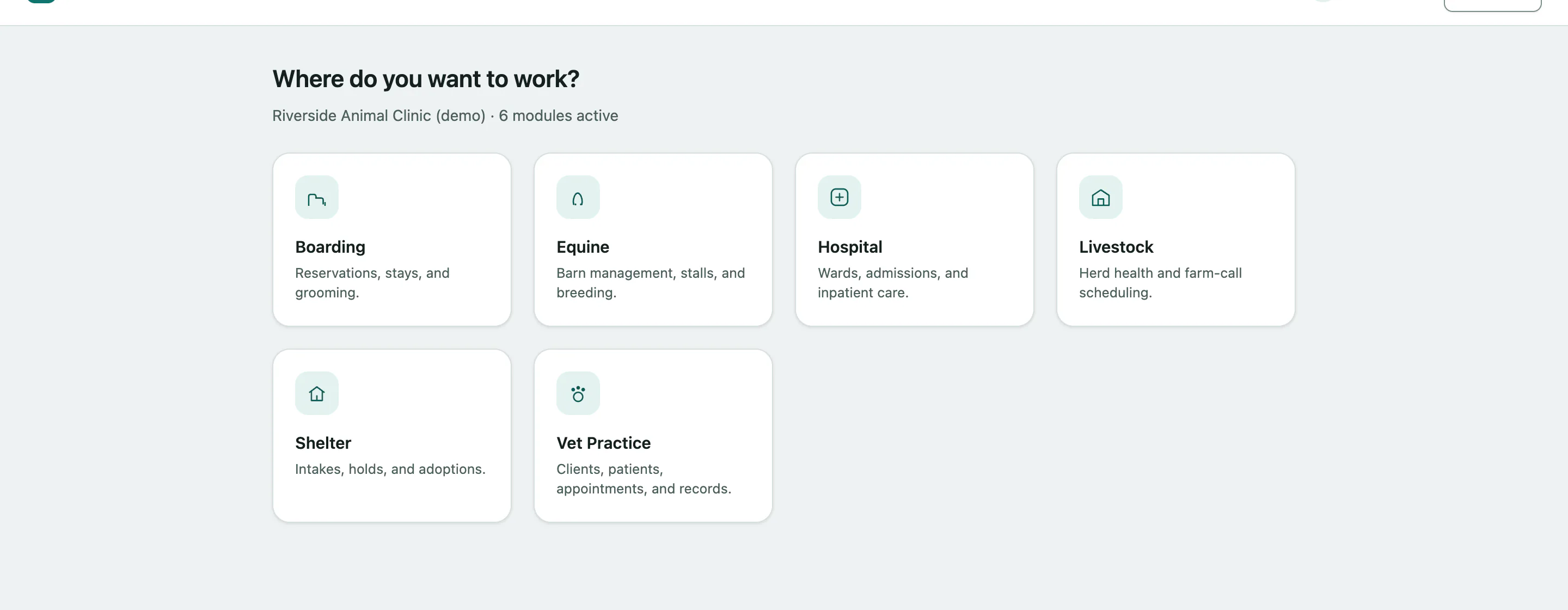 You can change it any time with Switch workspace at the top of the dashboard. If your practice has only one module, you go straight to the dashboard.
What you see depends on your role
Your practice gives each person a role, and the role decides which menu items and actions you can use. If a guide mentions something you can't find, you probably don't have access to it. Ask your practice manager or the practice owner.
Where to go next
- Signing in: signing in, two-factor codes and resetting a forgotten password.
- Finding your way around: the menu, the dashboard and the search box.
- Your account and settings: your name, photo, password and theme.