
Equine
Handle farm call requests
In Vivetra: Equine › Equine Farm Call Requests
On this page
Owners can ask for a farm call through the client portal. Their requests wait in Farm Call Requests until someone schedules, declines or cancels them.
Review the queue
- Select Equine Farm Call Requests in the Equine menu. It opens on Pending requests, most urgent first.
- To see other requests, select a status along the top: Contacted, Scheduled, Declined, Cancelled or All.
Each request shows who sent it and how to reach them, the horses and the reason for each, the Type, the Preferred day and time of day, the Location and any Preferred vet. A preferred vet is only a preference; nothing is booked on their calendar.
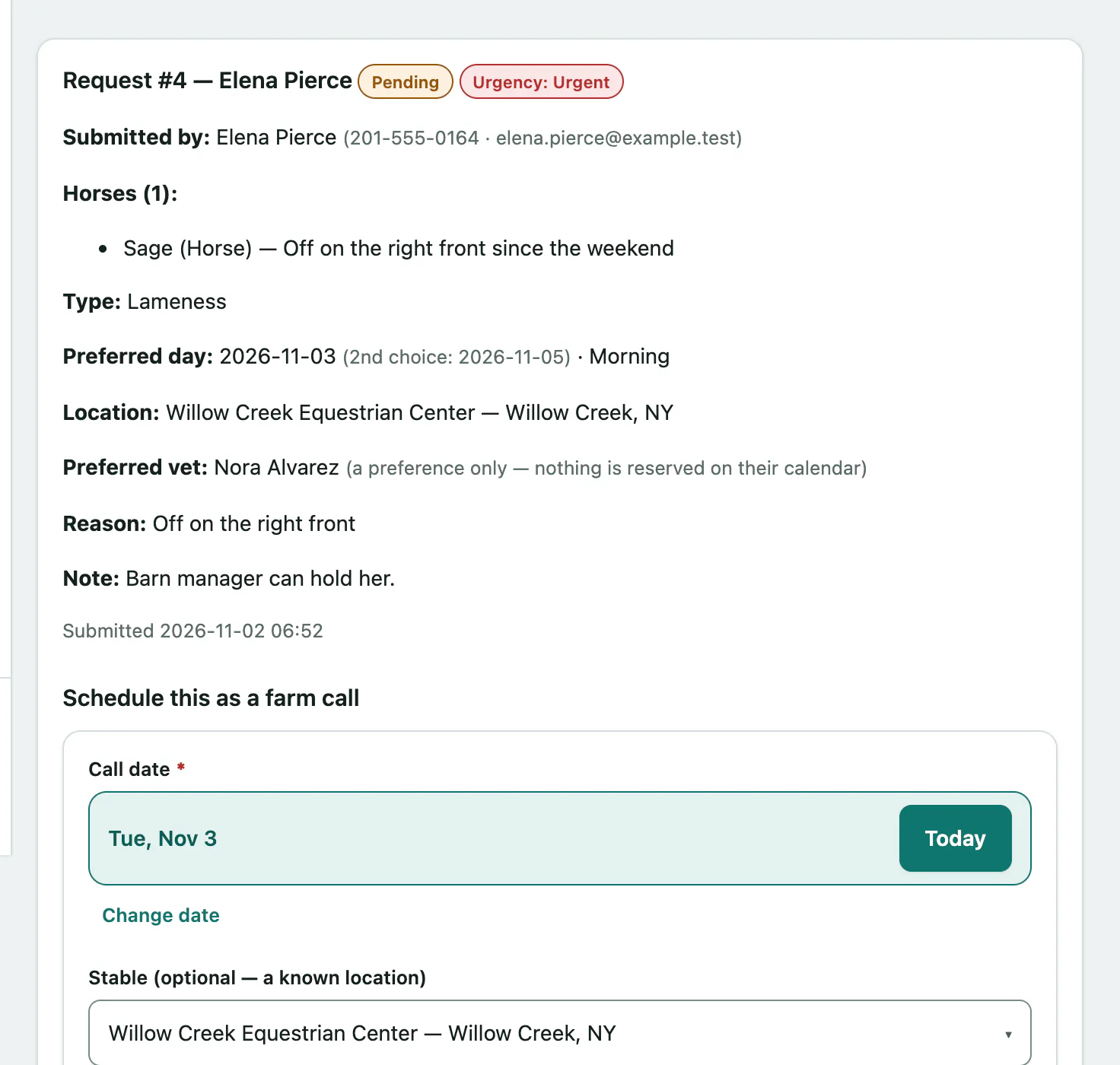
Anyone can read the queue. Acting on requests needs the farm-call scheduling permission, which front desk, vets and practice managers have by default.
Schedule a request
Scheduling turns the request into a real farm call. The form is filled in from the request, and you can change anything.
- Under Schedule this as a farm call, check the Call date. It starts as the owner's preferred day.
- Check the stable or location, and the Attending vet (optional — defaults to the vet they asked for).
- Set the Travel-fee basis and Travel fee.
- Select Schedule farm call. You'll see Farm call scheduled — the request is now linked to the stop.
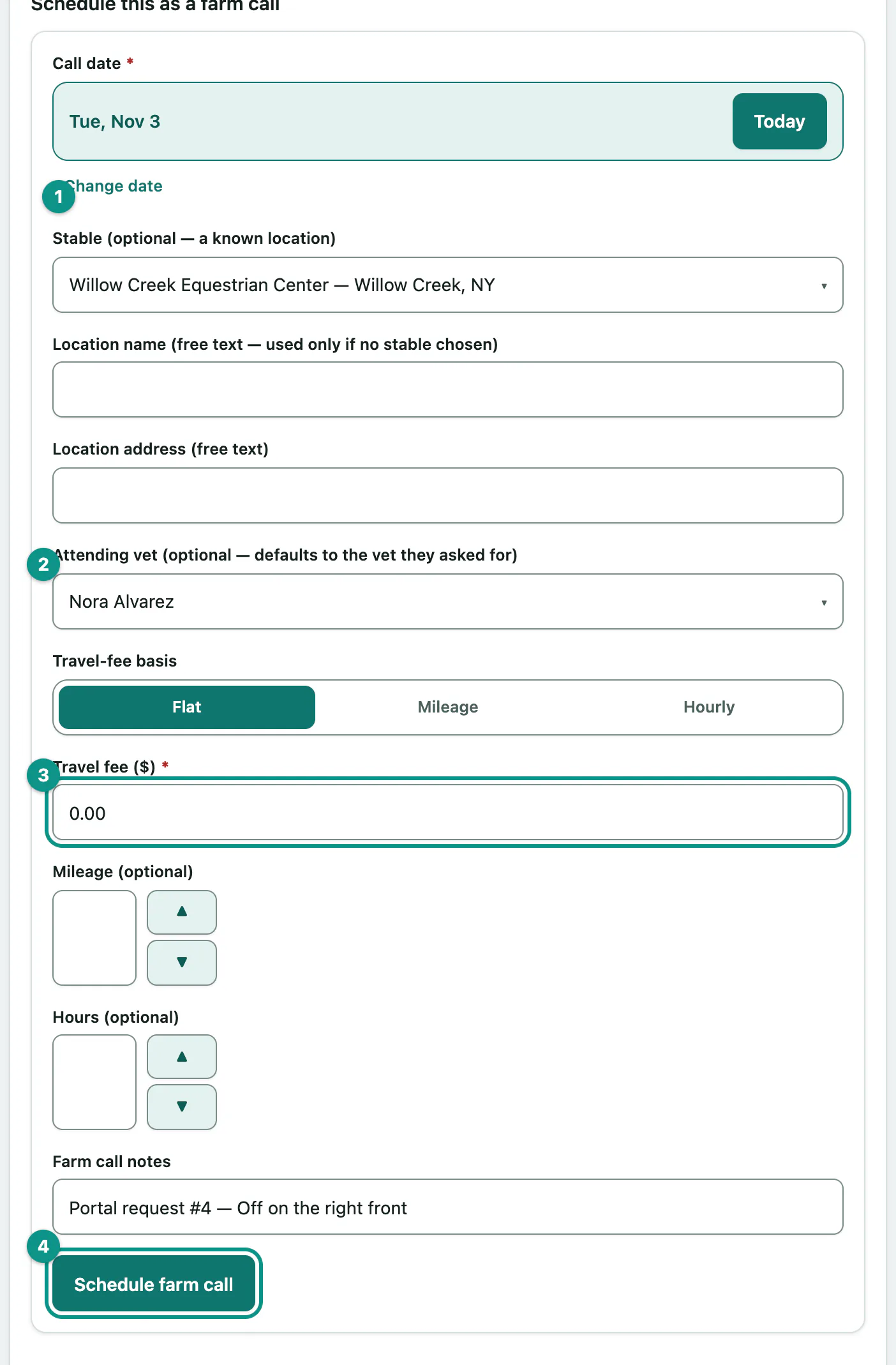
The request moves to Scheduled and gets a View farm call button. Vivetra doesn't tell the owner, so contact them yourself to confirm.
Other actions
Under Other actions on each open request:
| Action | When to use it |
|---|---|
| {{ui:Mark contacted | farm-call-requests.mark-contacted}} |
| {{ui:Decline — we can’t take this on | farm-call-requests.decline}} |
| {{ui:Cancel — the owner withdrew it | farm-call-requests.cancel}} |
Notes and reasons are for staff only. They're never shown in the portal.
If two people act on the same request at once, the second sees That request was already handled by someone else — refresh to see its current state.