
Records & admin
Track staff controlled-drug credentials
Each vet who prescribes or handles controlled drugs needs a current controlled-substance registration, such as a DEA registration and a state registration in the US. Record them here. Vivetra checks them every time a controlled drug is prescribed or logged under that vet, and blocks the entry if the registration has lapsed.
Only practice owners can open this screen. Get to it from Admin › Staff: select Credentials on the person's row (see Add and manage staff).
Add a credential
- Under Add a credential, choose the Credential type. Only types that apply in your practice's country are listed.
- Enter the Number (optional) and the Expires (optional) date.
- Select Add credential.
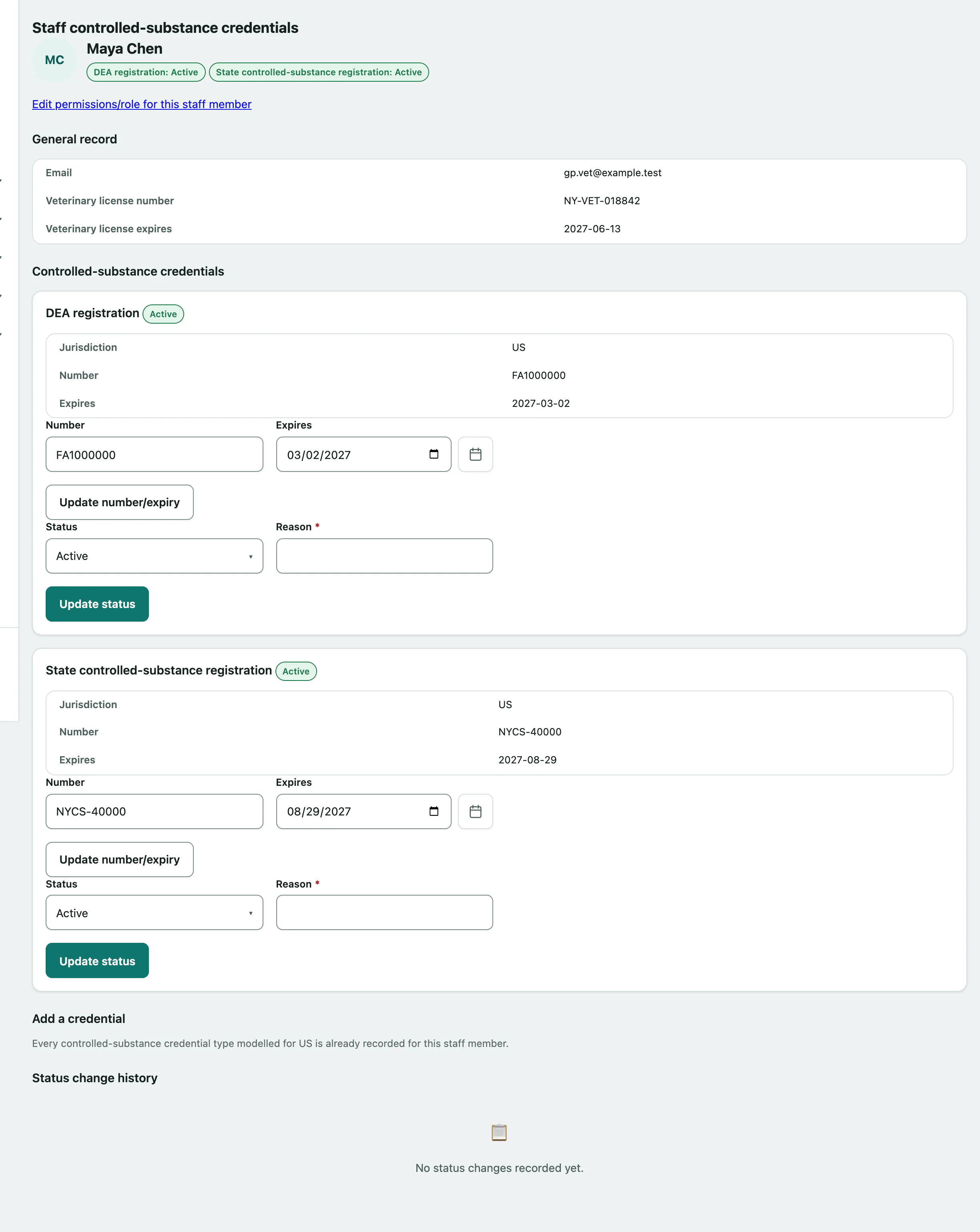
Each person can have one credential of each type. To change a number or expiry date, edit the existing one under Controlled-substance credentials and:
- Select Update number/expiry.
Suspend, revoke or restore a credential
If a registration is suspended or revoked, record it straight away:
- Under the credential, choose the new Status: active, revoked or suspended.
- Give a Reason. It's required both ways, including when you restore one to active.
- Select Update status.
Every change is listed in Status change history with when, who and why.
If a vet's credential stops being active and other staff list them as their supervising veterinarian, you'll see Reassignment needed. with those people's names. Open each one and choose who takes over.
The General record section also shows the person's email and their veterinary license number and expiry.