
Records & admin
Chart treatments and vitals on the flowsheet
The Treatment Flowsheet is the hour-by-hour record for a patient staying with you: what was ordered, what was done, their vitals and any drips running. Each hospital stay has its own flowsheet, opened from the stay (for example Open flowsheet after admitting a patient).
Anyone who can view the full chart can read it. Charting treatments and vitals needs nursing-chart permission, which veterinarians have. Starting, changing or stopping an infusion is an order change and needs inpatient-order permission. The box at the top tells you which of these you have.
Read the treatment sheet
The top card shows the patient, a CAUTION: banner if they have a safety flag, their status and when they were admitted. Links there open the rest of the stay, such as Shift handoffs → (see Log a shift handoff).
Treatment sheet has one column per hour. Standing orders show every day of the stay; check-offs and observations show for the day you're looking at. Every cell says what it means in words, and the colours back it up: green is done, amber is due or skipped, red is overdue or missed.
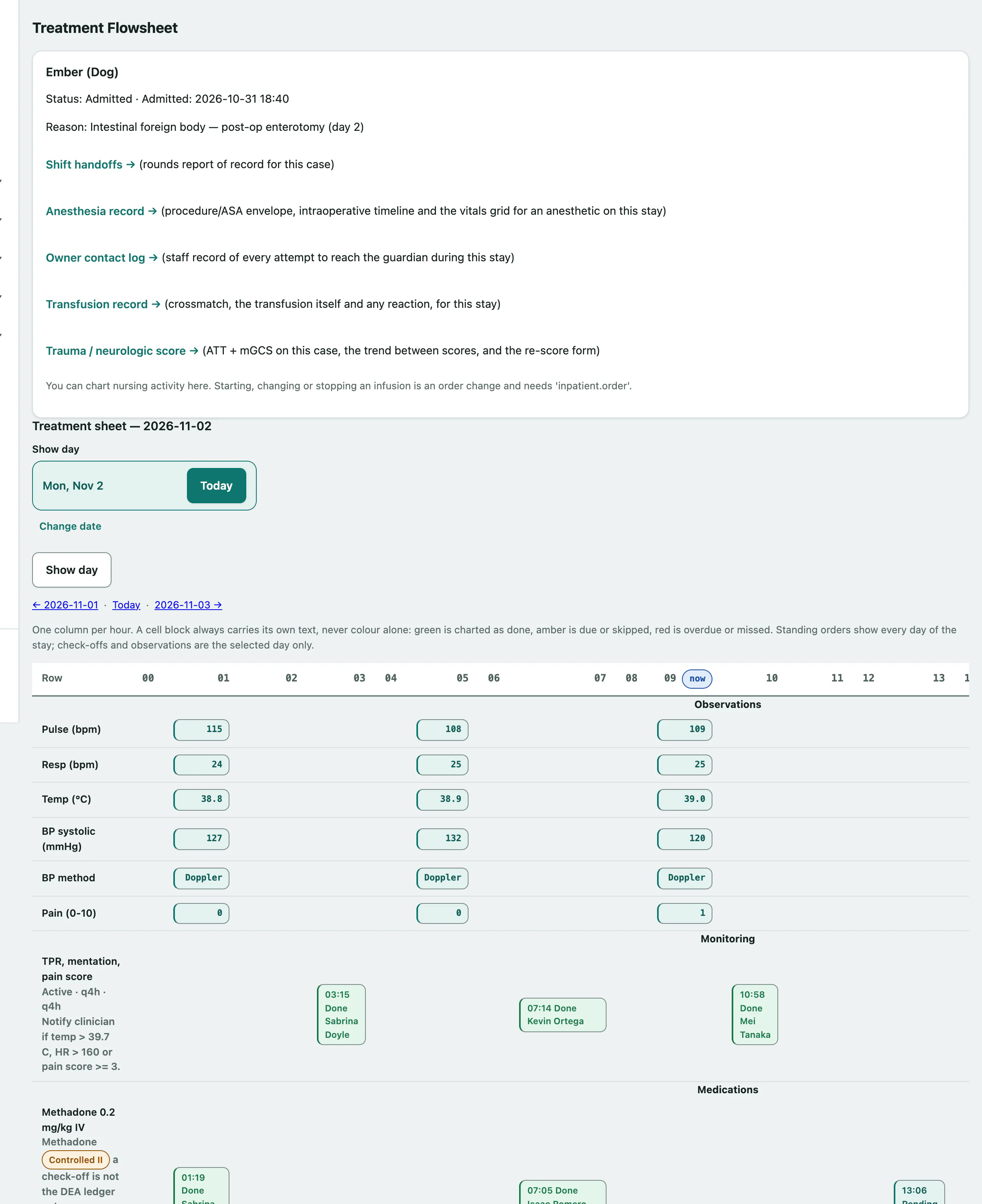
To look at another day, use the previous-day and next-day links or Show day. Today brings you back.
Chart a treatment
- Under Chart a treatment, choose the Order.
- Set the Status: Done, Skipped, Missed or Pending.
- Add Notes if needed, then select Log treatment.
Performed at defaults to now. Fill it in, in clinic time, when you're charting something done earlier.
Charted something wrong? Open Correct a charted row, change the status or notes on that row and select Save.
Record vitals
- Under Record vitals, enter what you measured, starting with Temperature °C, Pulse (bpm) and Respiration (bpm).
- Select Record vitals.
You can also record Weight (kg), Pain score (0-10) and notes. Where your practice has critical-care fields, there are boxes for blood pressure, BP method, SpO2 (%), ETCO2 (mmHg), Lactate (mmol/L) and Glucose (mg/dL). Every field is optional, and nothing is worked out for you: MAP (mmHg) is the number you read off the monitor.
Run a continuous infusion
- Under Start an infusion, give the line a Line label, such as "Fentanyl CRI".
- Choose the Type, and fill in the Route, Starting rate, Rate unit and Volume hung (mL). Pick the Drug (optional) and Authorizing order (optional) if there is one.
- Select Start infusion.
Each running line then appears under Continuous infusions. To change the rate, hang a new bag or stop it, choose the Event under that line, fill in the details and select Record infusion event. Rate & bag history lists every change.